Layer 2 testing
Enable/Disable
service
For Layer 2 only traffic generation, the network must support transparent
connections if One-Way test mode is selected.
6.11.2.2 Services
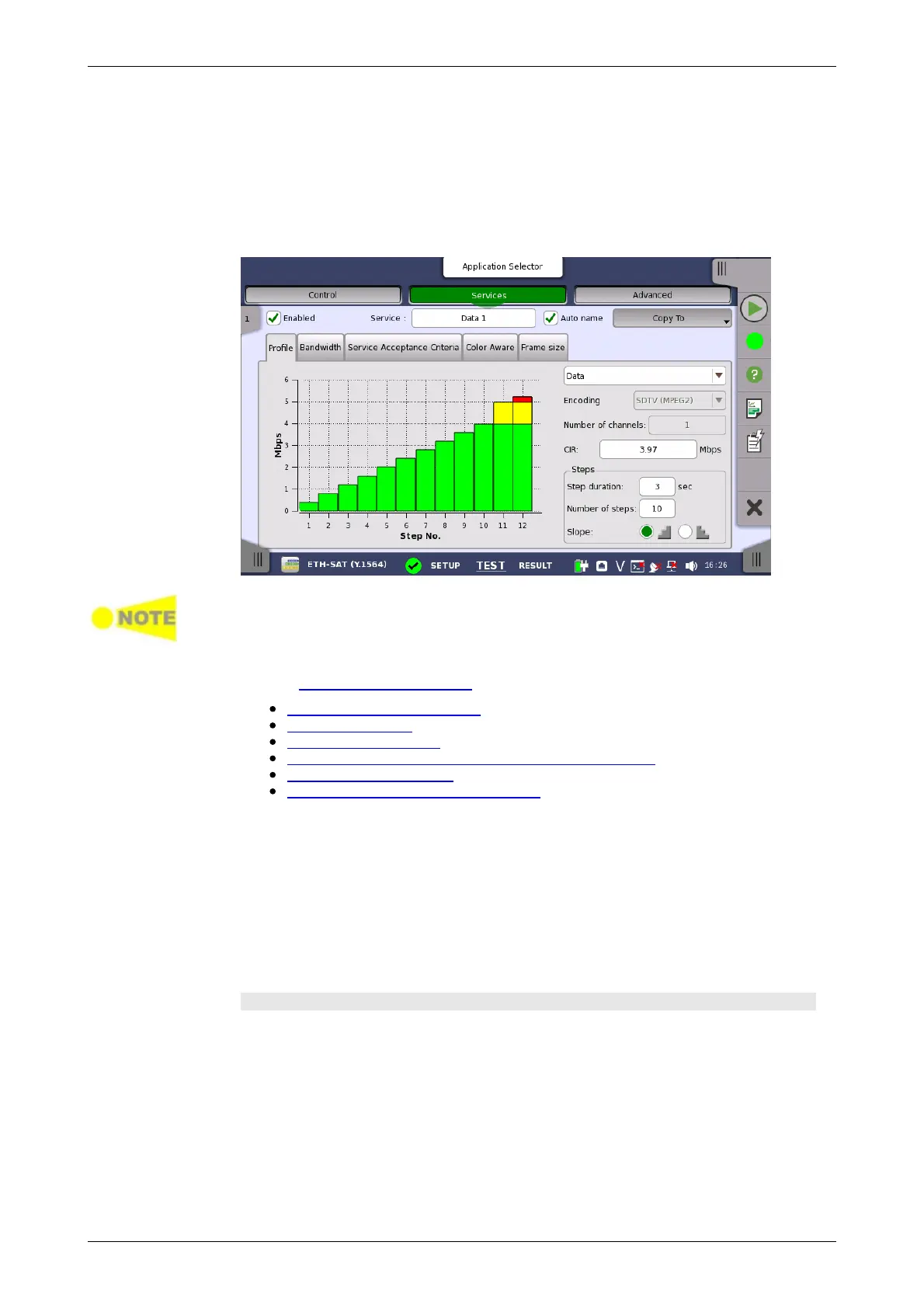
Touching the Services button in the navigation area will launch the screen
shown below.
If the End to End test setup on the 'Control' screen has been set to
asymmetrical service attributes setups, two Services buttons are displayed
instead of one: Services L->R button and Services R->L button.
This screen allows you to configure up to eight services being tested in the
current Service Activation Test. For each service, you can:
Enable/Disable the service
Set up the profile
Set up the bandwidth
Set up the service acceptance criteria (thresholds)
Set up the color aware
Set up the frame size configuration
Select the services that are to be tested. Up to 8 services can be specified,
either by enabling already defined services or by defining new ones. Use the
stream slide-out to select the relevant services. The stream slide-out is
displayed via the tab in the top left-hand corner of the setup area.
Use the Enabled check box to enable/disable the service specified in the
Service field.
To define a new service, select the relevant stream, specify a name in the
Service field and then configure the service using the tab pages.
Profile tab
The Profile tab page contains the following parameters:














 To Next Page