Removing
devices
Enable filters
Filter and mask
setup
Accept
Touch the Accept button when you have entered the desired data in the
dialog box. The identified unit is then added to the list displayed on the
Discovery view screen. Note that the Accept button is enabled only when
you have entered a value in the MEP ID field.
To remove a device from the list displayed on the Discovery view screen,
select the device and then touch the Remove button on the left side of the
screen.
6.1.2.8 Filter
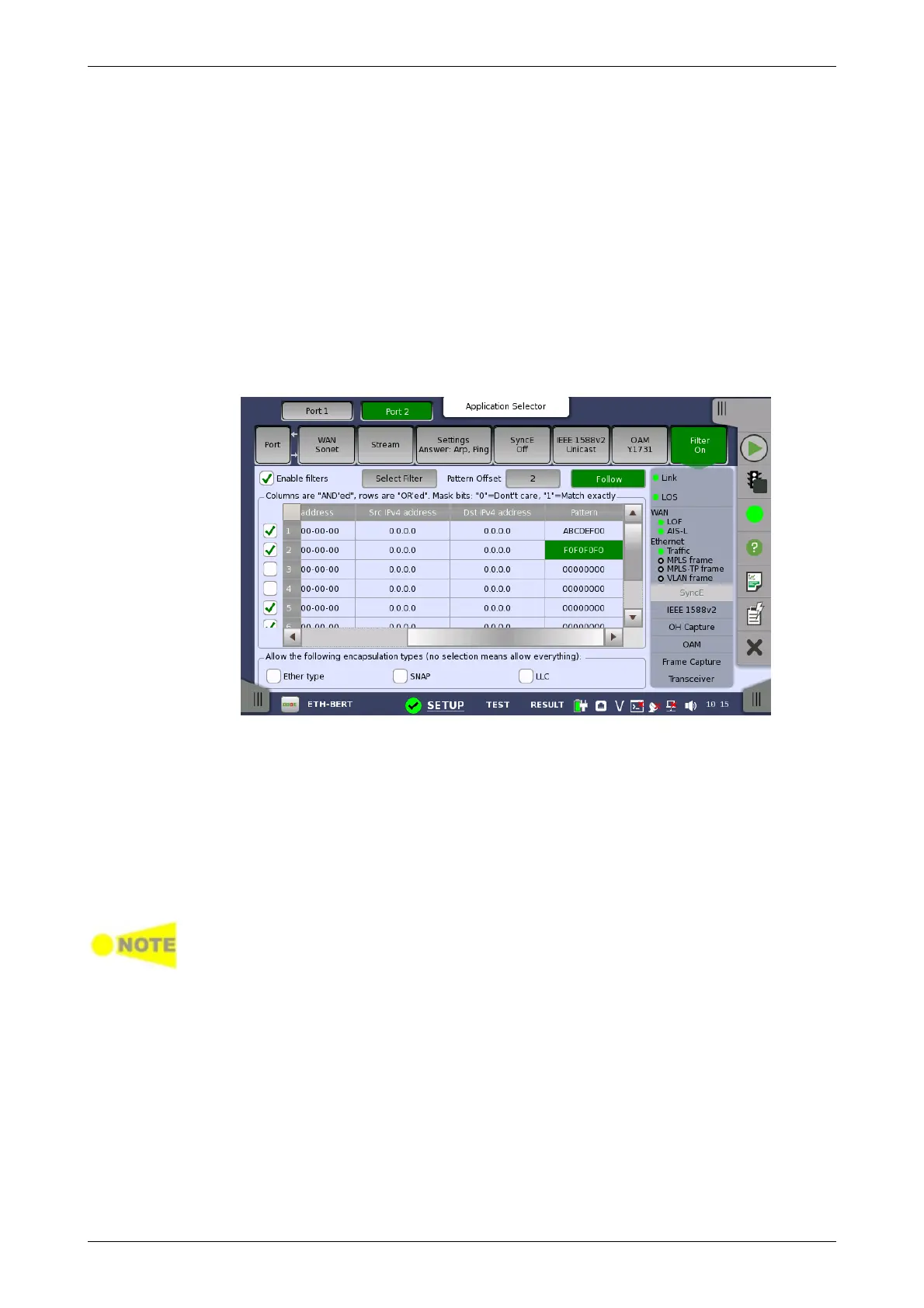
Touching the Filter button in the navigation area will display the screen
shown below.
The Follow button appears when the Port 2 settings can follow Port 1.
This screen allows you to set up filters and masks for the reception of
Ethernet frames. It can also be used to inspect the current status of the
selected port.
The configuration options available in the setup area of the screen are
described below. The status information is described in a separate section.
Select this check box to be able to set up new filters or make changes to the
existing ones.
At the bottom of the screen, it is possible to only allow certain encapsulation
types. If none are selected, all encapsulation types will pass.
It is possible to let the Port 2 copy the setup from Port 1 by touching the Follow
button. When this button is displayed in green, Port 2 continues to follow Port 1
change. This button appears when the Port 1 settings can be copied to Port 2.
The filter and mask table shows the currently existing filters. There are 8
rows, each representing a filter which (when enabled) is applied to each
received frame. Each filter is composed as a set of values and/or masks
(e.g. MAC destination address, IP addresses etc.). If all values in at least one
enabled row/filter matches, the frame will pass.
If the mask for a specific value is enabled, only bits that are "1"/on are
compared to the frame. For instance, if MAC Destination value is '00-12-34-
56-78-9A' and the mask is set to '00-FF-00-FF-FF-FF', only frames with MAC
addresses 'XX-12-XX-56-78-9A' will pass.














 To Next Page