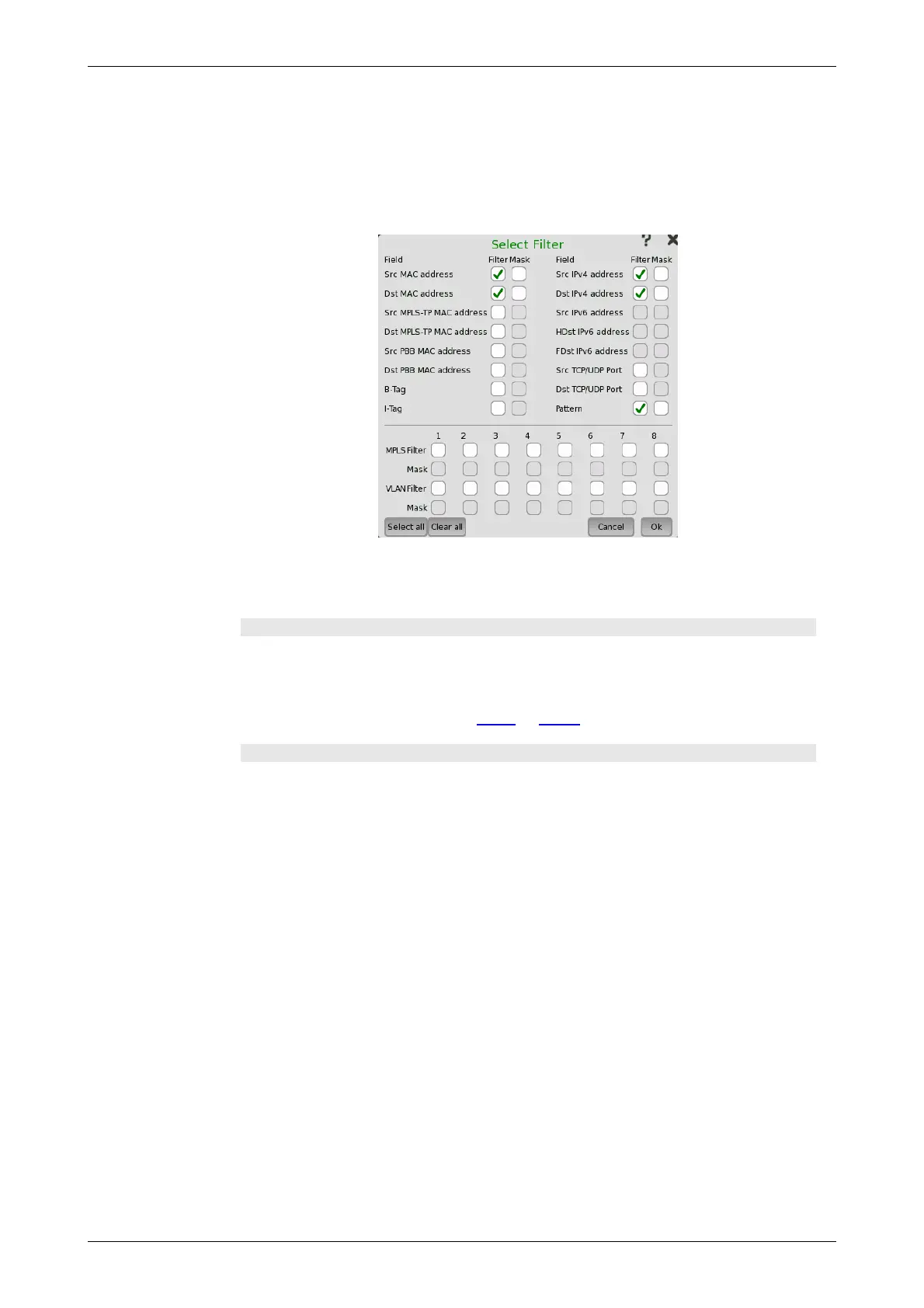
To specify the set of values and/or masks available for each filter (i.e. the
columns of the table), touch the Select Filter button. This will launch the
filter editor dialog box, which contains a number of check boxes for enabling
filters and masks on different addresses.
To set up / edit a filter, touch the relevant table cell. This will launch the
filter/mask NumPad dialog box.
The filter editor dialog box contains a number of check boxes for enabling
filters and masks on different addresses. Selectable check boxes depend on
frame structure. The selected filters appear in row of the table.
MPLS Filter, VLAN Filter setting
MPLS Filter and VLAN Filter can be selected up to eight levels because these
layers may have up to eight levels. The parameters in each filter can be set
independently.
For setting parameters, refer to MPLS or VLAN in "Stream" subsection.
Pattern filter setting
With the pattern value, it is possible to match a user-defined 32 bit value to a
specific offset defined by Pattern Offset. The pattern offset applies to all 8
filters but will only affect the enabled ones.
1. Select check box of Pattern on the Select Filter dialog box.
2. Touch Pattern Offset button.
3. Specify the Pattern Offset. This is the number of bytes counted from top
of destination MAC address byte. If you specified "7", the four bytes of
source MAC address are set to the object of filtering.
4. Touch the cell of Pattern in the table on the setup area.
5. Specify the pattern of four bytes.
6. Select the check box at left-side of the table.














 To Next Page