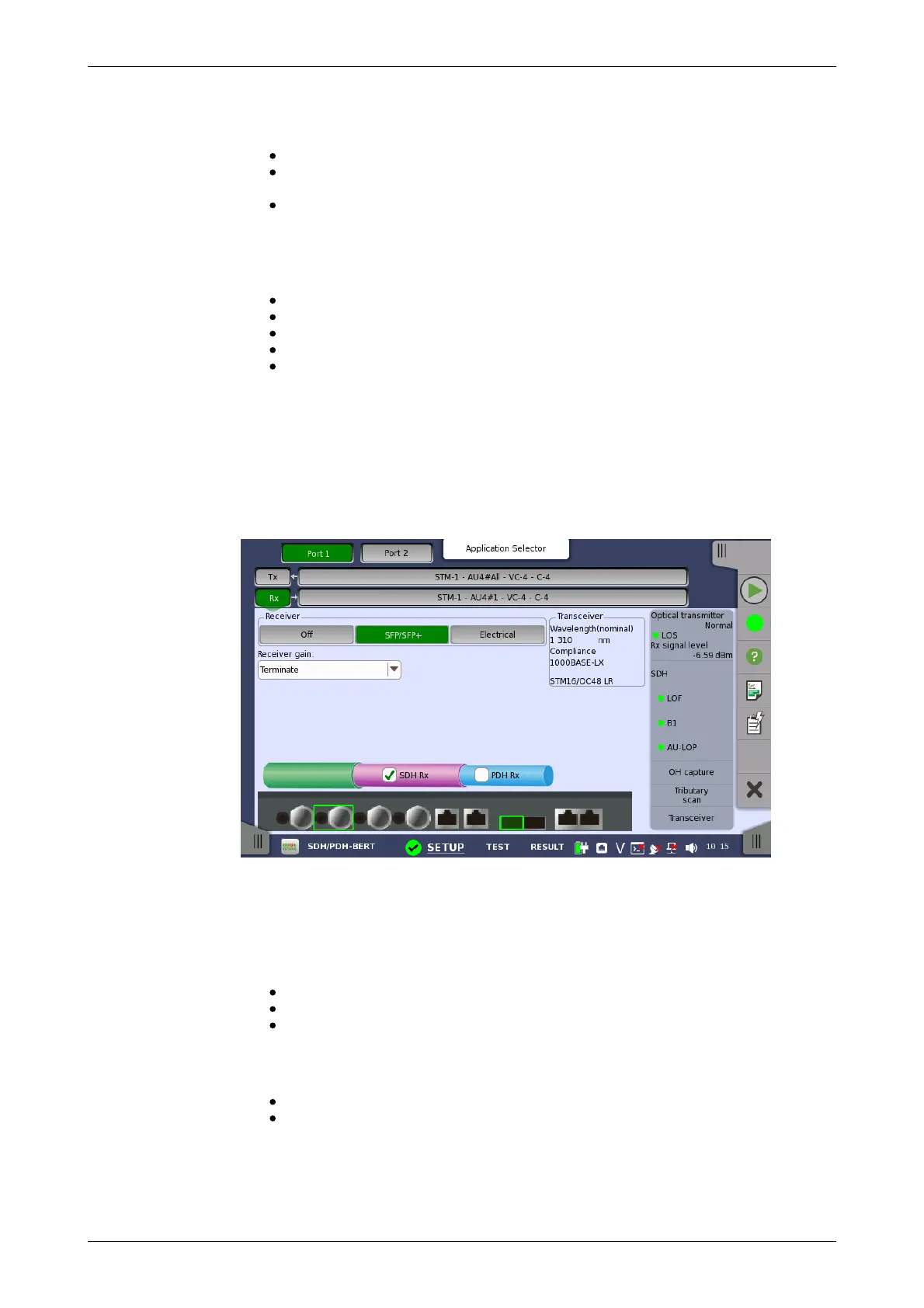
Receiver
Receiver gain
Transceiver
For example, bit length of PRBS9 is 2
9
-1=511.
Pattern logic is enabled.
All 0's, All 1's: All bits are 0, all bits are 1.
Alternating 1:1, Alternating 1:3, Alternating 1:7: Bit pattern such as
"010101...", "100010001000...", "1000000010000000...".
2 in 8: Bit pattern such as "010000100100001001000010...".
ITU Standard
Touching the 'ITU standard' button will apply standard recommended
Pattern type for currently selected SDH frame.
C-4: PRBS 23 Inverse
C-3 (VC-4): PRBS 23 Inverse
C-3 (VC-3): PRBS 15 Inverse
C-12: PRBS 15 Inverse
C-11: PRBS 15 Inverse
5.1.2 Receiver Setup
5.1.2.1 Physical Setup
When the receiver is set up with an SDH interface, touching the Rx button in
the navigation area will launch the following screen. (Note that the SDH Rx
check box above the connector panel illustration is selected.)
This screen allows you to make the physical setup of the receiver in SDH
mode. It can also be used to confirm the current status of the selected port.
The configuration options available in the setup area of the screen are
described below. The status information is described in a separate section.
Touch the button corresponding to the relevant interface type.
Off: No interface
SFP/SFP+: Optical interface
Electrical: Electrical interface (BNC connector)
Only relevant for electrical receivers. Select the attenuation and impedance
mode from the drop-down menu.
Terminate: Up to 12 dB cable attenuation, nominal impedance
Monitor: 20 dB linear attenuation and up to 12 dB cable attenuation,
nominal impedance.
Displays the Transceiver information when Optical Transmitter is selected.
5.1.2.2 SDH Frame Setup














 To Next Page