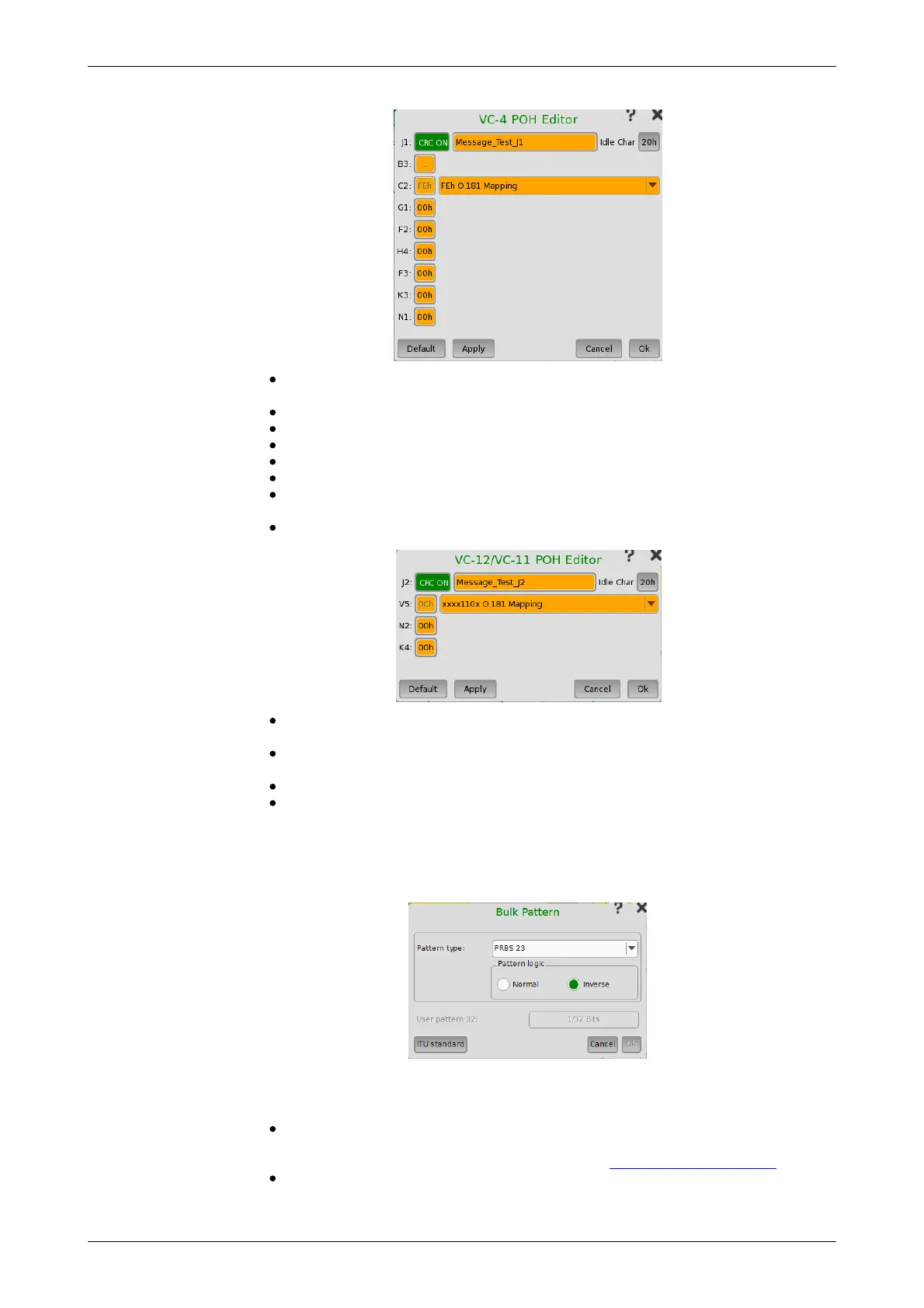
Bulk Pattern
J1: Path Trace
Idle Char is an Ascii code used for the padding.
B3: Path BIP-8 This byte cannot be set.
C2: Signal label
G1: (bit 1 to 4) REI (bit 5) RDI (bit 6 and 7) Reserved (bit 8) Spare
F2,F3: Path user channels
H4: Multiframe indicator
K3: (bit 1 to 4) Automatic protection switching (APS) channels (bit 5 and
6) Spare (bit 7 and 8) Data link
N1: Network operator byte
J2: Path Trace
Idle Char is an Ascii code used for the padding.
V5: (bit 1 and 2) BIP-2 (bit 3) REI (bit 4) RFI (bit 5 to 7) Signal label (bit 8)
RDI
N2: Network operator byte
K4: (bit 1) Extended signal label (bit 2) Low order virtual concatenation
(bit 3 and 4) Automatic protection switching (APS) channels (bit 5 to 7)
Reserved (bit 8) Data link
To set up the bulk pattern, touch the Configure xxxxx button to launch the
Bulk Pattern dialog box.
Pattern type
Select a predefined pattern or define a user pattern.
User [32] bit, User [2048] bit: 32 bits or 2048 bits length pattern.
The field which shows bit length is enabled. Touch the field to launch the
dialog box to define the bit pattern. Refer to The User Pattern Editor.
PRBS9 to PRBS31: Pseudo-random bit sequence. The number indicates
the bit length of sequence.














 To Next Page