Frame size
Stream
Measurement
Unframed BERT
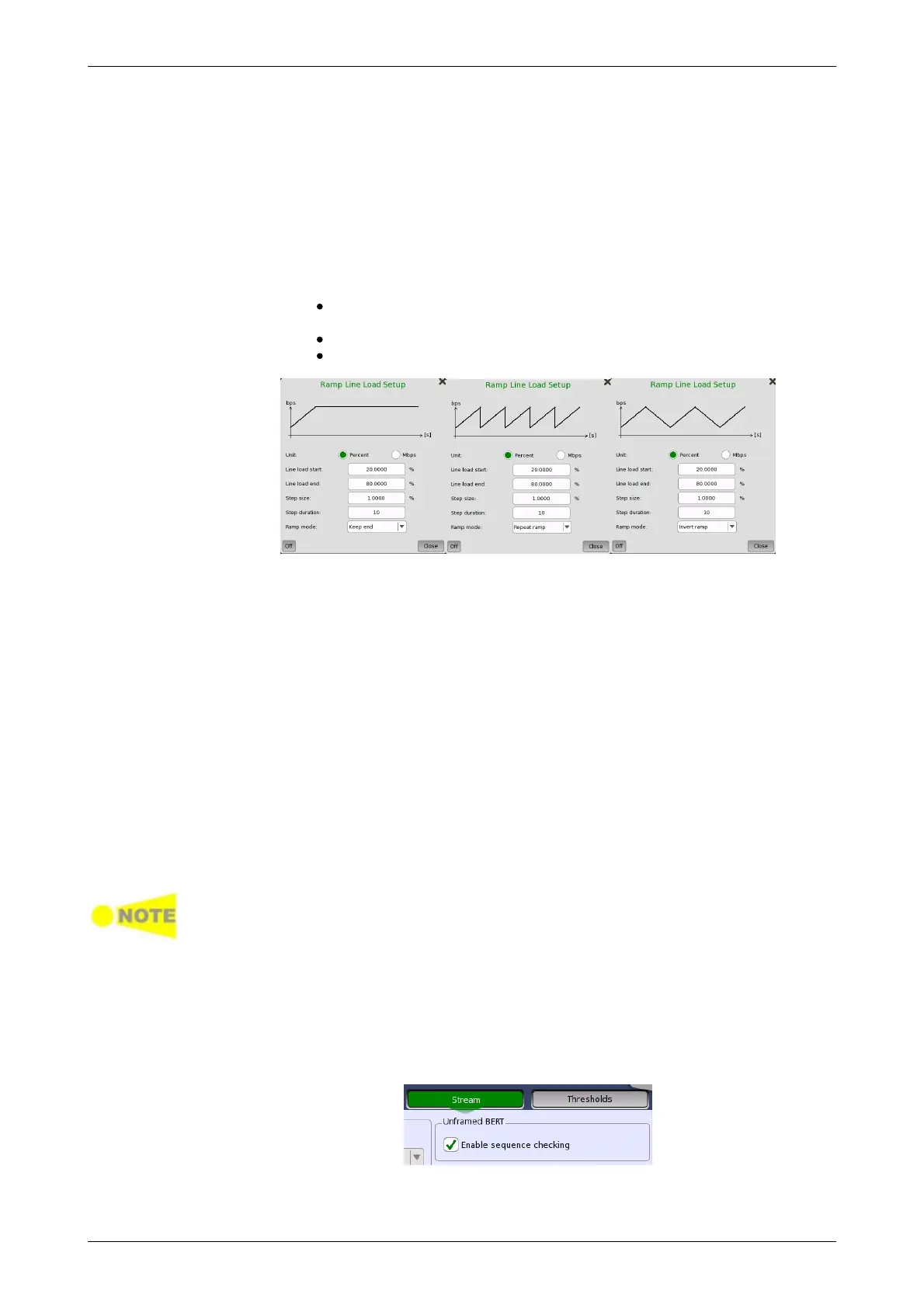
Line load start
The line load at which the ramp will start.
Line load end
The line load at which the ramp will end. (This is the value shown on the
line load button.)
Step size
The step size from start to end.
Step duration
The duration of each step.
Ramp mode
How the ramp should continue. 3 modes are available:
Keep end: The specified end line load is maintained after the
ramp is ended.
Repeat ramp: The ramp is repeated.
Invert ramp: The ramp is inverted.
Three setups are available, using one or more of the available setting
options:
Constant
Uses the fixed frame size specified by the Start value for the duration of
the test.
Stepped
Steps the frame size from Start to End in increments of Step. Each
frame size is transmitted for the period in seconds specified by
Duration.
If the traffic duration is set to Continuous on the Generator screen, the
step sequence will be repeated indefinitely. If traffic duration is set to a
number of seconds, the step sequence will be terminated when the
specified total period has elapsed. Similarly for traffic duration set to a
number of frames, the step sequence will be terminated when the total
number of transmitted frames reaches the specified count.
Random
Sends a continuous stream of frames of random sizes, evenly distributed
between Start and End.
Frame size is protocol headers and payload combined. Frame size does not
include preamble and interframe gap.
Select one or more of the measurements (Jitter, Latency and Service
disruption) on both of transmitter and receiver and then specify a
threshold value for each.
When Service disruption is selected, select Disruption Type from
"Packet" or "LOS".
Appears when "Unframed" is selected in Port Setup screen.
Enable sequence checking
Select the check box if enabling the frame sequence checking.














 To Next Page