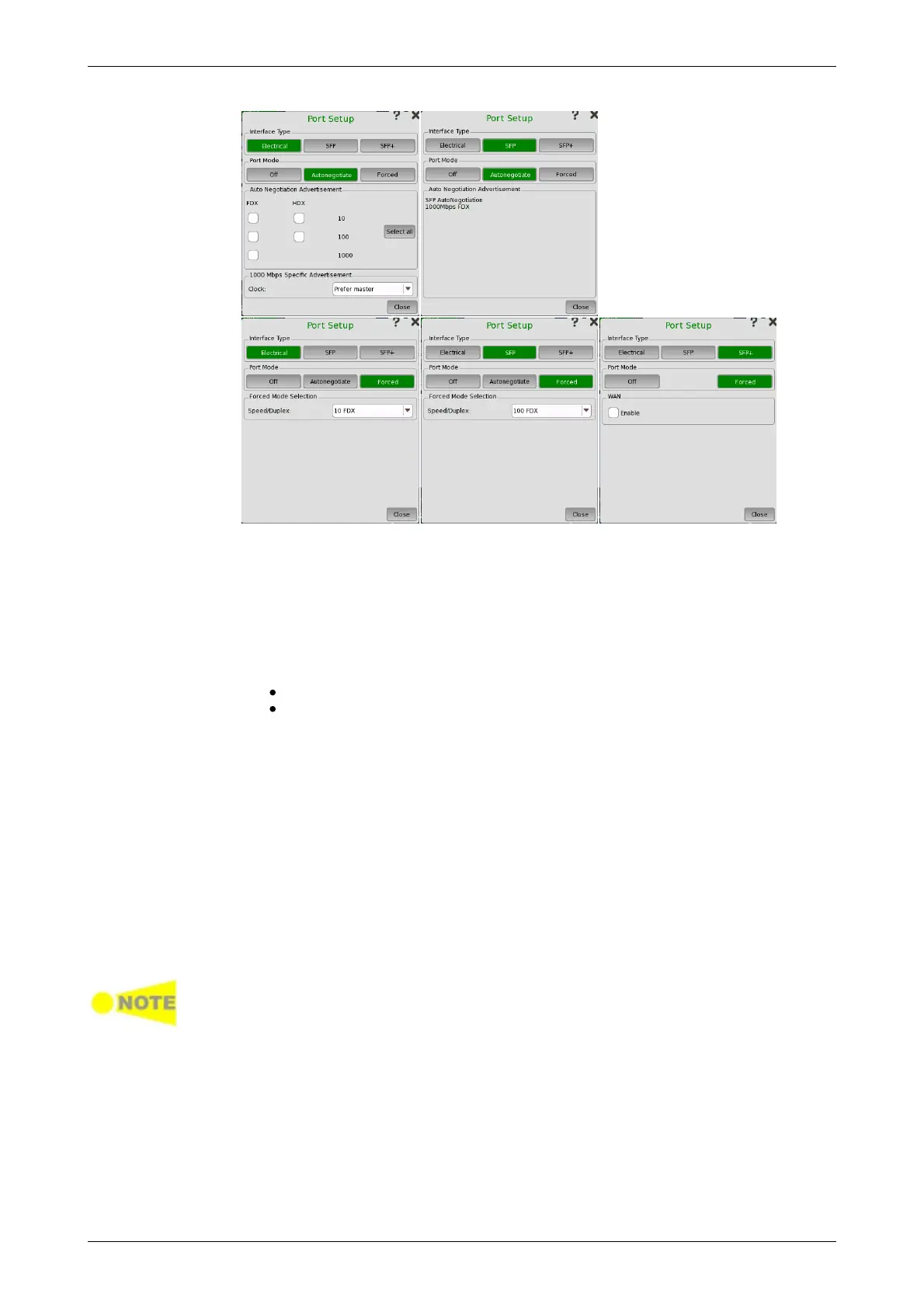
Port Mode = Off
Electrical +
Autonegotiate
Electrical +
Forced
SFP +
Autonegotiate
SFP + Forced
SFP+
Selecting the Off port mode will shut down the Ethernet port and stop the
physical link.
Selecting the Autonegotiate port mode with interface type specified as
Electrical will display the following parameters:
Auto Negotiation Advertisement
Allows you to set the speed and duplex capabilities that are advertised to the
link partner.
FDX can be set to 10, 100 and 1000.
HDX can be set to 10 and 100.
Using the Select all will automatically set check marks in every check box.
1000 Mbps Specific Advertisement
Open the Clock drop-down menu to select one of the following settings:
Prefer master, Prefer slave, Master, or Slave.
Selecting the Forced port mode with interface type specified as Electrical
will display the following parameters:
Forced Mode Selection
Allows you to select the forced mode speed and duplex capabilities.
Available choices are:
10 HDX, 10 FDX, 100 HDX, and 100 FDX
When autonegotiating with a port that is forced (i.e. not using autonegotiation),
the duplex for the port that is using autonegotiation will automatically be set to
Half Duplex (HDX) and the speed to the speed used by the forced port. It is thus
possible to have a duplex mismatch without knowing it.
Selecting the Autonegotiate port mode with interface type specified as
SFP will display the negotiated speed.
Selecting the Forced port mode with interface type specified as SFP allows
you to select the forced mode speed. Available choices are:
100 FDX, 1000 FDX
When running 10G only Forced mode is available.














 To Next Page