Alarms/Errors/
Others
Traffic: Traffic is detected.
Pattern Sync: Pattern Sync is detected.
Pattern Error: Pattern Error is detected.
9.1.3.4 Transceiver
Refer to Transceiver in "Ethernet Setup and Status" section.
9.1.4 Errors/Alarms Insertion
This section describes the errors and alarms insertion for the Fiber Channel
interface on the Application toolbar.
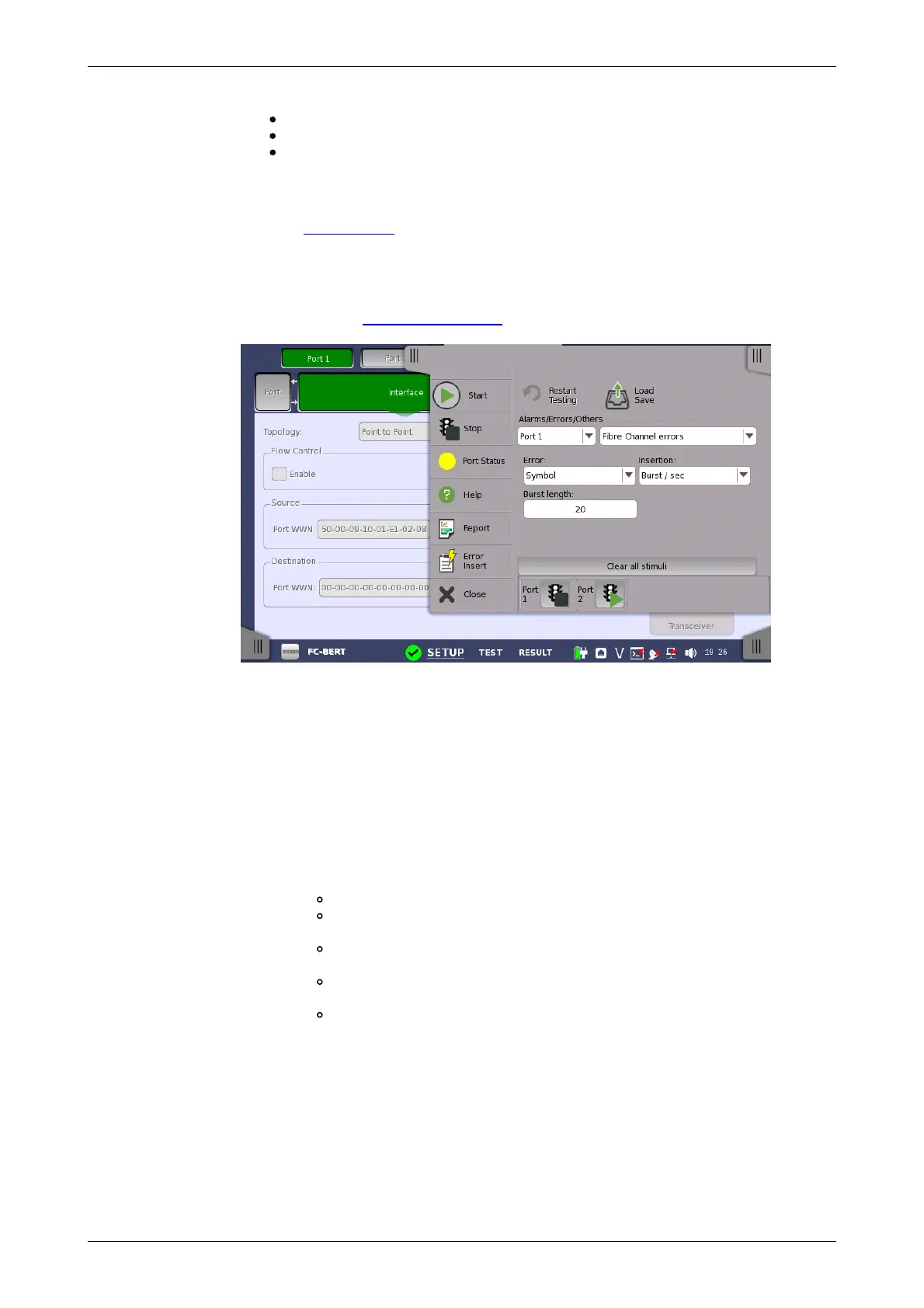
Select the port to insert errors, and the stimuli type. The settings items vary
depending on the selected stimulus type.
9.1.4.1 Fibre Channel alarms
Select an alarm option in the drop-down menu.
Alarms will be inserted continuously.
9.1.4.2 Fibre Channel errors
1. Select an error option in the Error drop-down menu.
2. In the Insertion drop-down list, select an insertion mode.
Off: Turns off inserting errors.
Manual: Inserts the specified number of errors if you touch the
Error Insert icon.
Burst / sec: Inserts the specified number of errors in one second
periodic.
Burst / 10 sec: Inserts the specified number of errors in ten
second periodic.
Burst*1E-02 to Burst*1E-07: Inserts errors of burst length at the
specified rate continuously.
For example, Error burst length is set to 3 and Burst*1E-06 is
selected, the three errors will be inserted per one million blocks.
The Error Insert icon shows only status.
3. Touch the Burst length field to set the number of errors to insert.
4. When Insertion is set to Manual, touch the Error Insert icon.














 To Next Page