1. Attach the battery pack to the product.
2. Disconnect the AC adapter, if used.
3. Turn the power switch to ON.
4. Leave the product on until the power indicator goes off; the battery is
now discharged.
5. Remove the battery.
6. Insulate the battery terminals with adhesive tape.
7. Mail it to your Anritsu Service or Sales office, or to the address shown
below.
ANRITSU COMPANY
490 Jarvis Drive, Morgan Hill, CA 95037-2809, USA
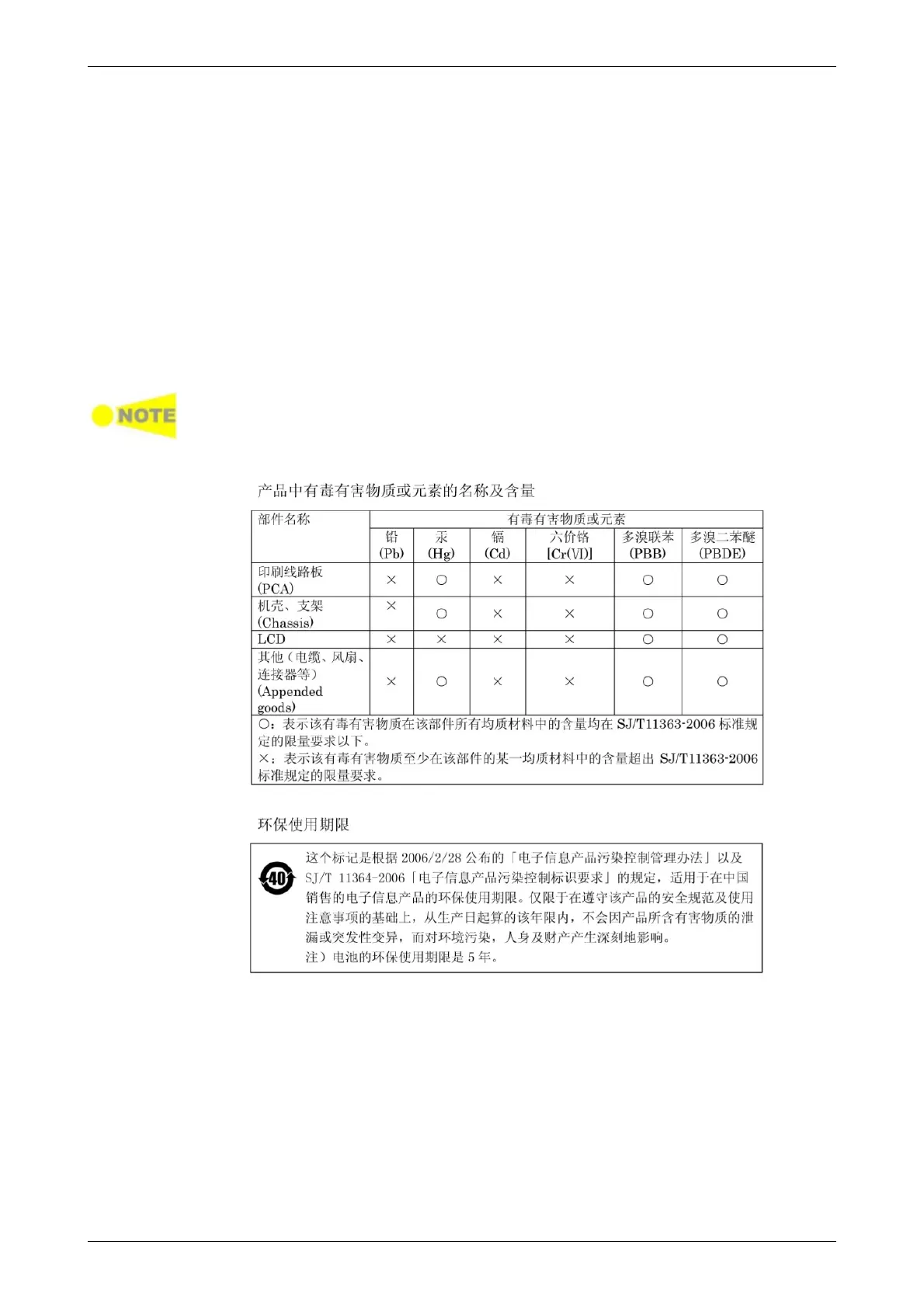
12.13.4 Information for the Chinese Market Only
Concerning declaration of China RoHS, please see the note below.
China RoHS is not 100% identical to the European (EU) RoHS. EU RoHS has
exemptions for Pb and Hg in various alloys, soldering, displays and other
products. The China RoHS declaration in the next table does NOT comply with
EU RoHS.














 To Previous Page