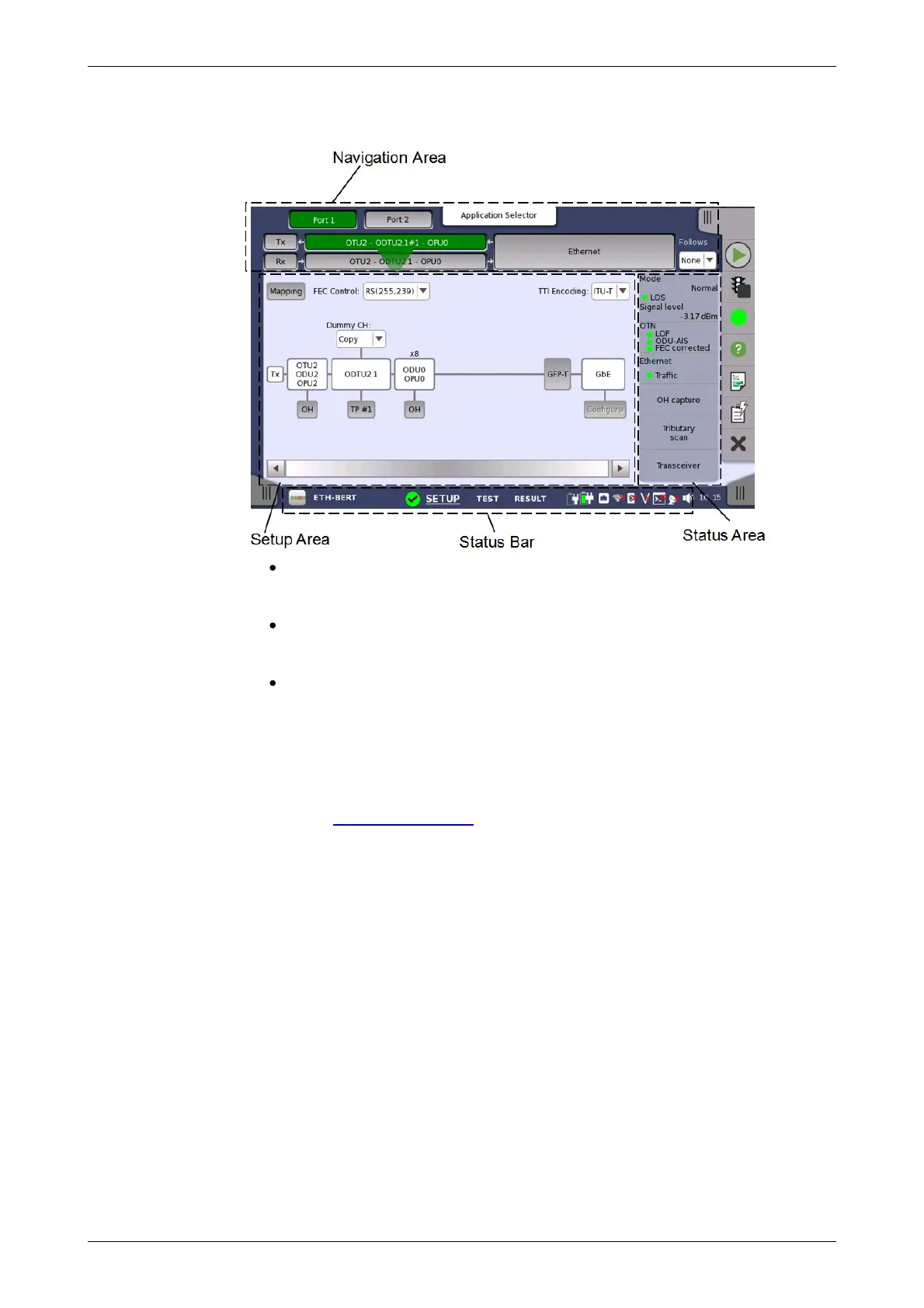
Test Setup
screen
It consists of several "areas":
The navigation area at the top of the screen contains a number of buttons
representing a structure for the current interface, which allows you to
select a specific port, transmitter/receiver and layer.
The setup area (the main area of the screen) is where the parameters
for setting up the interface are displayed. The contents of the area
changes depending on what is currently selected in the navigation area.
The status area (to the right of the setup area) shows status information
for the currently selected port and layer. You can access more detailed
status information from here by touching the status summary boxes and
buttons.
It may contain one or more setup pages, with a row of navigation buttons at
the top of the screen allowing you to switch between the pages and between
ports (when relevant). In addition, the Ports Setup screen also contains the
expandable Application toolbar and the navigation tabs for horizontal and
vertical navigation.
The Test Setup screen is the second screen in the workspace. It may
contain one or more setup pages, with a row of navigation buttons at the top
of the screen allowing you to switch between the pages and between ports
(when relevant).














 To Next Page