Picture Play Embroidery Function
179
Advanced Embroidery
5
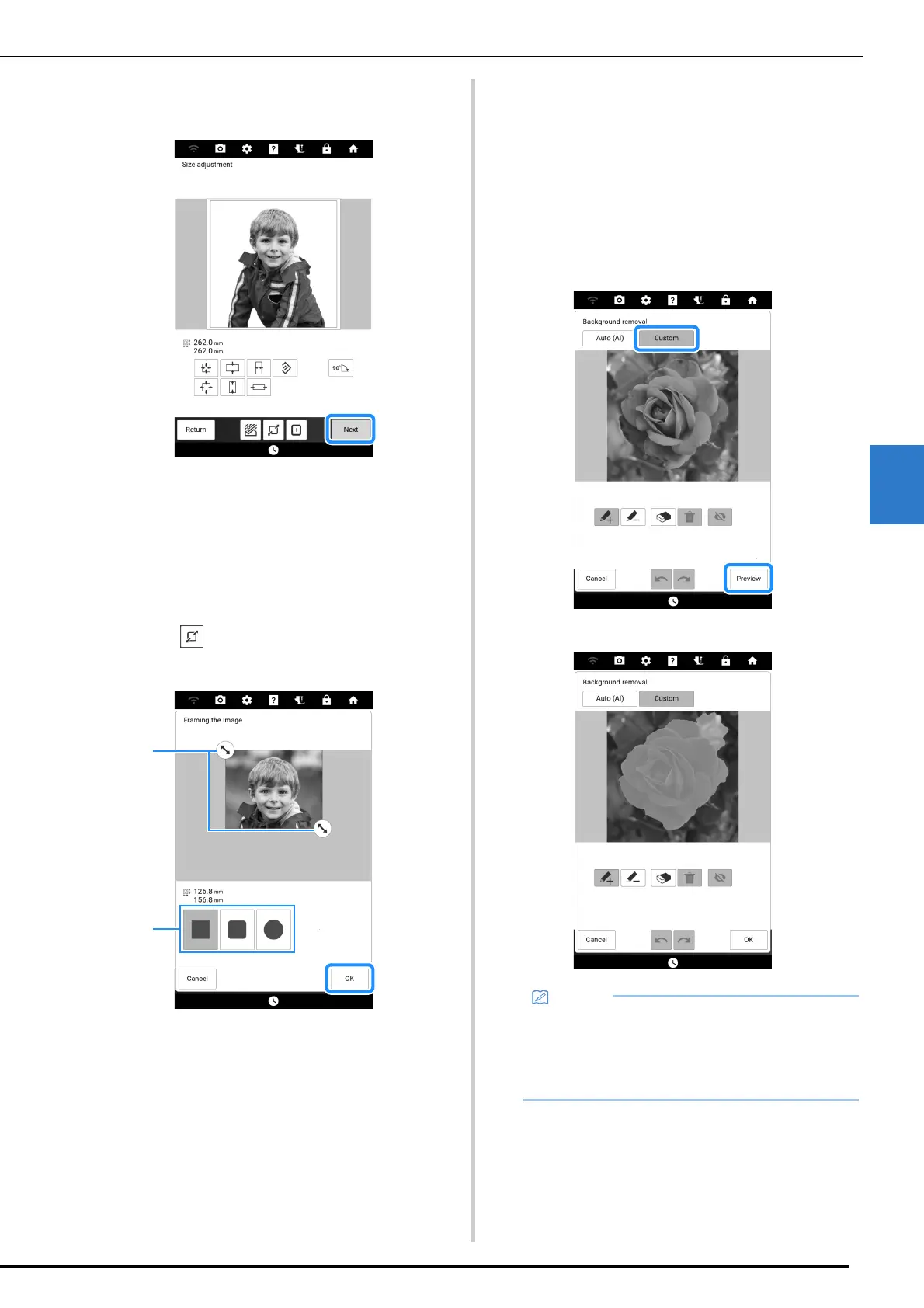
8 After editing of the image is finished,
touch [Next].
Proceed to “Selecting the Conversion Method” on
page 181.
Framing the Image
1
Follow steps 2 through 5 of “Adjusting
the Imported Image” on page 177.
2 Touch . Select the image area to be
framed, and then touch [OK].
a Drag to select the image area to be framed.
b Select a shape to frame the image with.
3 Follow steps 7 through 8 of “Adjusting
the Imported Image” on page 177.
Removing the Background in
[Custom] Mode
For this example, the background will be removed
from a photo of a flower.
1 Touch [Custom] in step 6 of “Adjusting
the Imported Image” on page 177.
For this example, first touch [Preview] to
display the cropping area.
The cropping area is highlighted in cyan.
• The results from using [Custom] mode to
detect the cropping area without first
specifying it may differ from the results from
using [Auto (AI)] mode to remove the
background.



 To Next Page