Using the Camera to Connect Patterns
220
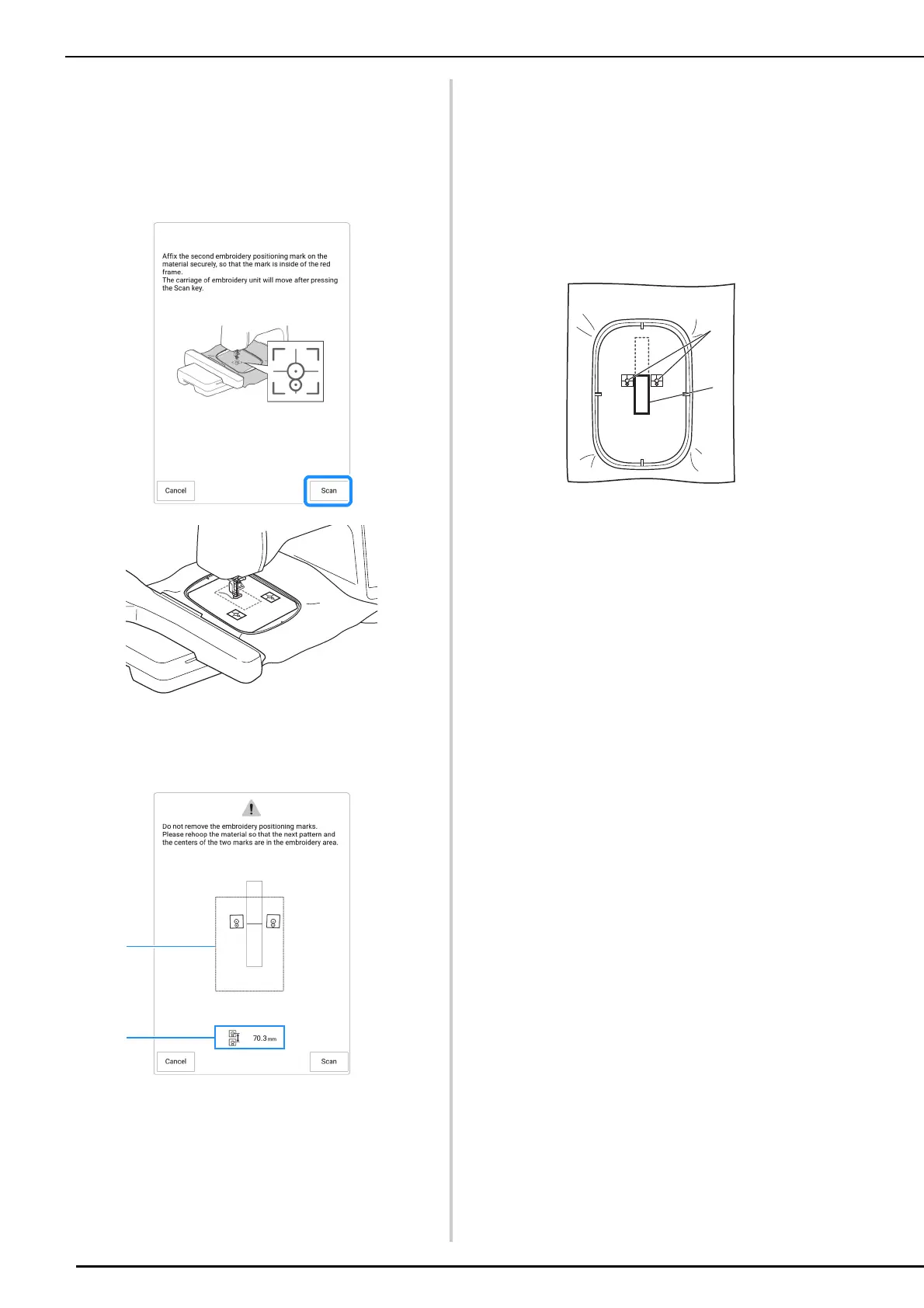
15 Use both hands to affix the second
embroidery positioning mark within the
red lines that now appear on the machine
by pressing down on each corner of the
positioning mark onto the material and
then touch [Scan].
The camera detects the second embroidery
positioning sticker. After the two embroidery
positioning stickers have been detected, the
following message appears.
a Embroidering area
b Distance between the embroidery positioning
stickers (Refer to “Memo” of step
10 of
“Connecting the Pattern Sections with the Camera”
on page 212)
16 While making sure that the two
embroidery positioning stickers do not
peel off, remove the embroidery frame
from the machine, and then rehoop the
fabric. Be sure to hoop the fabric so the
next pattern and both the embroidery
positioning stickers are within the
embroidery area. Reattach the
embroidery frame and touch [Scan].
a Pattern to be embroidered next
b Centers of large circles for stickers
The camera detects the two embroidery
positioning stickers.



 To Next Page