SV-GPS-250/2020 GPS Receiver Installation and Configuration
8-8 SkyView System Installation Guide - Revision AA
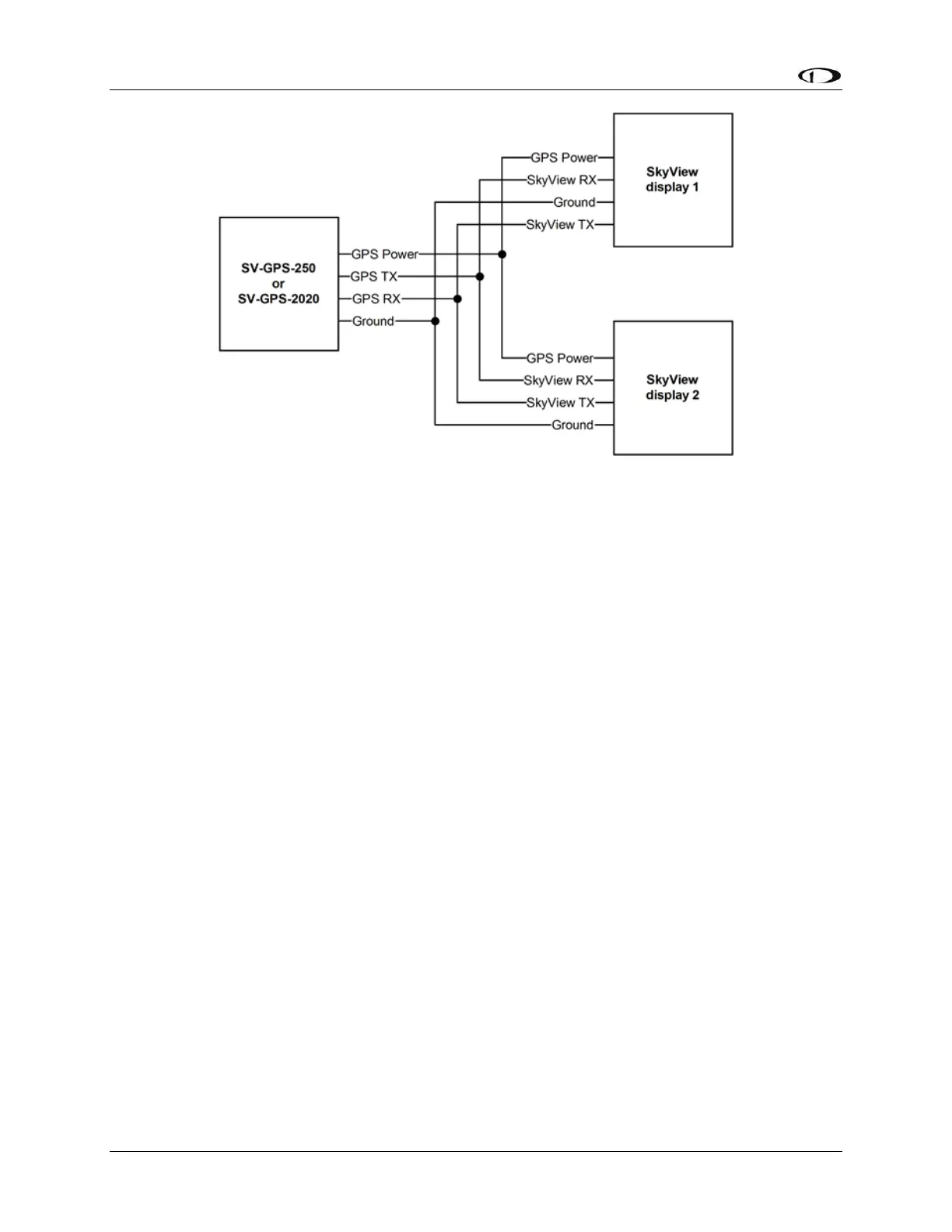
Figure 93 – SV-GPS-250/2020 Connected to Multiple SkyView Displays
If there is more than one SV-GPS-250/2020 in your system (including one SV-GPS-250 and one
SV-GPS-2020, use the same scheme in Figure 93 on different display serial ports for the other
SV-GPS-250/2020 modules, but connect power and ground for the other SV-GPS-250/2020
modules to the same power and ground connections (black and orange wires) that are provided
in the serial port 5 wiring bundle on the display harnesses. An example of this configuration
follows.










 To Next Page