Configuring the ECN330-switch
1891553-KDU 137 365 Uen D 2006-06-16
Advertised capabilities for RJ45:
100BASE-TX – 10half, 10full, 100half, 100full;
1000BASE-T – 10half, 10full, 100half, 100full, 1000full;
Advertised capabilities for SFP: 1000BASE-SX/LX/LH – 1000full)
• Media Type – Shows the forced/preferred port type to use for the
combination ports.
(
Ports
25-26)
• Copper-Forced - Always uses the built-in RJ45 port.
•
SFP-Forced
- Always uses the SFP port (even if module is not
installed).
•
SFP-Preferred-Auto
- Uses SFP port if both combination types are
functioning and the SFP port has a valid link. (This is the default.)
• Trunk – Indicates if a port is a member of a trunk. To create trunks and
select port members, see 6.7.3 "Creating Trunk Groups" 190.
Note: Auto-negotiation must be disabled for Fast Ethernet ports before an
interface can be configured or forced to use the Speed/Duplex Mode or Flow
Control options. Auto-negotiation cannot be disabled for Gigabit Ethernet ports,
which only operate at 1000full (1 Gbps full-duplex).
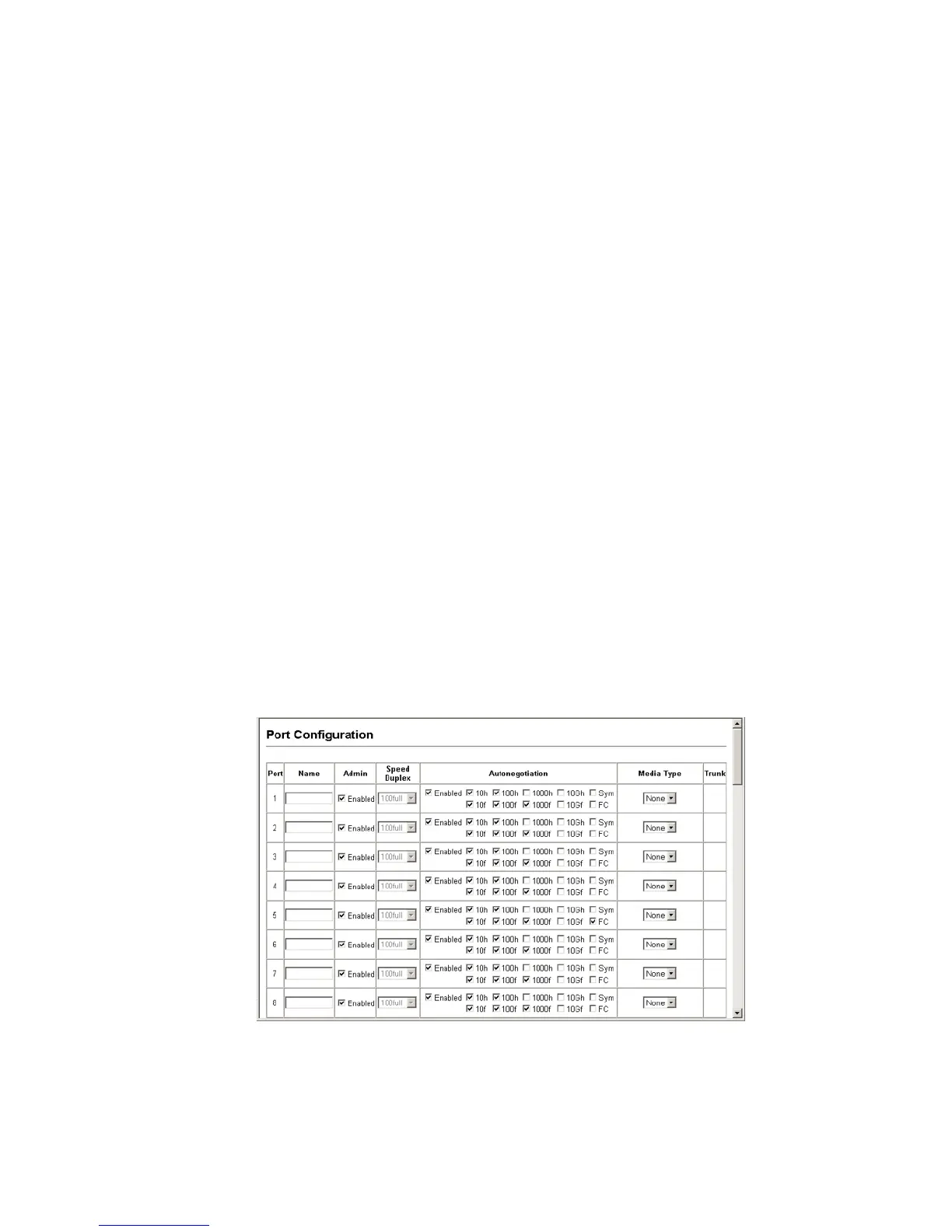
Web – Click Port, Port Configuration or Trunk Configuration. Modify the required
interface settings, and click Apply.
Figure 69 Port - Port Configuration



 To Next Page