Configuring the ECN330-switch
246 1553-KDU 137 365 Uen D 2006-06-16
• Designated root – The priority and MAC address of the device in the
Spanning Tree that the ECN330-switch has accepted as the root device.
• Fast forwarding – This field provides the same information as Admin
Edge port, and is only included for backward compatibility with earlier
products.
• Admin Edge Port – Enable this option if an interface is attached to a
LAN segment at the end of a bridged LAN or to an end node. Since end
nodes cannot cause forwarding loops, they can pass directly through to
the spanning tree forwarding state. Specifying Edge Ports provides
quicker convergence for devices such as workstations or servers,
retains the current forwarding database to reduce the amount of frame
flooding required to rebuild address tables during reconfiguration
events, does not cause the spanning tree to reconfigure when the
interface changes state, and also overcomes other STA-related timeout
problems. However, remember that Edge Port should only be enabled
for ports connected to an end-node device.
• Admin Link Type – The link type attached to this interface.
• Point-to-Point – A connection to exactly one other bridge.
• Shared – A connection to two or more bridges.
• Auto – The ECN330-switch automatically determines if the interface
is attached to a point-to-point link or to shared media.
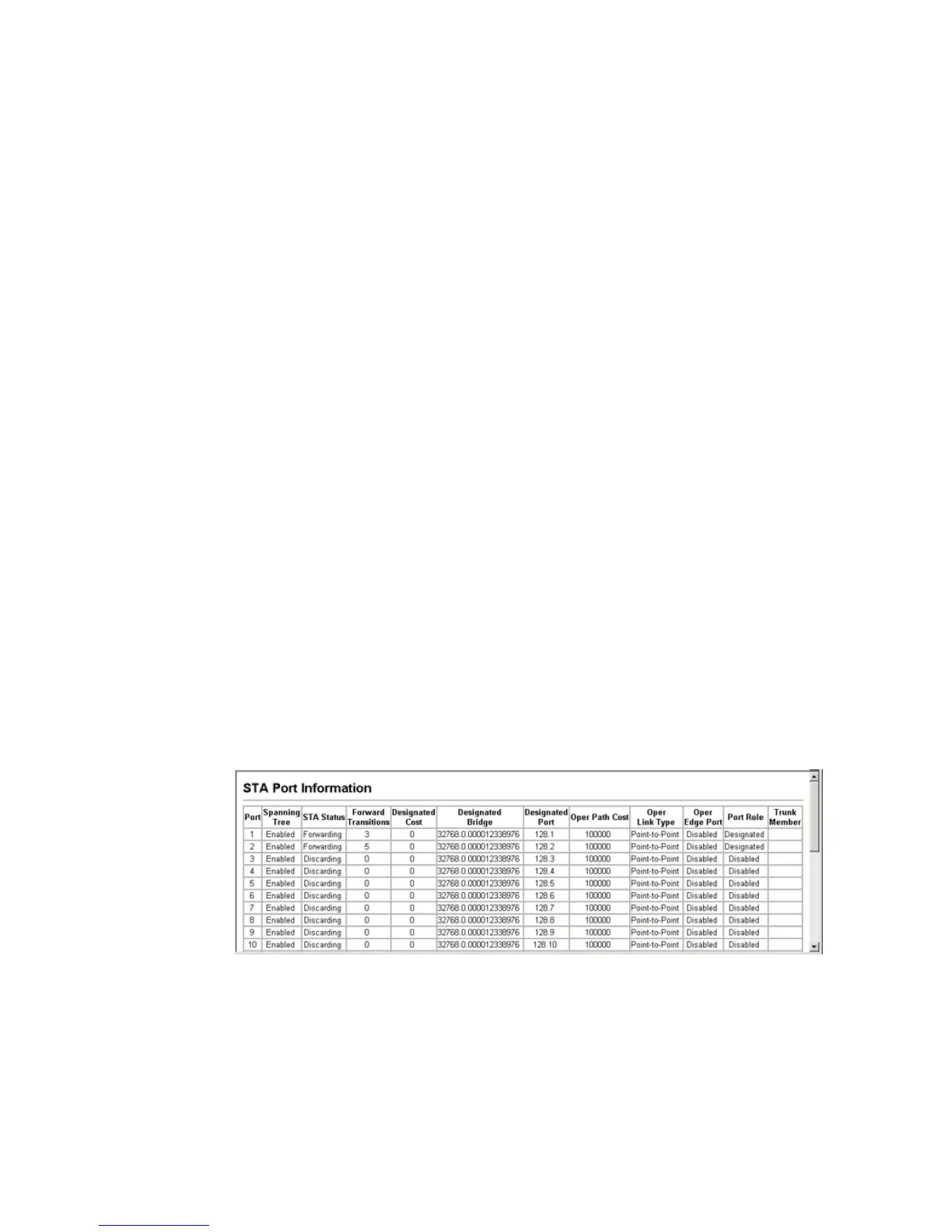
Web – Click Spanning Tree, STA, Port Information or STA Trunk Information.
Figure 98 STA Port Information



 To Next Page