Configuring the ECN330-switch
250 1553-KDU 137 365 Uen D 2006-06-16
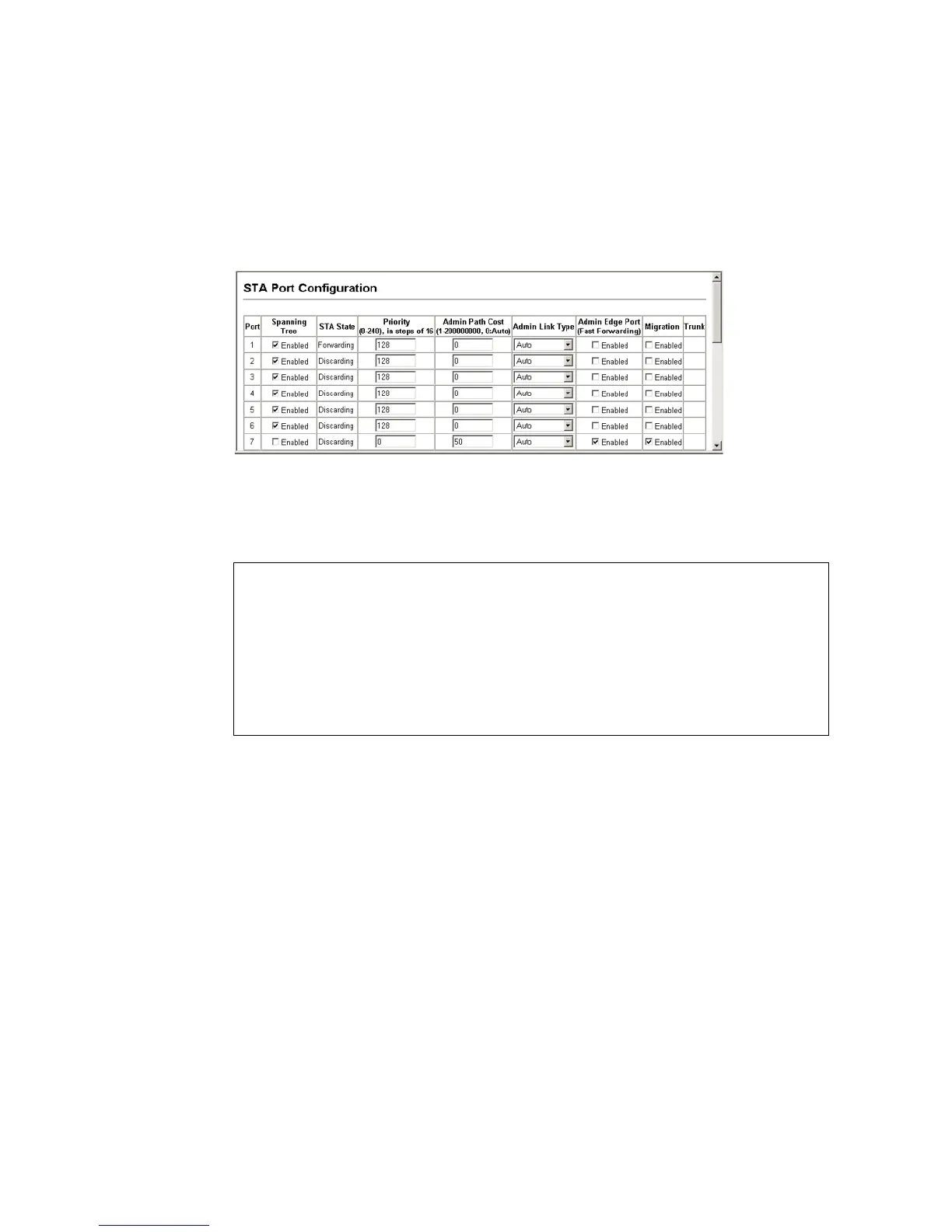
Web – Click Spanning Tree, STA, Port Configuration or Trunk Configuration.
Modify the required attributes, then click Apply.
Figure 99 STA Port Configuration
CLI – This example sets STA attributes for port 7.
6.10.5 Configuring Multiple Spanning Trees
MSTP generates a unique spanning tree for each instance. This provides
multiple pathways across the network, thereby balancing the traffic load,
preventing wide-scale disruption when a bridge node in a single instance fails,
and allowing for faster convergence of a new topology for the failed instance.
By default all VLANs are assigned to the Internal Spanning Tree (MST Instance
0) that connects all bridges and LANs within the MST region. The ECN330-
switch supports up to 65 instances. Try to group VLANs which cover the same
general area of the network. However, remember that all bridges within the
same MSTP Region (page 241) must be configured with the same set of
instances, and the same instance (on each bridge) with the same set of VLANs.
Also, note that RSTP treats each MSTI region as a single node, connecting all
regions to the Common Spanning Tree (CST).
Console(config)#interface ethernet 1/7
Console(config-if)#no spanning-tree spanning-disabled
Console(config-if)#spanning-tree port-priority 0
Console(config-if)#spanning-tree cost 50
Console(config-if)#spanning-tree link-type auto
Console(config-if)#no spanning-tree edge-port
Console(config-if)#end
Console#spanning-tree protocol-migration ethernet 1/7
Console#



 To Next Page