105
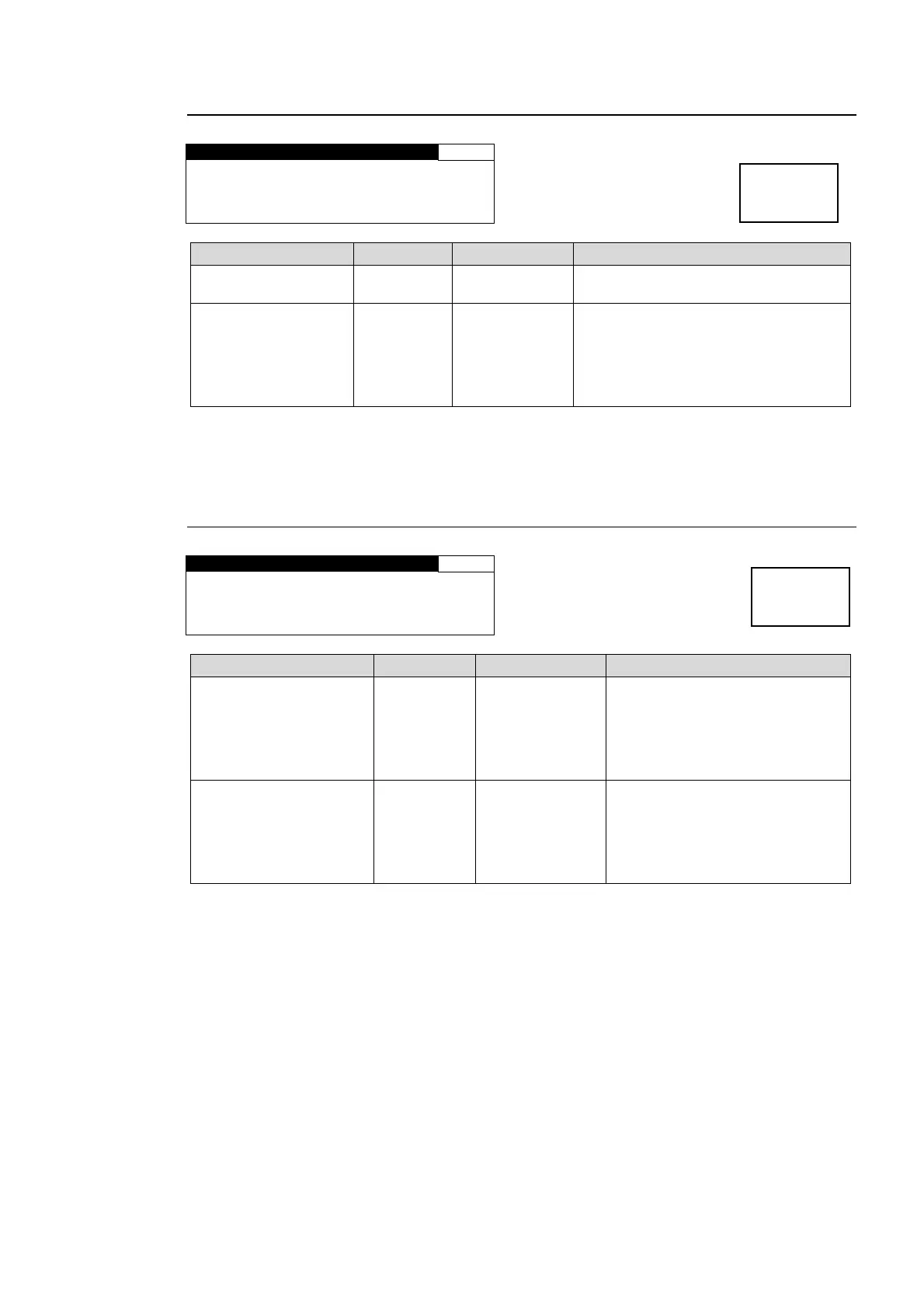
6-2-4. AES MONO SUM
AES MONO SUM 134
CH SEL :CH 1/2
MONO SUM:DISABLE
Parameter Default Setting range Description
CH SEL CH1/2 CH1/2 - 7/8
Selects a stereo pair of AES output
audio channels.
MONO SUM DISABLE
DISABLE
ENABLE
ENABLE: Outputs the stereo pair
channels that are selected under CH
SEL as a mono sum.
(The signals of the selected pair
channels are added and devided by
two to output from each channel.)
If the AES connector is set to be used for input, the menu display for the selected AES output
audio channel appears as *CH1. See section 6-2-5 “AES I/O SETUP” and change the
setting if necessary.
6-2-5. AES I/O SETUP
AES I/O SETUP 135
AES1-4 I/O:INPUT
AES5-8 I/O:INPUT
Parameter Default Setting range Description
AES1 - 4 INPUT
INPUT
OUTPUT
INPUT: AES1/2, and 3/4
connectors are set to be input
connectors.
OUTPUT: AES1/2, and 3/4
connectors are set to be output
connectors.
AES5 - 8 INPUT
INPUT
OUTPUT
INPUT: AES5/6, and 7/8
connectors are set to be input
connectors.
OUTPUT: AES5/6, and 7/8
connectors are set to be output
connectors.
All connectors are set as input connectors and this menu is not displayed if the FA-95DACBL
option is installed.
Menu button
C C
AES AUDIO
Menu button
C C
AES AUDIO



 To Next Page