218
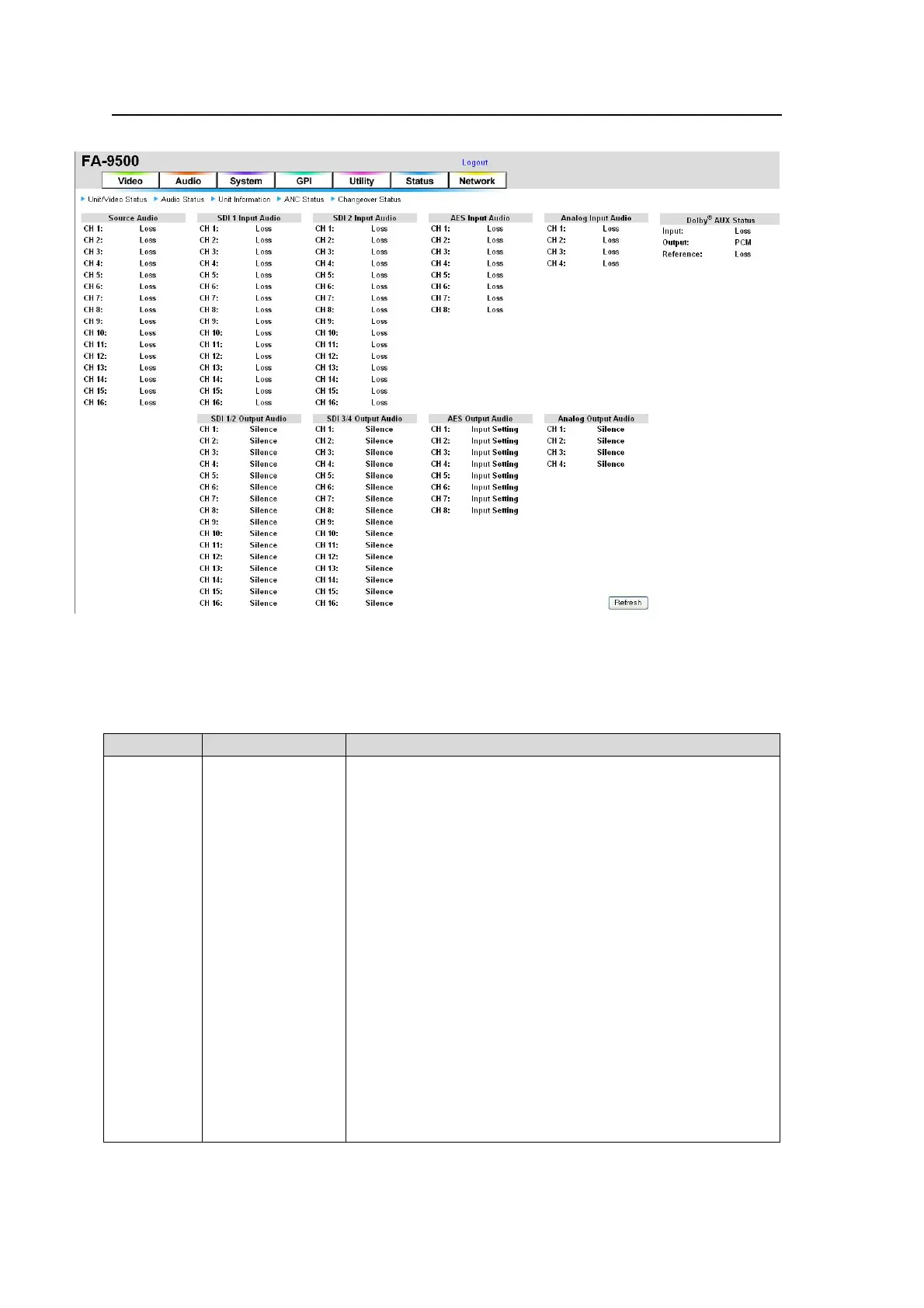
9-7-2. Audio Status
The audio statuses are shown on the Audio Status page.
If the user name and password are not set in the USER SETTING page (see section 9-8-5),
the Logout is not shown.
Click Refresh to refresh the page.
Source Audio
Item Display Description
CH1 - CH16
Loss
PCM
PCM 48kHz
PCM 44.1kHz
PCM 32kHz
PCM Other
Silence
Silence 48kHz
Silence 44.1kHz
Silence 32kHz
Silence Other
Non-PCM
PCM(Async)
Silence (Async)
Non-PCM(Async)
In(Analog)
Unknown
Displays the status of audio sources CH1 through CH16 that
are selected in the Audio Source Select menu.
LOSS: No audio signals
PCM: Normal audio signal (SDI input)
PCM 48kHz: Normal audio signal (AES input approx. 48kHz)
PCM 44.1kHz: Normal audio signal (AES input approx.
44.1kHz)
PCM 32kHz: Normal audio signal (AES input approx. 32kHz)
PCM Other: Normal audio signal (Other AES input)
Silence: Mute signal (SDI input)
Silence 48kHz: Mute signal (AES input approx. 48kHz)
Silence 44.1kHz: Mute signal (AES input approx. 44.1kHz)
Silence 32kHz: Mute signal (AES input approx. 32kHz)
Silence Other: Mute signal (Other AES input)
Non-PCM: Compressed audio data such as AC3
PCM(Async) : Normal audio signal (Asynchronous SDI input)
Silence (Async) : Mute signal (Asynchronous SDI input)
Non-PCM(Async) : Compressed audio data such as AC3
(Asynchronous SDI input)
In(Analog) : Analog audio signal
Unknown: Unidentifiable



 To Next Page