198
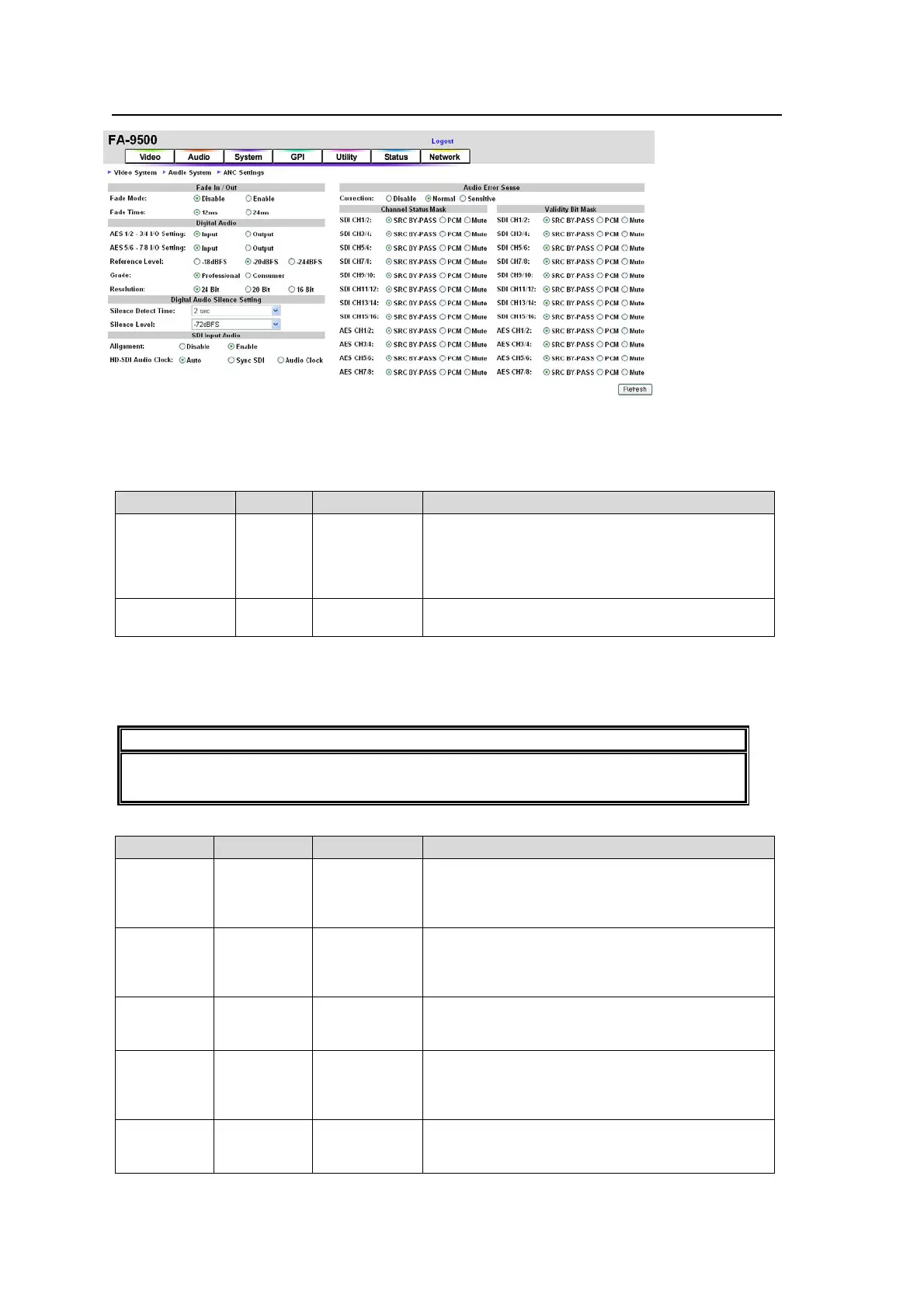
9-4-2. Audio System
If the user name and password are not set in the USER SETTING page (see section 9-8-5),
the Logout is not shown.
Click Refresh to update the settings.
Fade In/Out
Parameter Default Setting range Description
Fade Mode Disable
Disable
Enable
Disable: Always outputs input audio signals
without adding any effect such as Fade or Mute.
Enable: Sets an audio channel to mute with fade
out if an audio error is detected and fade in when
recovered.
*1
Fade Time 12ms
12ms
24ms
Sets the duration for Fade In and Out transitions.
*1 To use this function, the audio delay must be set longer than the total Fade In/Out Time
and Silence Detect Time.
Ex.) If Fade Time is set to 12 ms, the audio delay must be longer than 14 msec; i.e. 12+
2msec (Silence Detect Time).
IMPORTANT
Fade In/Out may not function properly for the switching between AES input signals
whose sampling rates are different, or that are asynchronous.
Digital Audio
Parameter Default Setting range Description
AES
1/2-3/4
I/O Setting
Input
Input
Output
Input: AES1/2, and 3/4 connectors are set to be
input connectors.
Output: AES1/2, and 3/4 connectors are set to be
output connectors.
*1
AES
5/6-7/8
I/O Setting
Input
Input
Output
Input: AES5/6, and 7/8 connectors are set to be
input connectors.
Output: AES5/6, and 7/8 connectors are set to be
output connectors.
*1
Reference
Level
-20dBFS
-18dBFS
-20dBFS
-24dBFS
Selects the reference level for digital audio
signals. See section 11 “ANALOG/DIGITAL
Audio Input/Output Level” for details.
Grade Professional
Professional
Consumer
Selects an audio application for digital audio
channels.
Professional: Optimized for professional use
Consumer: Optimized for consumer use.
Resolution 24Bit
24Bit
20Bit
16Bit
Selects an audio word length for Digital Audio
output signals.
*1 All connectors are set to be input connectors and this menu will be disabled if the optional
FA-95DACBL is installed.



 To Next Page