185
Analog Audio Remapping
Parameter Default
Setting range
(Steps)
Description
CH 1-CH 4 Each Source
Source CH 1-16
*1
500Hz
1kHz
Silence
Down Mix-L
*2
Down Mix-R
*2
Dolby Decoder 1 – 8
*3 *5
Dolby Down Mix L
*4 *5
Dolby Down Mix R
*4 *5
Selects source audio signals to
assign to analog audio output
channels.
Source CH 1-16: Signals assigned
to SOURCE channels
500Hz/1kHz: Test signal
Silence: Mute signal
Down Mix-L/R: Downmixed signal
generated from SOURCE channels.
Dolby Decoder 1-8: Dolby decoded
PCM signals
Dolby Down Mix L/R: Downmixed
signal generated from Dolby
decoded PCM signals.
*1 See section 9-3-4. “Source Select” for details on Source settings.
*2 See section 9-3-9. “5.1Ch Down Mix” for details on Down Mix settings.
*3 See section 9-3-14. “Dolby E/Digital Decoder” for details on Dolby Decoder settings.
*4 See section 9-3-14. “Dolby E/Digital Decoder” for details onDolby Down Mix settings.
*5 Shown only if FA-95D-D option is installed.
Analog Audio Mono Sum
Parameter Default
Setting range
(Steps)
Description
CH 1/2
CH 3/4
Disable
Disable
Enable
Enable: Outputs the stereo pair
channels as a mono sum.
NOTE
To change the Source signal assignments, see section 9-3-4 “Source Select”. For
details on how to set downmix, see section 9-3-9 “5.1Ch Down Mix”.
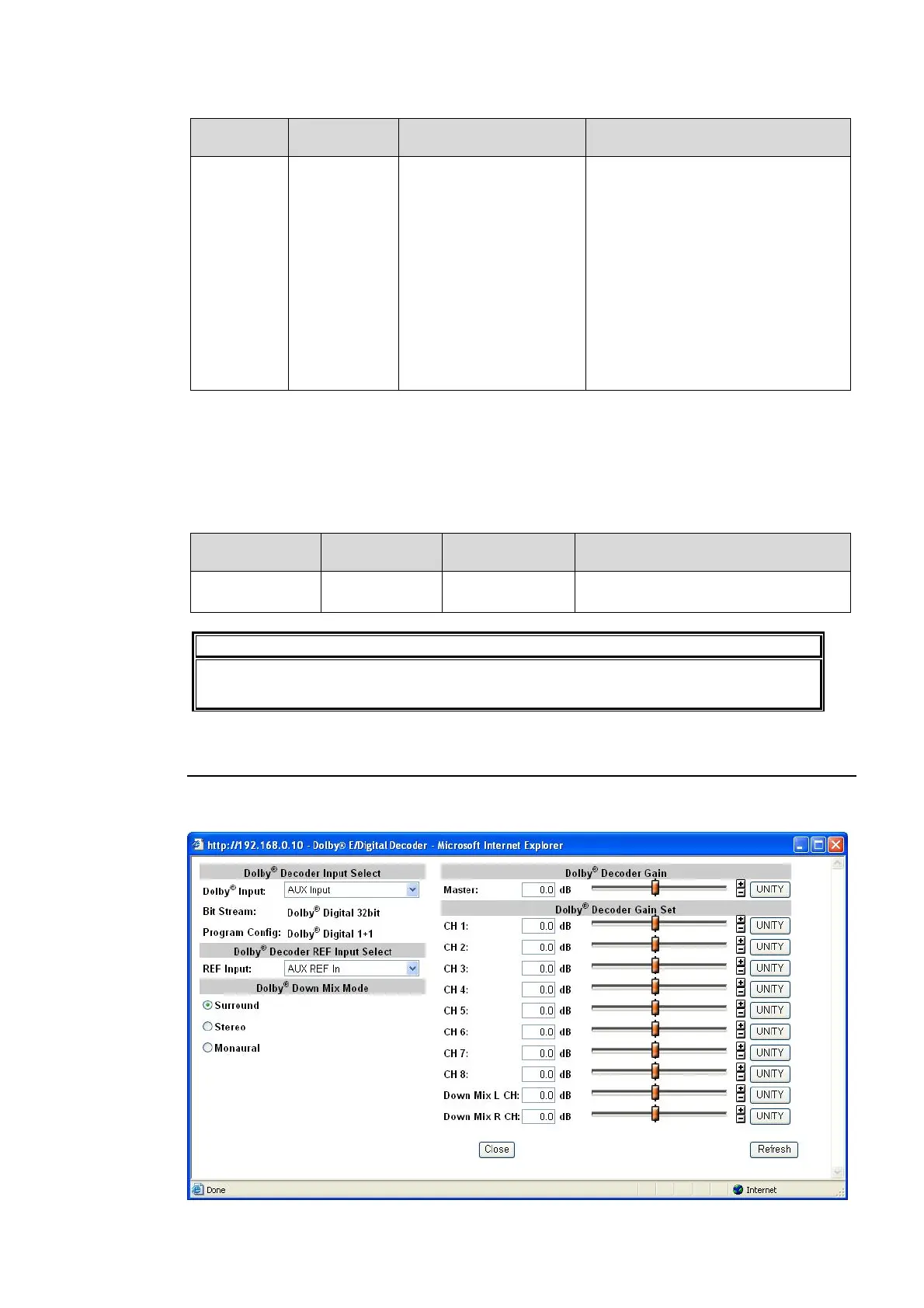
9-3-14. Dolby E/Digital Decoder
Clicking block (14) on the audio block diagram when FA-95D-D or FA-95DE-E option is
installed opens the Dolby Decoder dialog box.



 To Next Page