164
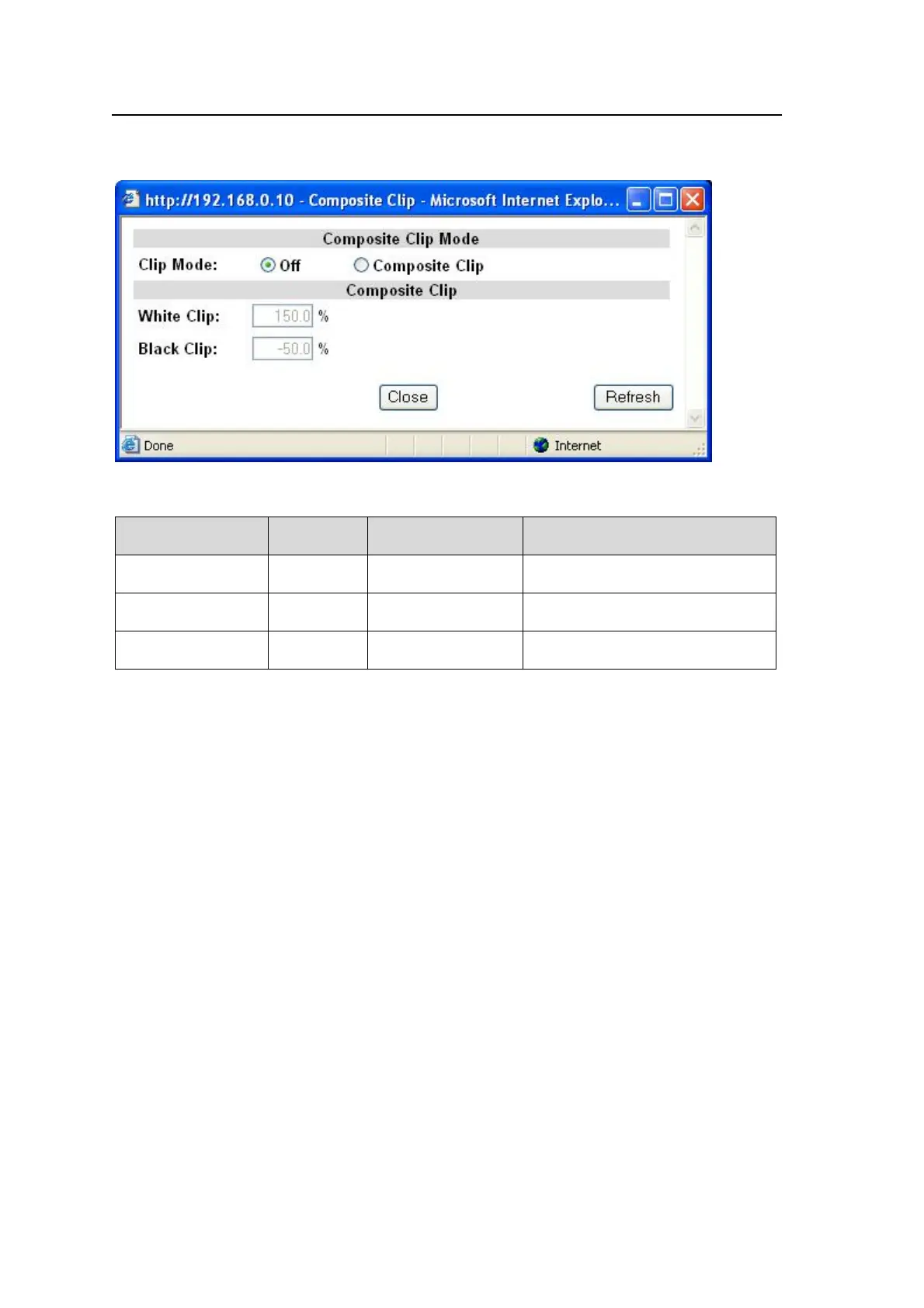
9-2-12. Composite Clip
Clicking block (13) on the video block diagram opens the Composite Clip dialog box.
See section 5-6-3 “VIDEO CLIP Setting Ranges” for details.
Parameter Default
Setting range
(Steps)
Description
Clip Mode Off
Off,
Composite Clip
Composite Clip enables clipping
on the composite output signals.
White Clip 150.0%
50 - 150%
(0.5%)
Sets the upper threshold of analog
composite color space.
Black Clip -50.0%
-50 - 50%
(0.5%)
Sets the lower threshold of analog
composite color space.
The COMPOSITE CLIP settings are effective only on the analog composite outputs.
The settings are not effective on the SDI1/2 and SDI3/4 outputs.
To enable the Composite Clip menu, set Clip Mode to Off in the YPbPr/RGB Clip menu
(9-2-10).



 To Next Page