145
9-2-2-2. User 1 - 5 LEVEL SET
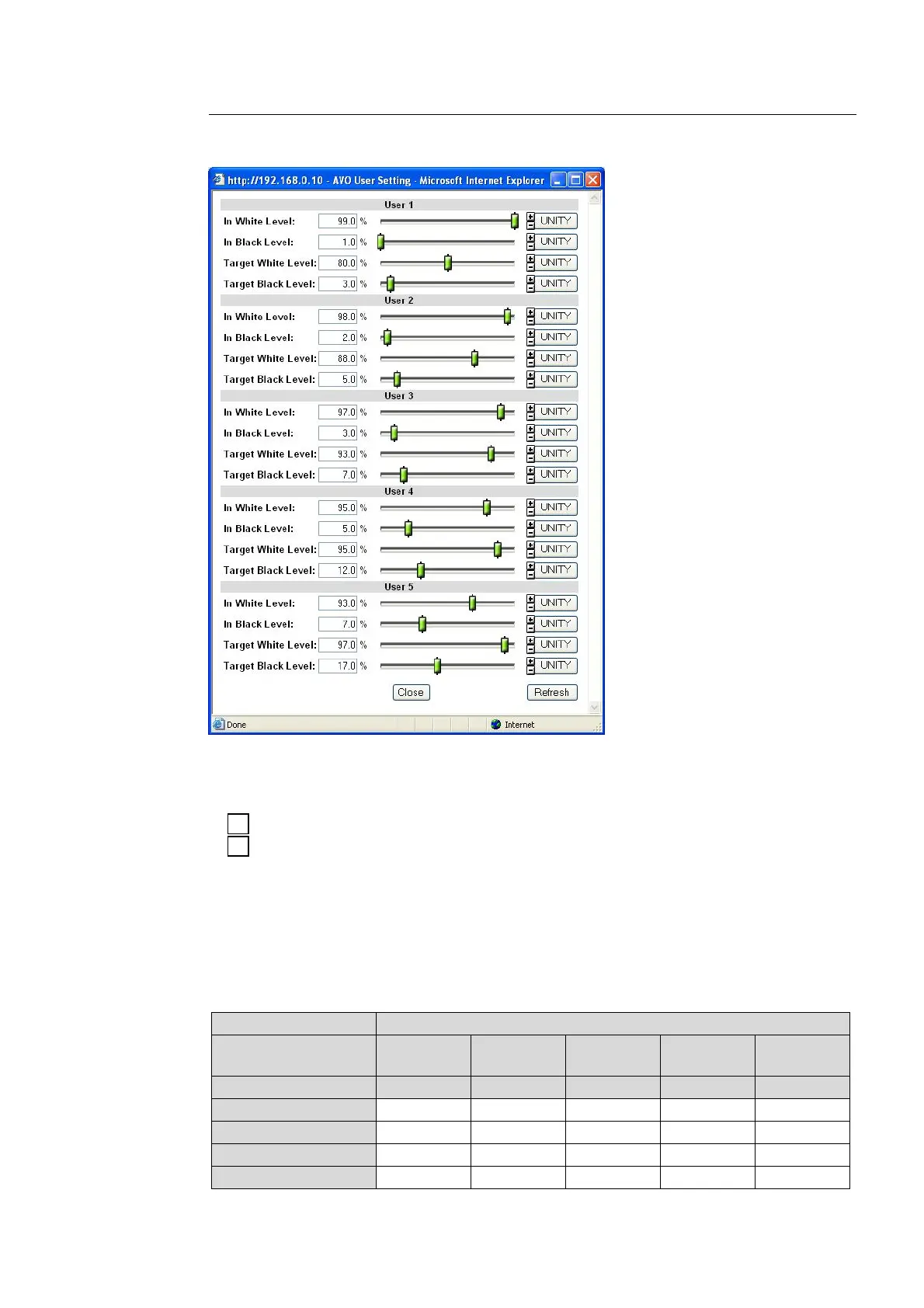
Clicking Set User on the Auto Video Optimizer dialog box opens the User1 - 5 setting
dialog box.
After completing the settings, click Close to close the dialog box.
Click Refresh to update the settings.
Click Unity to reset to the default settings.
Click to increase the value by the smallest steps.
Click to decrease the value by the smallest steps.
The Level drop-down menu in the AVO dialog box has five options of user settings, User 1
through 5. Each User1 – 5 is composed of four level settings such as In White Level, In Black
Level, Target White Level, and Target Black Level. The default settings of user settings User 1
through 5 are the same as those for Darker, Dark, Standard, Bright, and Brighter respectively.
The desirable level settings are easily obtained by adjusting values from the default values.
USER1 – 5 Default Settings
Parameter SELECT LEVEL (Adjustment level)
(Custom levels) User 1
Default
User 2
Default
User 3
Default
User 4
Default
User 5
Default
(Fixed levels) Darker Dark Standard Bright Brighter
In White Level 99.0% 98.0% 97.0% 95.0% 93.0%
In Black Level 1.0% 2.0% 3.0% 5.0% 7.0%
Target White Level 80.0% 88.0% 93.0% 95.0% 97.0%
Target Black Level 3.0% 5.0% 7.0% 12.0% 17.0%
+
-



 To Next Page