228
After you are sure that all settings are appropriate, click Submit. After clicking Submit, restart
the FA-9500 through the NETWORK RESTART page. Otherwise, the settings will not be
applied.
*1 The Remote Port Number must match that of the FA-95RU.
*2 Logo Port Number settings in the FA-9500 and the FA-95LG GUI must match.
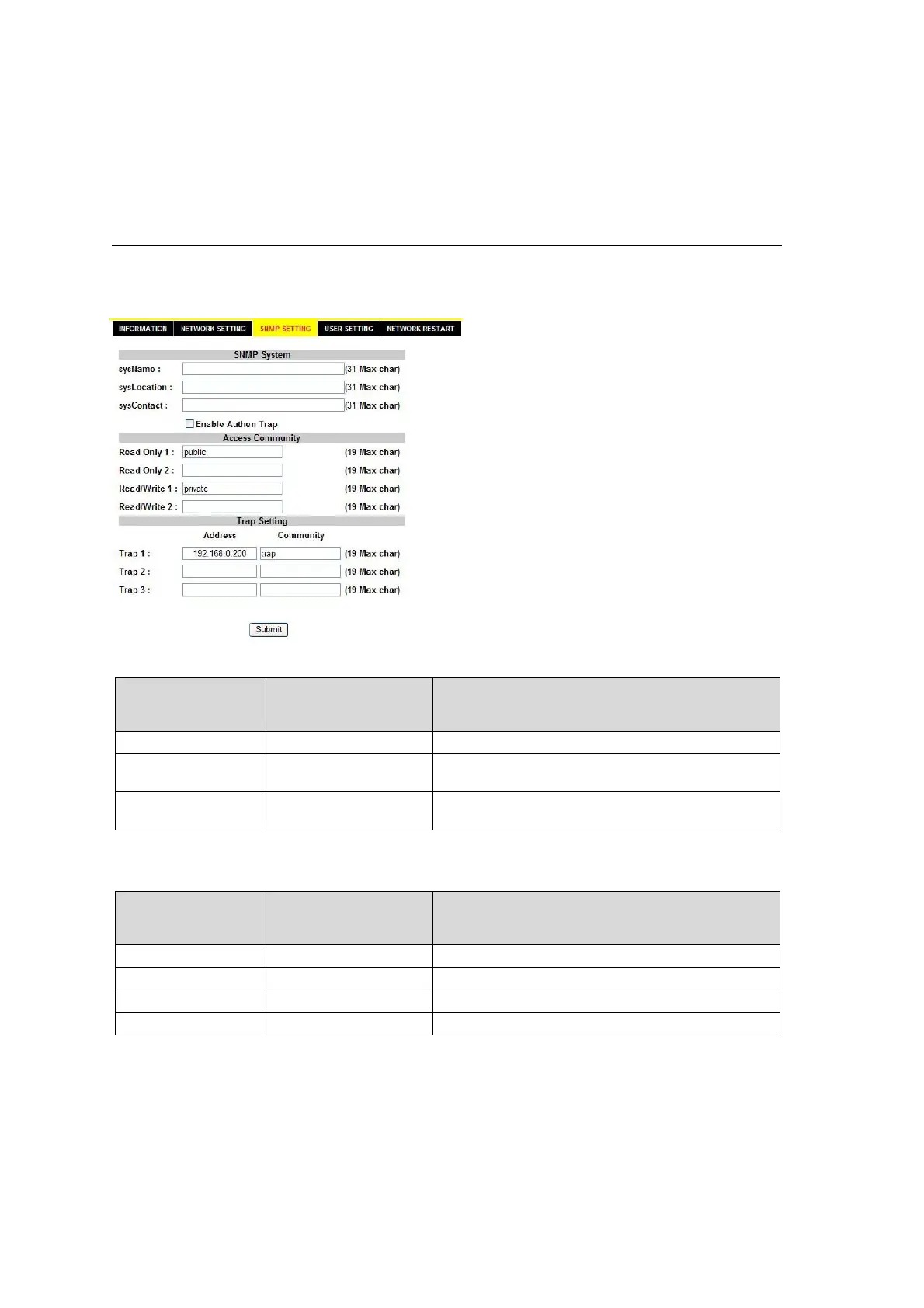
9-8-3. SNMP SETTING
This page allows you to set the SNMP settings. After you are sure that all settings are
appropriate, click Submit. After clicking Submit, restart the FA-9500 through the NETWORK
RESTART page. Otherwise, the settings will not be applied.
SNMP System
Item
Setting Range
(Alphanumeric and
symbolic characters)
Description
sysName 31 char max Allows you to set the device name.
sysLocation 31 char max
Allows you to enter comments regarding the
device location.
sysContact 31 char max
Allows you to enter comments regarding the
person in charge of the device.
If authentication has failed while the Enable Authen Trap checkbox is selected, a trap will be
generated.
Access Community
Item
Setting Range
(Alphanumeric and
symbolic characters)
Description
Read Only1 19 char max Read only SNMP community name
Read Only2 19 char max Read only SNMP community name
Read/Write1 19 char max Read/Write SNMP community name
Read/Write2 19 char max Read/Write SNMP community name



 To Next Page