82
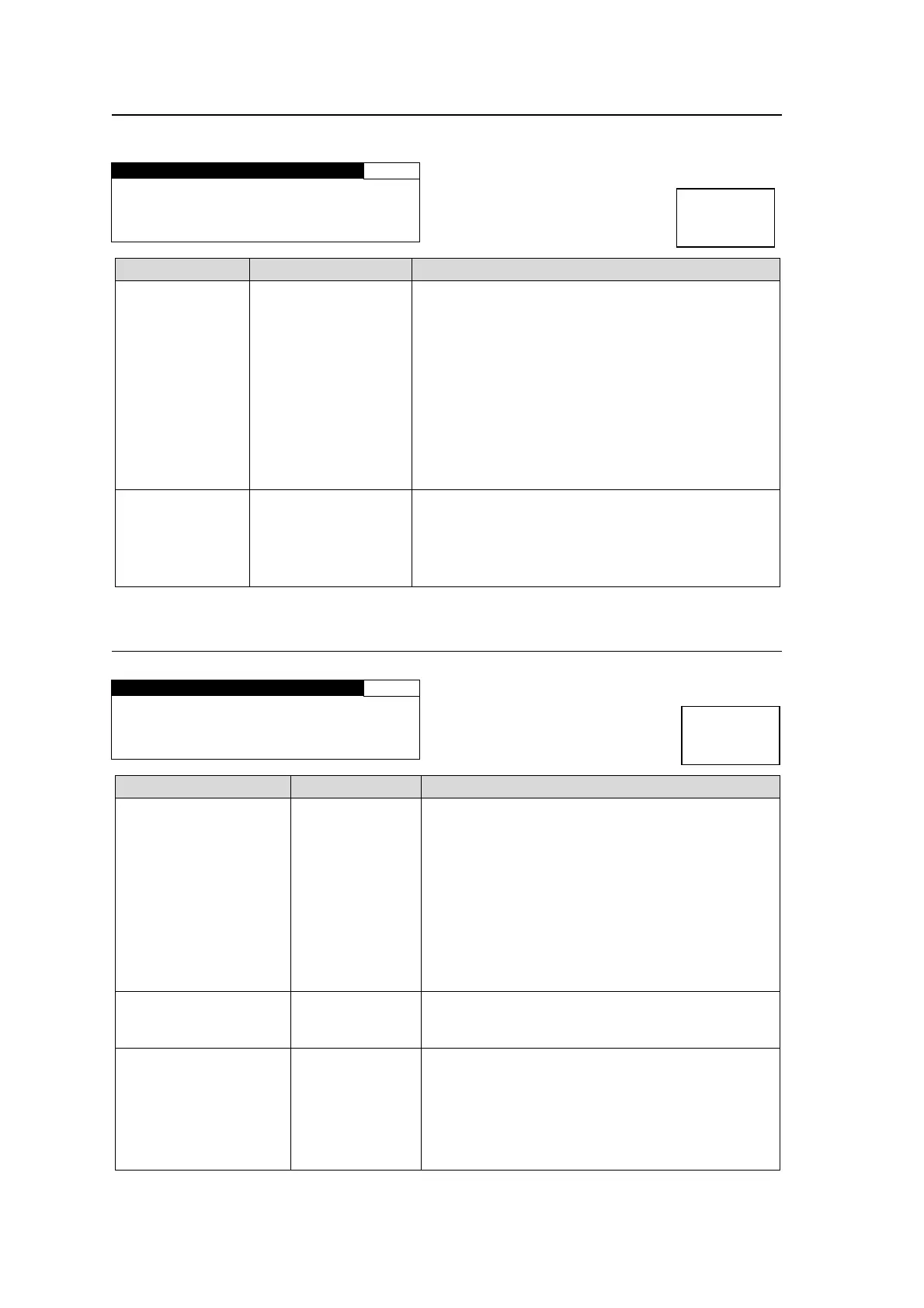
5-13-3. COMPONENT INPUT
This menu is accessible only if the FA-95AIO option is installed.
COMPONENT INPUT 503
FORMAT: 525/60
MODE :YPbPr SMPTE
Parameter Display Description
FORMAT
LOSS
525/60
625/50
1080/59i
1080/50i
720/59p
720/50p
1080/23PsF
1080/24PsF
BY-PASS
UNKNOWN
Displays the video format of the FA-95AIO input
signal.
Displays “LOSS” if there is no input signal.
Displays “UNKNOWN” if there is an unsupported
input signal.
MODE
YPbPr SMPTE
YPbPr BETACAM
RGB
Y/C
-----
Displays the FA-95AIO input signal format.
Displays “-----” if IN SEL in the 5-7-1 “VIDEO INPUT
SET” menu is set to SDI 1, SDI 2 or COMPOSITE.
See section 5-7-1 “VIDEO INPUT SET” for details
on the input signal selection.
5-13-4. VIDEO OUT STATUS
Displays the status of output video signals.
VIDEO OUT STATUS 511
SDI1/2: 1080/59i
SDI3/4: 1080/59i
COMPOSITE:525/60
Parameter Display Description
SDI1/2
525/60
625/50
1080/59i
1080/50i
720/59p
720/50p
1080/23PsF
1080/24PsF
1080/59p
1080/50p
BY-PASS
DISABLE
Displays the video format of the SDI1 output
signal.
Displays “DISABLE” if there is no signal output.
SDI3/4 Same as above
Displays the video format of the SDI2 output
signal.
Displays “DISABLE” if there is no signal output.
COMPOSITE
525/60
625/50
BY-PASS
DISABLE
PAL-M
Displays the video format of the COMPOSITE
output signal.
Displays “DISABLE” if there is no signal output.
Displays “PAL-M” if 5-12 “PAL-M MODE SET” is
enabled, and the format of the output video signal
from COMPOSITE OUT, that is shown in 5-8-3.
“COMPOSITE SET” is 525/60.
Menu button
STATUS
OTHER
Menu button
STATUS
OTHER



 To Next Page