149
9-2-4. Proc Amp
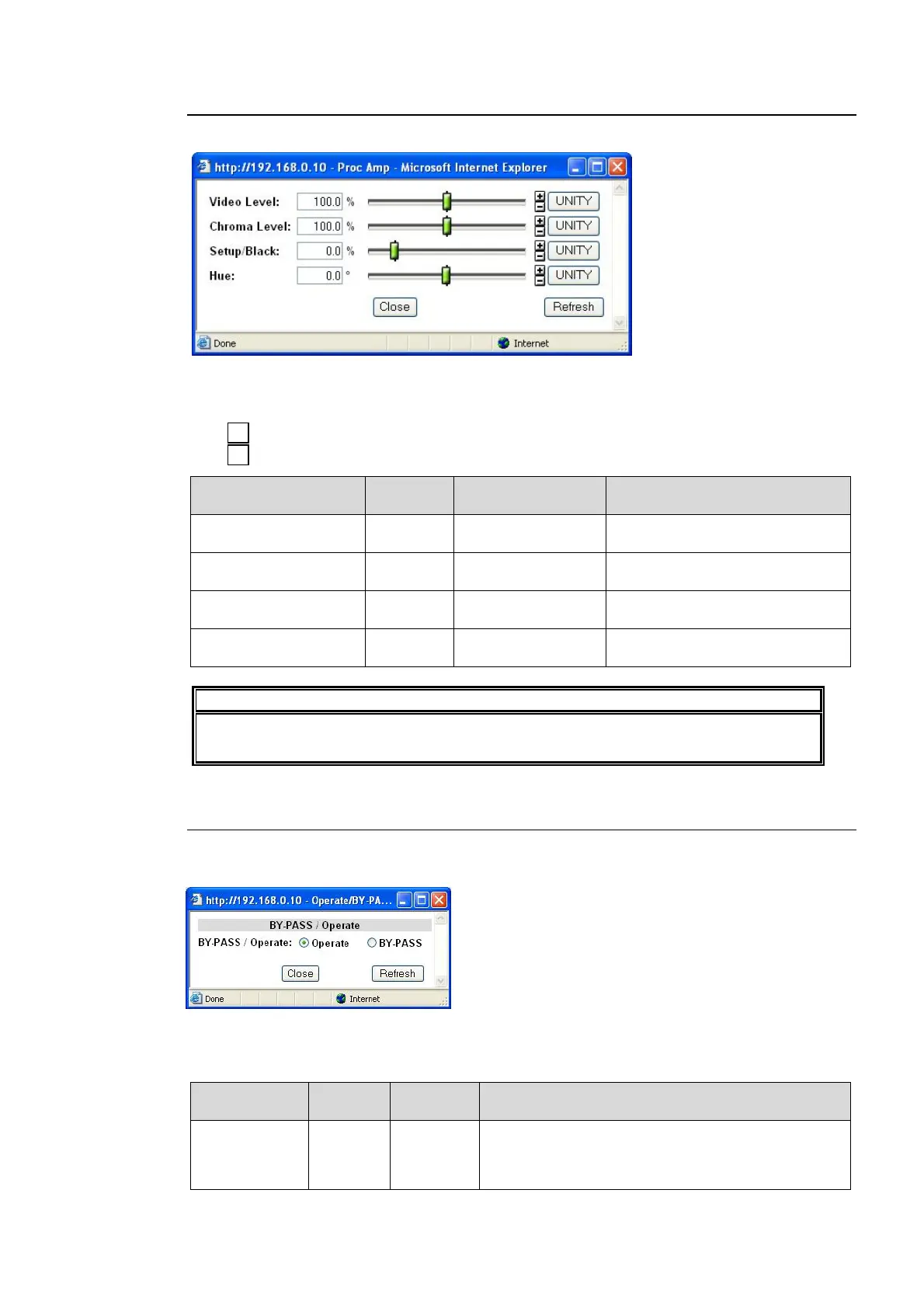
Clicking block (4) on the video block diagram opens the Proc Amp setting diagram.
After completing the settings, click Close to close the dialog box.
Click Refresh to update the settings.
Click Unity to reset to the default settings.
Click to increase the value by the smallest steps.
Click to decrease the value by the smallest steps.
Parameter Default
Setting range
(Steps)
Description
Video Level 100.0%
0.0 - 200.0%
(0.1%)
Adjusts the video level.
Chroma Level 100.0%
0.0 - 200.0%
(0.1%)
Adjusts the chrominance level.
Setup/Black 0.0%
-20.0 - 100.0%
(0.1%)
Adjusts the black level.
Hue 0.0°
-179.8 - 180.0°
(0.2°)
Adjusts the color phase.
IMPORTANT
If Correction Mode is set to Sepia in the Color Corrector menu (9-2-8), the Chroma
Level and Hue settings cannot be changed.
9-2-5. BY-PASS / Operate
Clicking block (5) on the video block diagram opens the BY-PASS / Operate setting dialog
box.
After completing the settings, click Close to close the dialog box.
Click Refresh to update the settings.
Parameter Default
Setting
range
Description
BY-PASS/
Operate
Operate
BY-PASS
Operate
BY-PASS: Connects input signals directly to the
output connector. Input video signals are output
without processing. See section 2-2 "Rear Panel”
items number 2, 4, and 6.
+
-



 To Next Page