18
4-2-6. Changing Setting Values
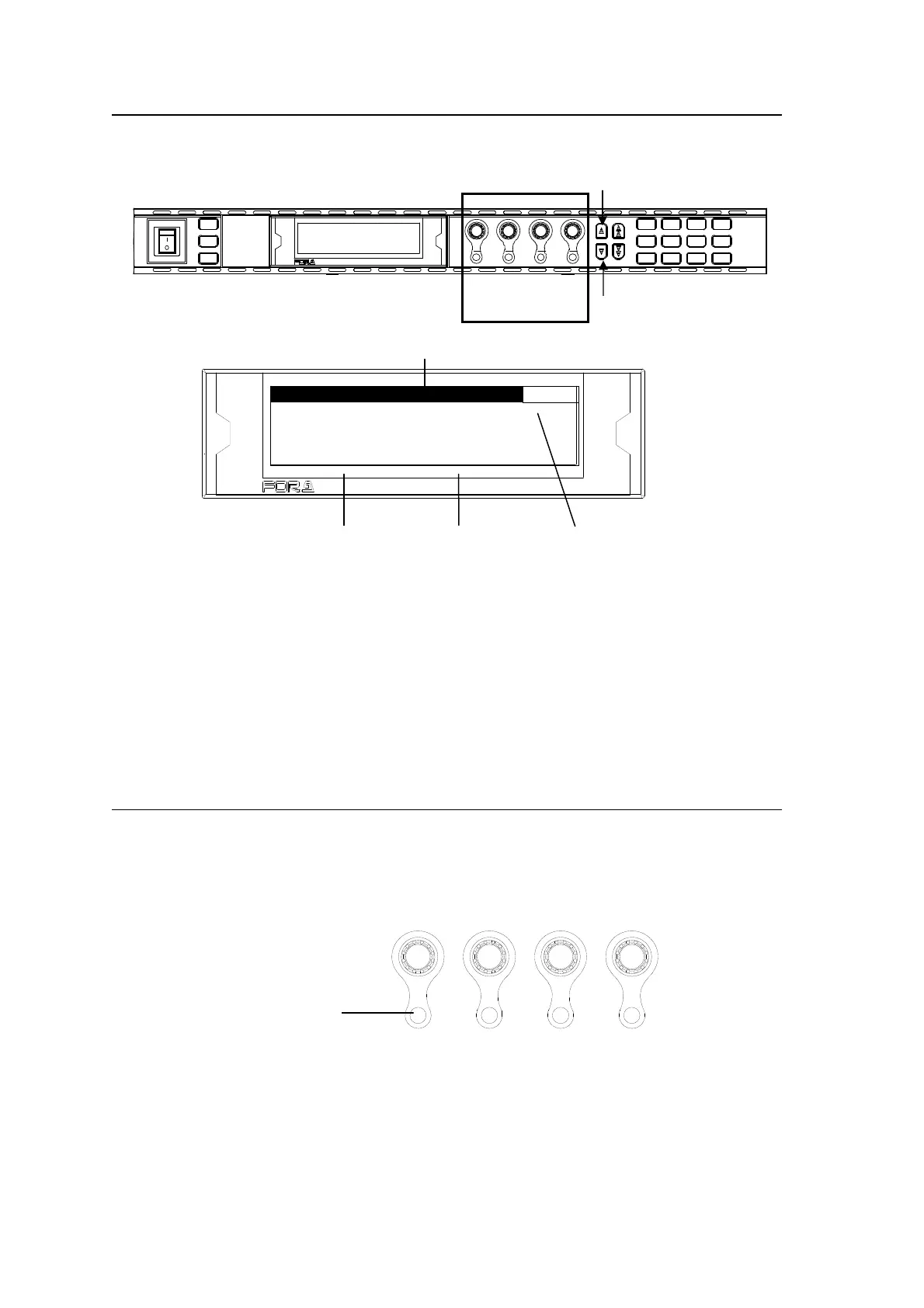
Once the desired menu is displayed, use the control knobs (F1-F4) to change the setting
values.
VIDEO PROC AMP 1
VIDEO LVL : 100.0%
CHROMA LVL : 100.0%
SETUP/BLACK: 0.0%
HUE : 0.0°
In the above example, the PROCESS/SDI AUDIO button has been pressed while the menu
buttons are turned to video menus (lit green) by pressing the VIDEO/AUDIO, so that the
VIDEO PROC AMP menu is displayed.
(If the LEDs around control F1 through 4 knobs are lit, the setting value corresponding to the
lit control knob can be changed.)
If you want to change the VIDEO LEVEL setting value, turn F1. To change the CHROMA
LEVEL setting value, turn F2. For SETUP/BLACK, turn F3, and for HUE turn F4. To go to
other menus assigned to the menu button, press the single-arrow down button. To return to
the previous menu, press the single-arrow up button.
4-2-7. Resetting to Default
The UNITY indicator light goes off when the setting value is changed from the default value.
Pressing the UNITY button while the light is off returns the corresponding setting value to the
default value. Then the light goes off. Pressing the button again returns the value to the
previous value before resetting to the default value.
F1
F2
F3
F4
UNITY UNITY UNITY UNITY
Press the UNITY button to
reset the value. The indicator
lights up orange.
Paramete
Menu title
Setting value Menu page numbe
F1
F2
F4
F3
HD/SD FRAME SYNCHRONIZER
FA-9500
Control
F1-F4
MA S TE R
CO NV2
OU T S EL
MO DE
VIDEO
AU DIO
AN ALOG
CO NV1
IN SEL
DOWNMIX
STA TUS
OTH E R
C C
AES AUDIO
CLIP
DE LAY
AUDIO SYS
VIDEO SYS
AU DIO OP
VIDEO OP
MA P P I N G
A V O
PROCESS
SDI AUDIO
F4
F3F2F1
F A - 9 5 0 0HD / SD FRAME S YSNCHRONIZER
VIDEO IN
AUDIO IN
GE NLOCK
REMOT E
FAN ALARM
DC POWER
BY- PASS
LOCK
EVENT
ON
OFF
PO WE R
F1
F2
F3
F4



 To Next Page