230
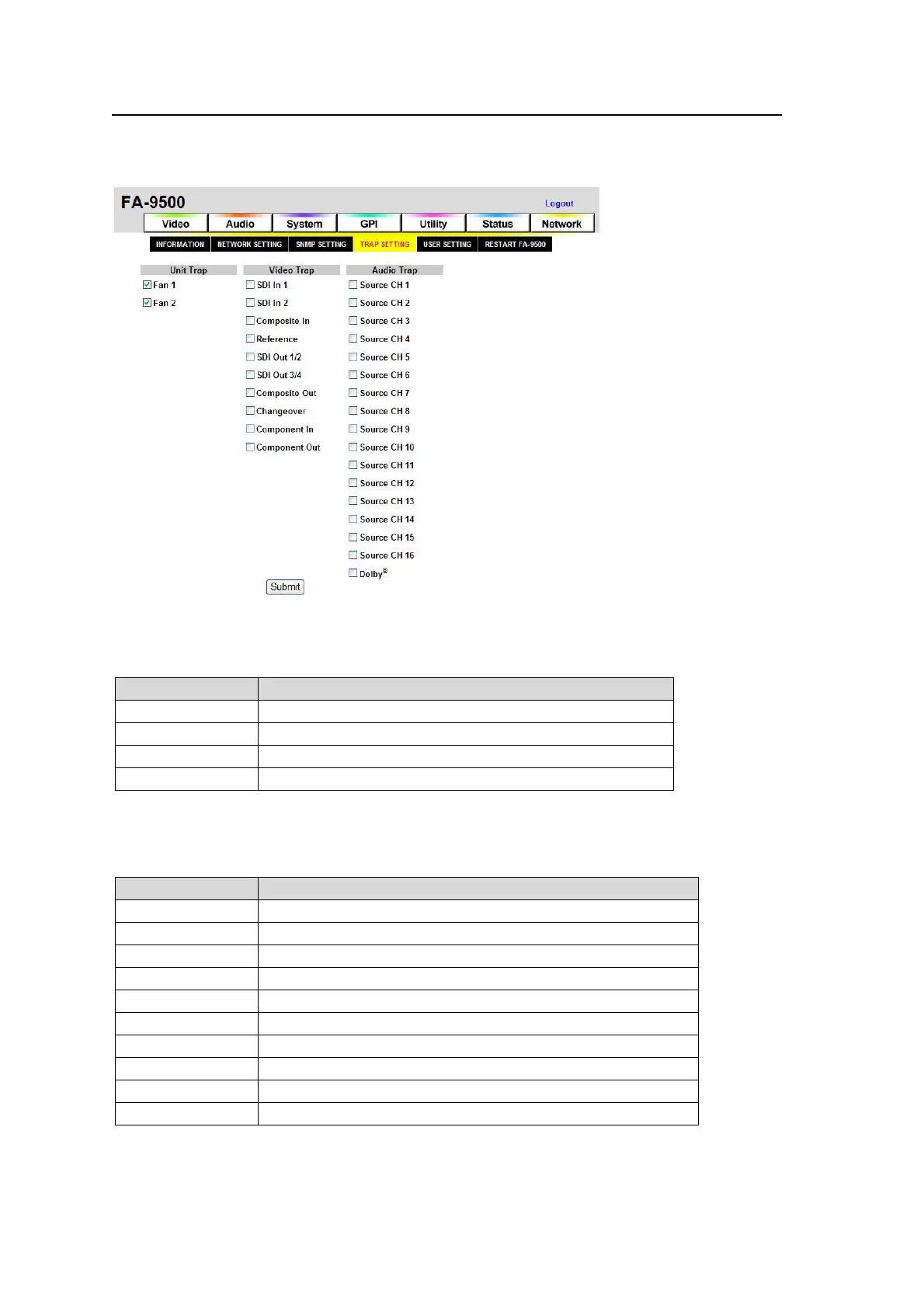
9-8-4. TRAP SETTINGS
Allows you to control SNMP trap transmission. Check the check box of a trap to be sent, then
click Submit. Uncheck to stop sending. See the TRAP List in section 18 “About SNMP (Simple
Network Management Protocol)” for details.
Unit Trap
Allows you to select whether to send fan and power unit alarm traps.
Default is to send.
Item Description
Fan1 Check to send an alarm trap for Fan1.
Fan2 Check to send an alarm trap for Fan2.
Power1
*1
Check to send an alarm trap for Power1.
Power2
*1
Check to send an alarm trap for Power2.
*1 Not shown if the FA-95PS option is not installed.
Video Trap
Allows you to select whether to send traps for Input/output video signal changes.
Default is not to send.
Item Description
SDI In 1 Check to send a trap for SDI In 1.
SDI In 2 Check to send a trap for SDI In 2.
Composite In Check to send a trap for Composite In.
Reference Check to send a trap for Reference.
SDI Out 1/2 Check to send a trap for SDI Out 1/2.
SDI Out 3/4 Check to send a trap for SDI Out 3/4.
Composite Out Check to send a trap for Composite Out.
Changeover
*1
Check to send a trap for Changeover.
Component In
*2
Check to send a trap for Component In
Component Out
*2
Check to send a trap for Component Out.
*1 Not shown if the FA-95CO option is not installed.
*2 Not shown if the FA-95AIO option is not installed.



 To Next Page