162
9-2-11. Output Select
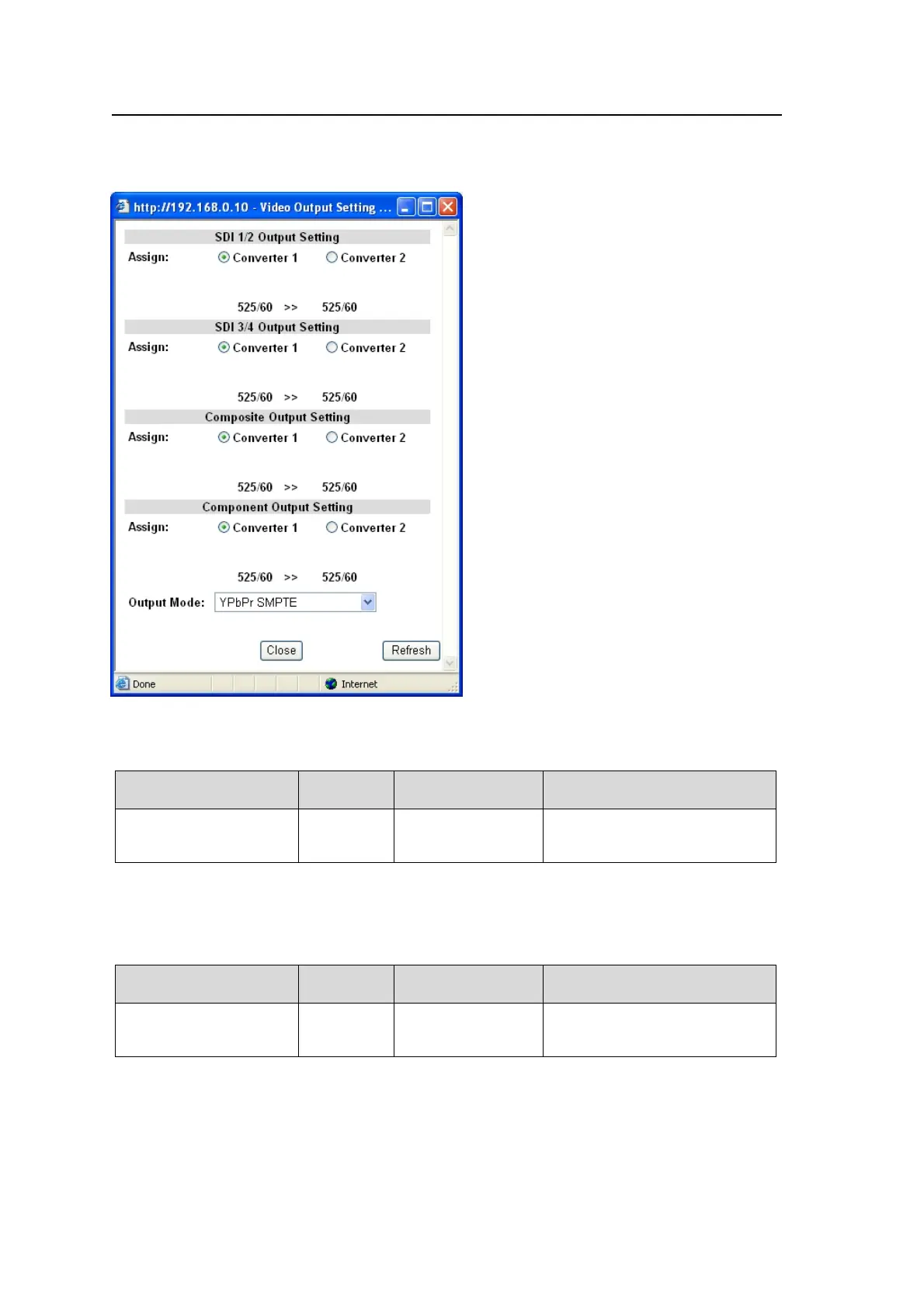
Clicking block (12) on the video block diagram opens the Video Output Setting dialog box.
Display of the Video Output Setting dialog varies depending on the Video Output Mode
setting.
SDI1/2 Output Setting
Allows you to assign video signals to output from video output connectors SDI1 and 2.
Parameter Default
Setting range
(Steps)
Description
Assign Converter1
Converter1
Converter2
Selects whether to output a
Converter1 or 2 signal from
SDI1 and 2 connectors.
The input and output signal formats are displayed; e.g. 625/50>> 1080/50i.
SDI3/4 Output Setting
Allows you to assign video signals to output from video output connectors SDI3 and 4.
Parameter Default
Setting range
(Steps)
Description
Assign Converter1
Converter1
Converter2
Selects whether to output a
Converter1 or 2 signal from
SDI3 and 4 connectors.
The input and output signal formats are displayed; e.g., 625/50>> 1080/50i.



 To Next Page