45
5-6-2. COMPOSITE CLIP
COMPOSITE CLIP 46
MODE:COMPOSITE CLIP
WHITE: 150.0%
BLACK: -50.0%
Parameter Default
Setting range
(Steps)
Description
CLIP MODE
(Clip Mode)
OFF
OFF,
COMPOSITE CLIP
COMPOSITE CLIP enables
clipping on the composite output
signals.
WHITE
(Composite White Clip)
150.0%
50 - 150%
(0.5%)
Sets the upper threshold of
analog composite color space.
BLACK
(Composite Black Clip)
-50.0%
-50 - 50%
(0.5%)
Sets the lower threshold of
analog composite color space.
The COMPOSITE CLIP settings are effective only on the analog composite outputs.
The settings are not effective on the SDI1/2 and SDI3/4 outputs.
To enable the COMPOSITE CLIP menu, set YPbPr/RGB CLIP to OFF.
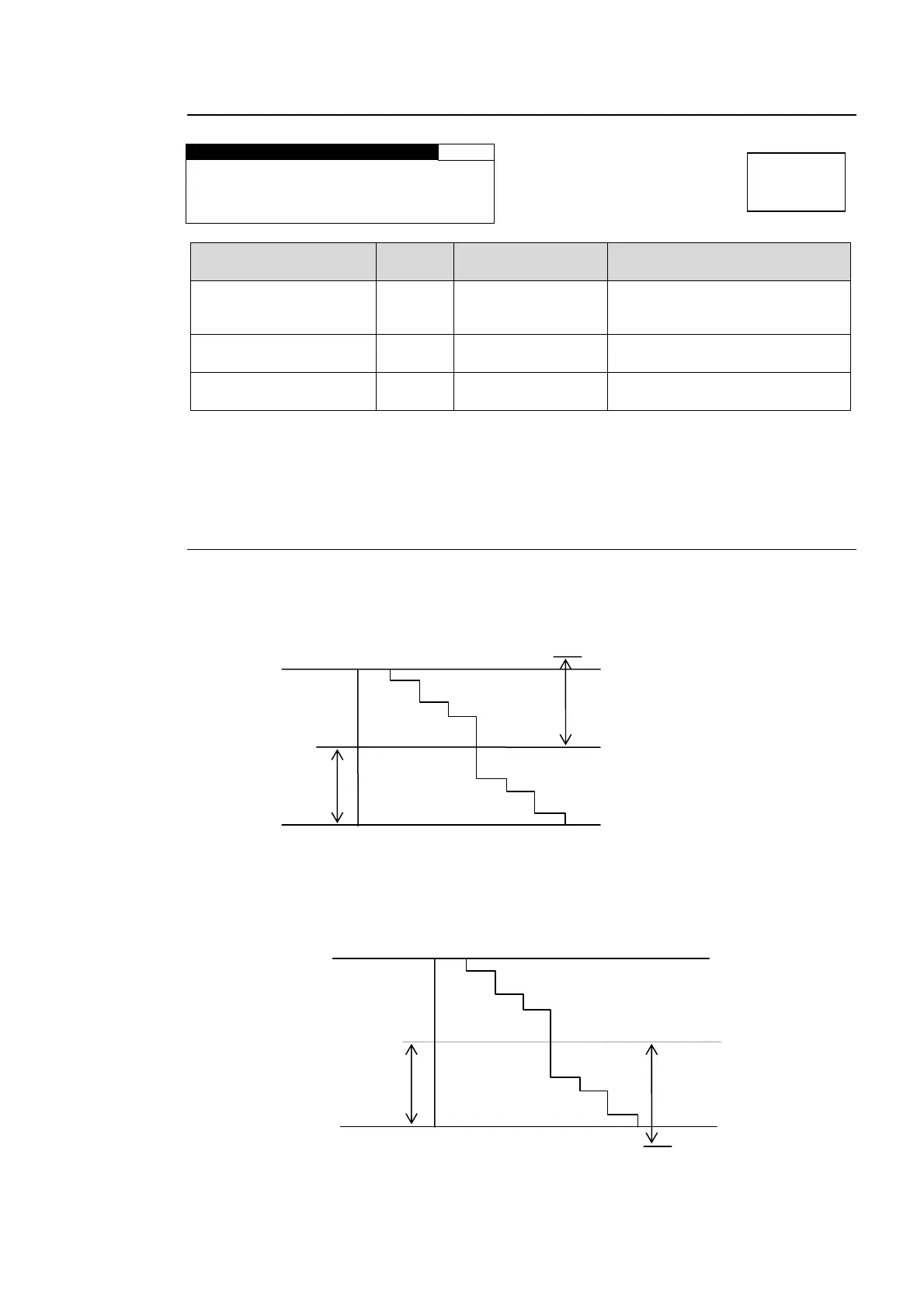
5-6-3. VIDEO CLIP Setting Ranges
YPbPr CLIP
Y Signal Settings
① Y White Clip Level
Setting range 50 - 109% (Default: 109%)
② Y Black Clip Level
Setting range -7.5 - 50% (Default: -7.5%)
SMPTE 100% color bar when 100% white.
109%
100%
50%
50%
0%
Y white clip level setting range
Y Black clip level setting range
SMPTE 100% color bar when 100% black.
100%
50%
0%
50%
-7.5%
Menu button
CLIP
DELAY



 To Next Page