178
9-3-11. SDI Audio Output Settings
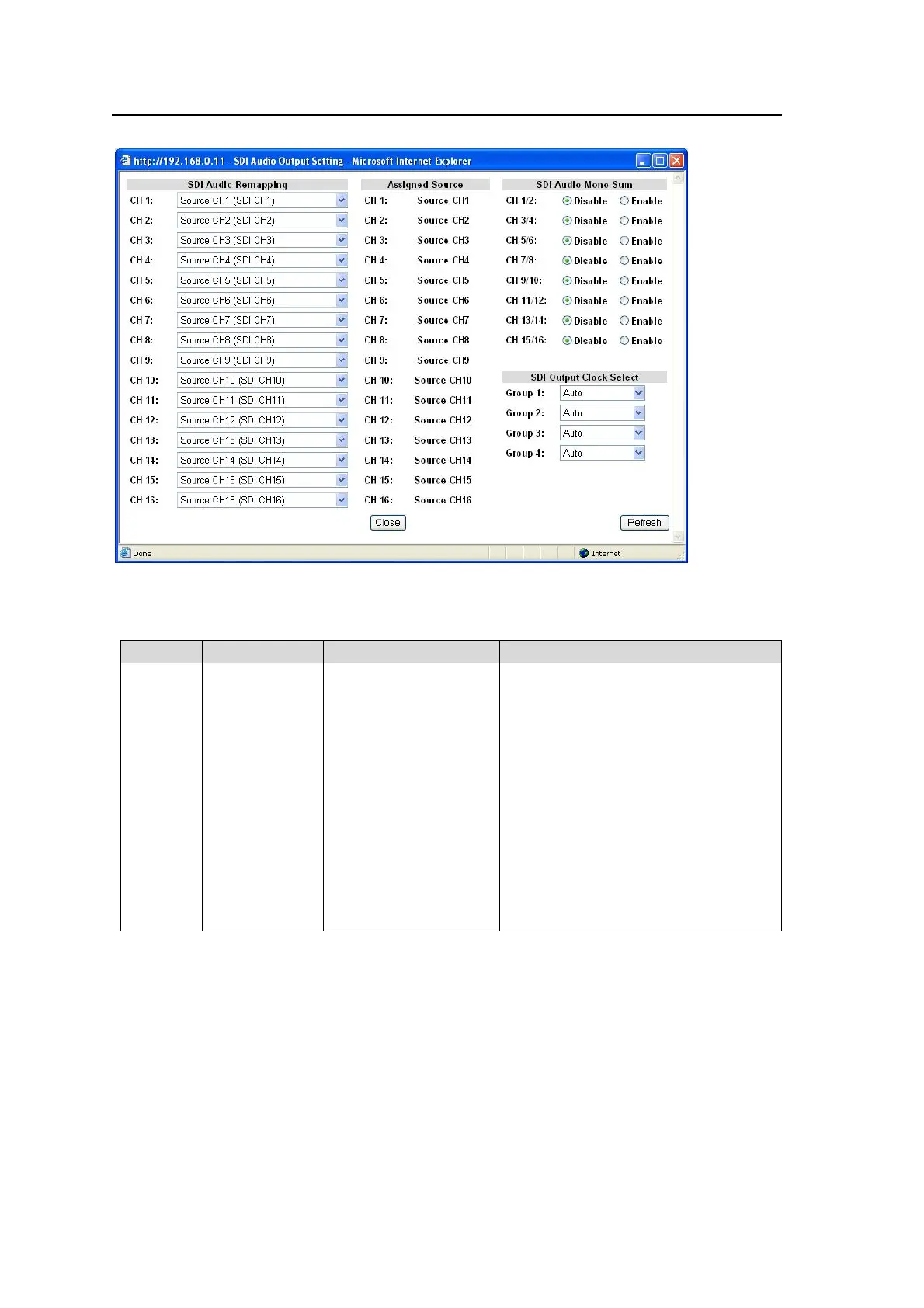
Clicking block (11) on the audio block diagram opens the SDI Audio Output Setting dialog box.
After completing the settings, click Close to close the dialog box.
Click Refresh to update the settings.
SDI Audio Remapping
Parameter Default Setting range Description
CH1-16
Source
channel of the
same channel
number with
the parameter
Source CH 1-16
*1
500Hz
1kHz
Silence
Down Mix-L
*2
Down Mix-R
*2
Dolby Decoder 1-8
*3 *6
Dolby Down Mix L
*4 *6
Dolby Down Mix R
*4 *6
Dolby Encoder 1-2
*5 *7
Selects source audio signals to assign
to SDI embedded audio channels.
Source CH 1-16: Signals assigned to
SOURCE channels
500Hz/1kHz: Test signal
Silence: Mute signal
Down Mix-L/R: Downmixed signal
generated from SOURCE channels.
Dolby Decoder 1-8: Dolby decoded
PCM signals
Dolby Down Mix L/R: Downmixed
signal generated from Dolby decoded
PCM signals.
Dolby Encoder 1-2: Encoded Dolby E
signal of selected signals of SOURCE
channels.
*1 See section 9-3-4. “Source Select” for details on Source settings.
*2 See section 9-3-9. “5.1Ch Down Mix” for details on Down Mix settings.
*3 See section 9-3-14. “Dolby E/Digital Decoder” for details on Dolby Decoder settings.
*4 See section 9-3-14. “Dolby E/Digital Decoder” for details onDolby Down Mix settings.
*5 See section 9-3-16. “Dolby E Encoder” for details on Dolby Encoder settings.
*6 Shown only if the FA-95D-D option is installed.
*7 Shown only if the FA-95DE-E option is installed.
Auto Channel Pairing for non-PCM Audio Inputs
The FA-9500 recognizes non-PCM audio input signals in L/R channel pair units, and adjusts
assignments according to the signal selected for the L channel.
Source channels that are assigned after such adjustments are shown as Assigned Sources.
L/R channel pairs are Source 1/2, Source 3/4......Source 15/16.
The channel assignments that are changed by the adjustment will be shown with “*” as
“CH1:*Source2”.



 To Next Page