202
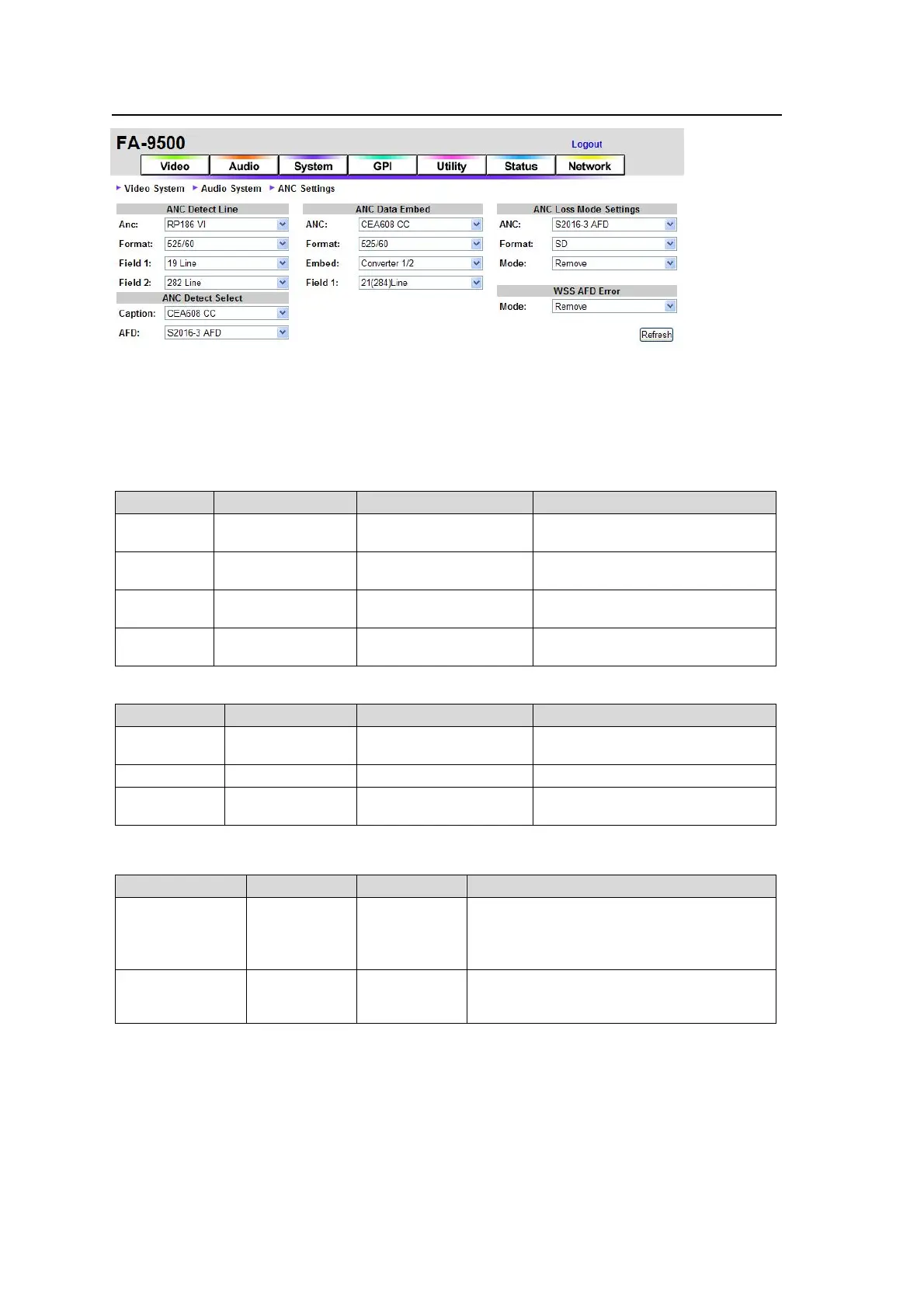
9-4-3. ANC Settings
If the user name and password are not set in the USER SETTING page (see section 9-8-5),
the Logout is not shown.
Click Refresh to update the settings.
ANC Detect Line
For RP186 VI
Parameter Default Setting range Description
ANC RP186 VI
RP186 VI
BT1119 WSS
Selects an ancillary data
standard.
Format 525/60
525/60
625/50
Selects the input signal format.
Field 1
14 Line (525/60)
19 Line (625/50)
12–19 Line (525/60)
8-22 Line (625/50)
Selects a line to detect ancillary
data in Field 1.
Field 2
277 Line (525/60)
324 Line (625/50)
275–282 Line (525/60)
321-335 Line (625/50)
Selects a line to detect ancillary
data in Field 2.
For BT1119 WSS
Parameter Default Setting range Description
ANC RP186 VI
RP186 VI
BT1119 WSS
Selects an ancillary data
standard.
Format 625/50 625/50 Selects the input signal format.
Field 1 23 Line 8- 23 Line
Selects a line to detect ancillary
data in Field 1.
ANC Detect Select
Parameter Default Setting range Description
Caption
*1
CEA608 CC
CEA608 CC
S334-1 CC
CEA608 CC: Detects closed caption data
in luminance signal of 525/60 systems.
S334-1 CC: Detects closed caption data in
525/60 SDI signal ancillary data space.
AFD S2016-3 AFD
S2016-3 AFD
RP186 VI
BT1119 WSS
Selects an ancillary data type to detect in
SDTV input signals.
*1 Be sure to set to CEA608 CC when processing closed caption data in 525/60 composite
signals. Otherwise the caption data will not be detected.



 To Next Page