214
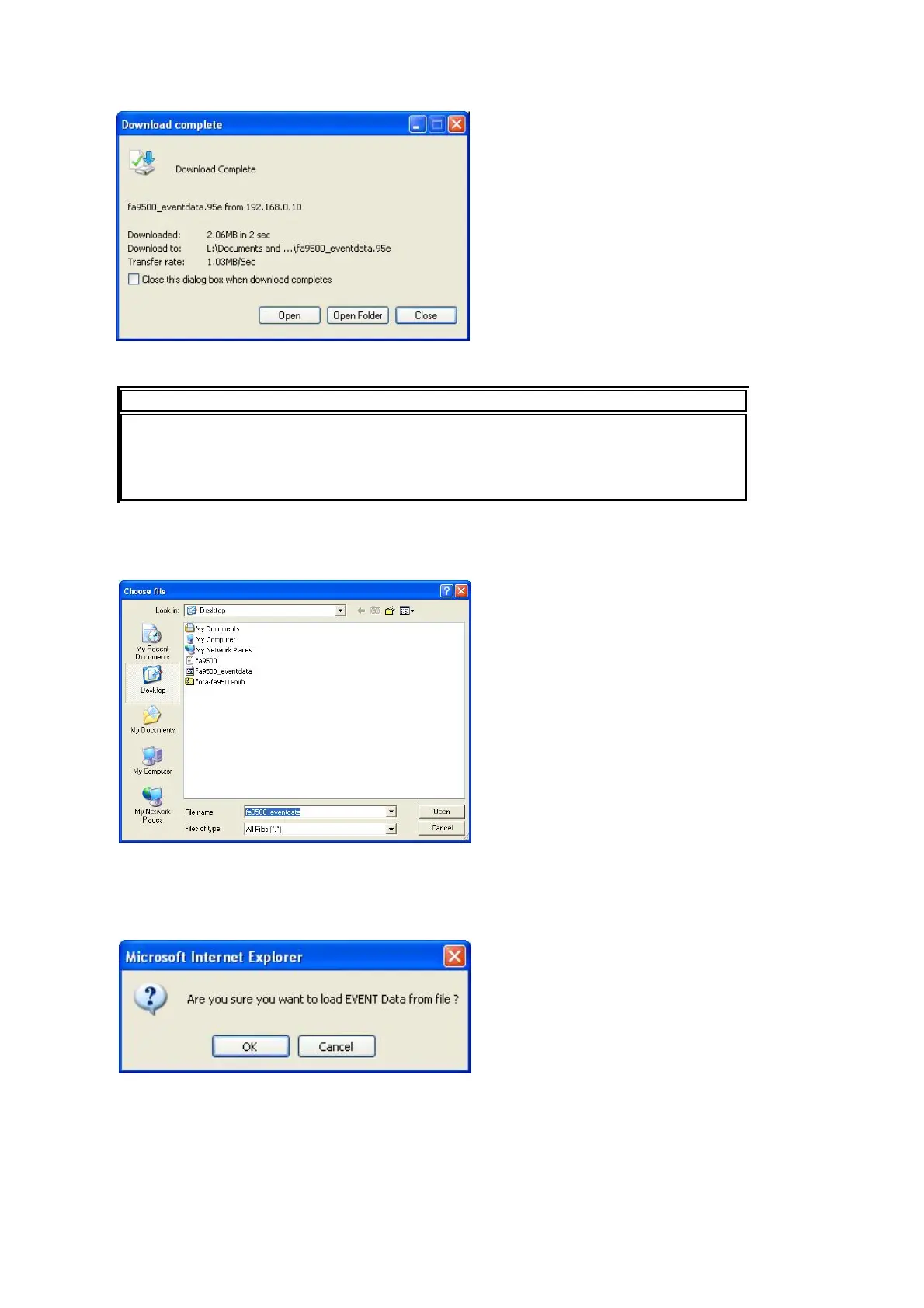
Once the download is completed, the Download complete dialog box appears.
Click Close.
IMPORTANT
Some versions of Internet Explorer may not save data having a long file name
properly. In such case, save data in Internet Explorer using a short file name, then
rename the file in Windows Explorer. A data file can also be saved under its default file
name in any version of Internet Explorer.
Restore
To load the backup file on the computer, click Browse. The Choose file dialog appears.
Specify the directory and the file name and click Open. The destination path will be displayed
on the screen.
Click Load. The confirmation dialog appears.
Click OK to start loading the data. To cancel loading the data, click Cancel.



 To Next Page