GE HEALTHCARE
DIRECTION 2307224-100, REVISION 6DISCOVERY LS SYSTEM SERVICE MANUAL
Chapter 8 - System QC, Calibration and Functional Tests Page 249
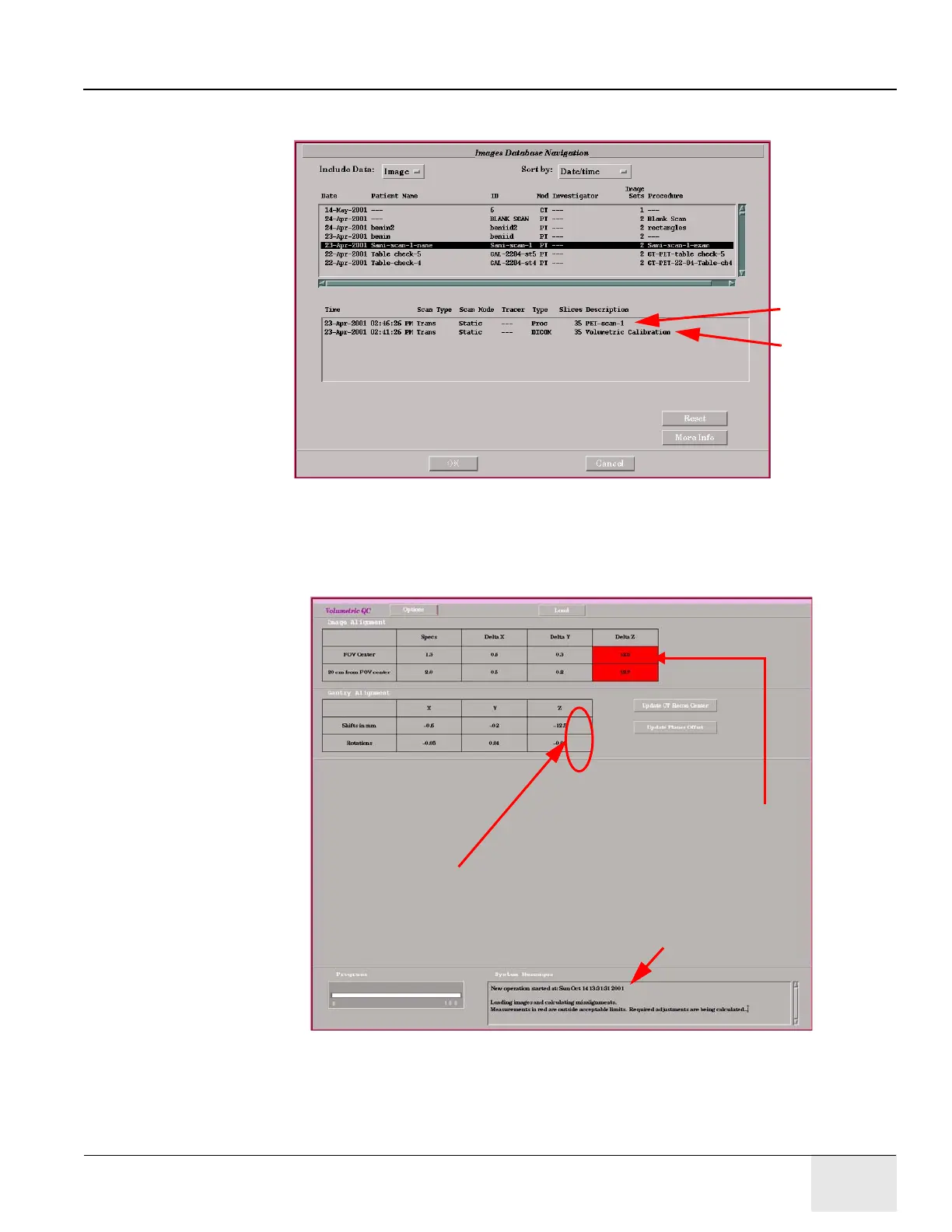
5.) Refer to Figure 8-8. From the Patient List, click the entry representing the calibration
acquisition. A list of image sets displays.
Figure 8-8: Images Database Navigator Showing Image Sets List
6.) From the Image Sets list in Figure 8-8, select the two image sets that represent the CT and
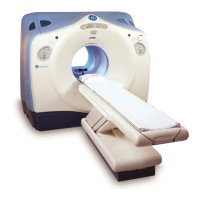
PET slices and click [OK]. The Image Alignment Table (shown in
Figure 8-9) displays.
Figure 8-9: Image Alignment Table
Note: The Image Alignment Table displays system messages in a box at the bottom of the panel. These
messages are for the User (Operator) only, and are related to the software realignment process.
PET
Image
CT
Image
Use Z values for CT-PET table distance correction.
Measurements in red are
outside acceptable limits.
Not for service use.



 To Next Page