Intel® Server D50DNP Family Integration and Service Guide
121
7.3.1.4 PHM Installation
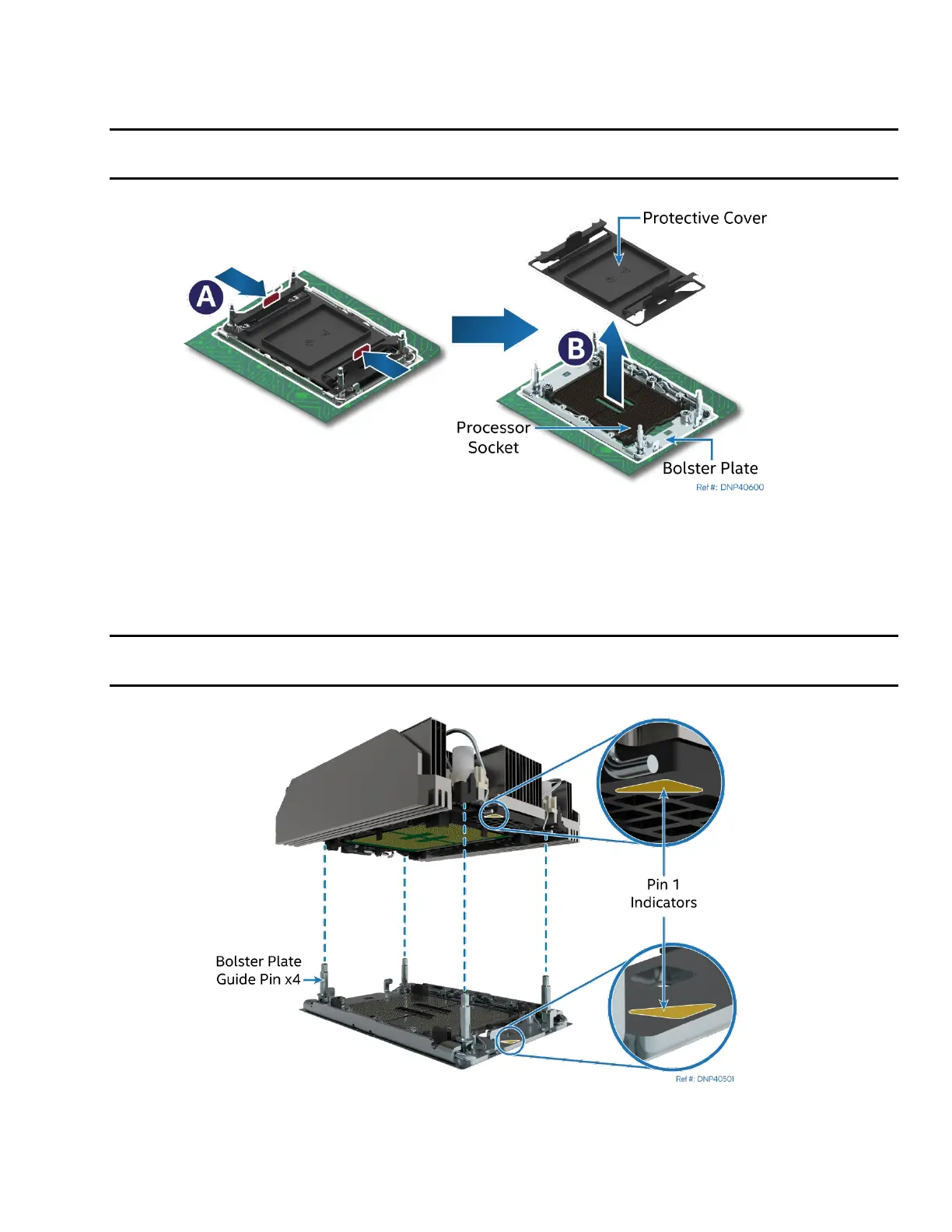
1. If installed, remove the plastic cover from the processor socket.
Caution: Do not touch the socket pins. The pins inside the processor socket are extremely sensitive. A
damaged processor socket may produce unpredictable system errors.
Figure 141. Socket Protective Cover Removal
2. Remove the protective cover by squeezing the finger grips (see Letter A) and pulling the cover up
(see Letter B).
3. Ensure that the socket is free of damage or contamination before installing the PHM.
Caution: If debris is observed, blow it away gently with an air blower. Do not use tweezers or any
other hard tools to remove the debris.
Figure 142. PHM Alignment with Socket Assembly



 To Next Page