Intel® Server D50DNP Family Integration and Service Guide
31
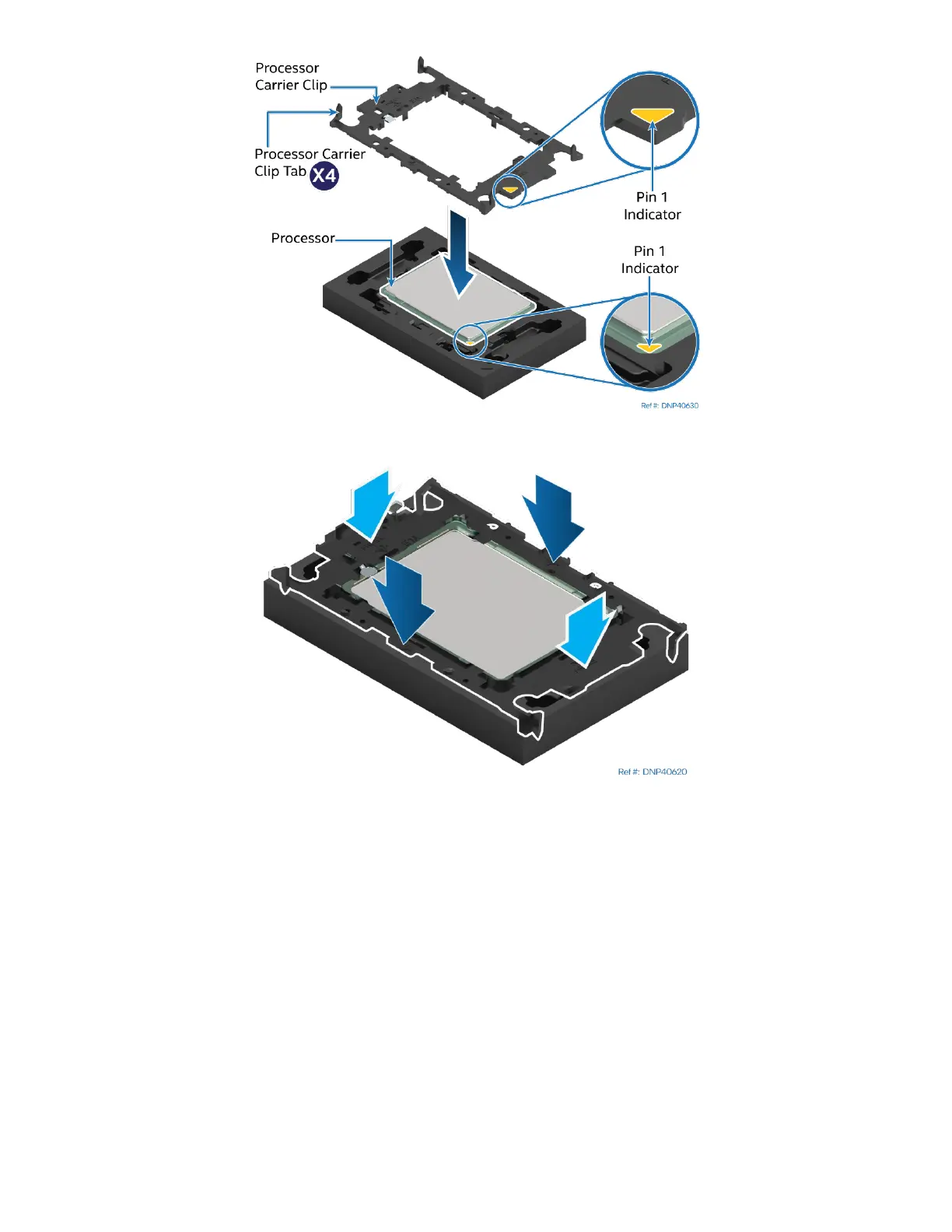
Figure 12. Installing the Processor Carrier Clip onto the Processor – Part 1
Figure 13. Installing the Processor Carrier Clip onto the Processor – Part 2
1. Align the Pin 1 indicator on the processor carrier clip with the Pin 1 indicator of the processor.
2. With the processor still in its tray, place the processor carrier clip over the processor.
3. Gently press down simultaneously on two opposite sides of the processor carrier clip until it clicks in
place.
4. Repeat step 3 for the other two sides.



 To Next Page