Intel® Server D50DNP Family Integration and Service Guide
49
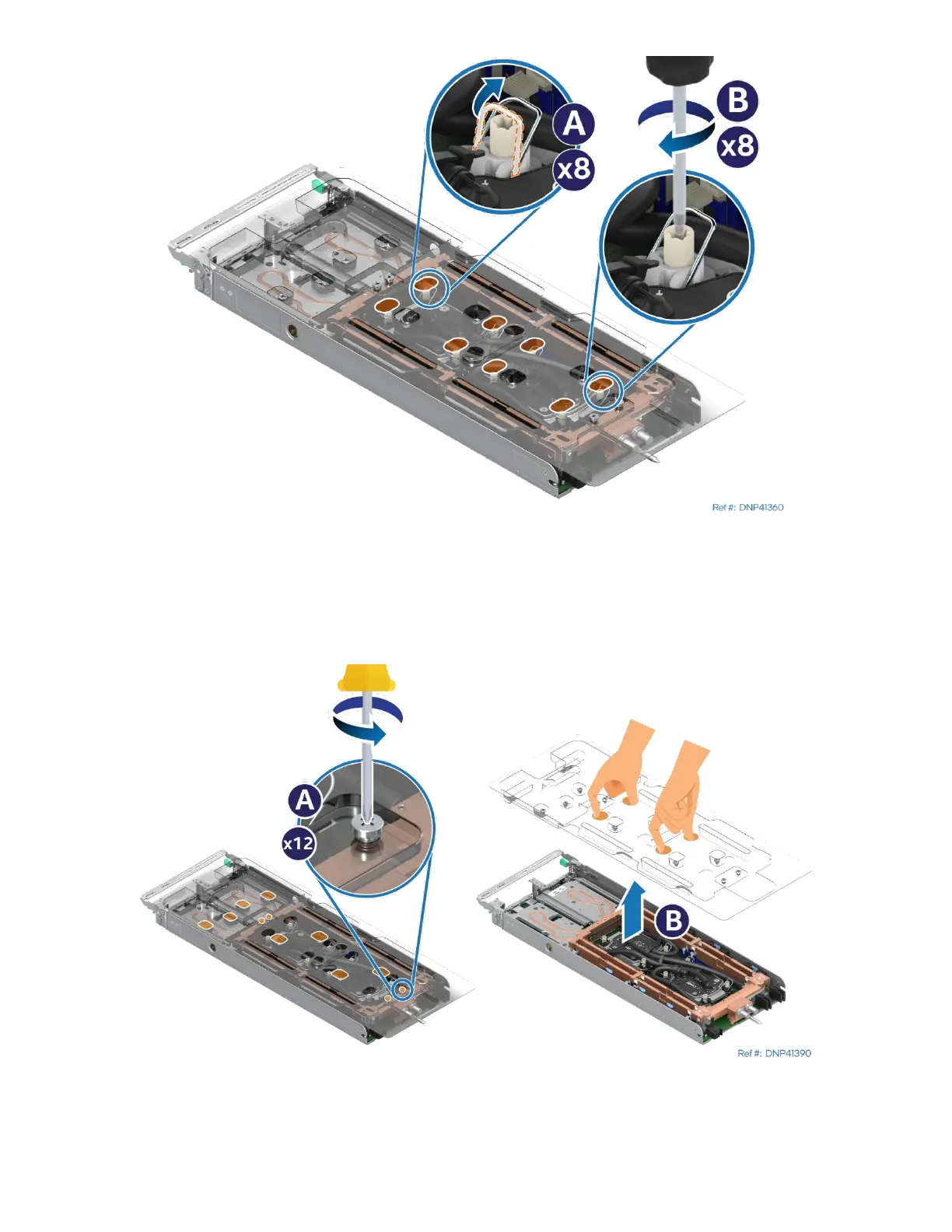
Figure 42. Securing the Processor Cold Plates
8. Set all eight anti-tilt wires in the liquid-cooling loop to the outward position (see Letter A).
9. Using a T30 Torx* screwdriver, tighten the cold plate fasteners to 8 in-lb (see Letter B). No specific
sequence is needed. General diagonal bolt tightening order can be used.
Figure 43. Removing Liquid-Cooling Loop Carrier
10. Unscrew all 12 captive screws on the plastic carrier (see Letter A) and carefully lift the carrier away from
the module (see Letter B).



 To Next Page