Intel® Server D50DNP Family Integration and Service Guide
77
15. Repeat the step 1 through 14 to install other accelerator cards as needed.
16. Install the screw that holds the flap on the front side of the riser assembly.
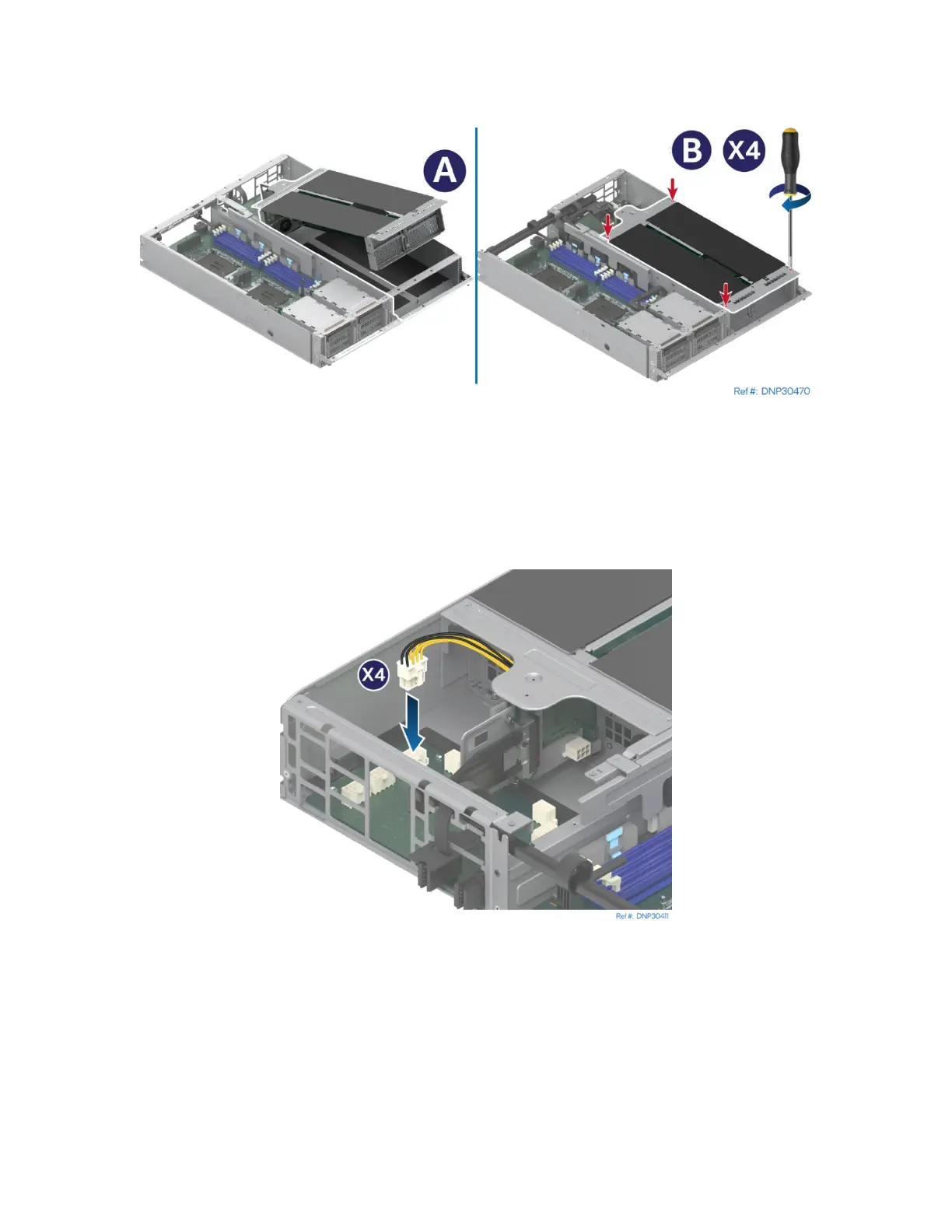
Figure 86. Installing the PCIe* Accelerator Module Riser Assembly
17. Install the PCIe* accelerator module riser assembly by tilting the front side down to the module
(see Letter A).
18. Fasten the captive screws to secure the PCIe* accelerator module riser assembly to the module
(see Letter B).
Figure 87. Connecting the Add-In Card Power Cable
19. Connect all accelerator power cables to the connectors on the power board.



 To Next Page