Intel® Server D50DNP Family Integration and Service Guide
173
7.10 PCIe* Accelerator Module Riser Card Replacement (D50DNP2MFALAC
Module)
The following section provides instructions for replacing the riser card for the accelerator add-in card section
on the PCIe* accelerator module (D50DNP2MFALAC). The left PCIe add-in cards in the accelerator add-in
card section are plugged into the PCIe slots on the right riser card. The right PCIe add-in cards are plugged
into the PCIe slots on the left riser card.
Required Tools and Supplies
• Intel accelerator riser card spare kit (DNPACCLRISER1 or DNPACCLRISER2)
• Anti-static wrist strap and conductive workbench pad (recommended)
• Phillips* head screwdrivers #1 and #2
1. Remove the accelerator add-in cards from the accelerator riser assembly. Follow step 1 through step
8 of Section 7.9
.
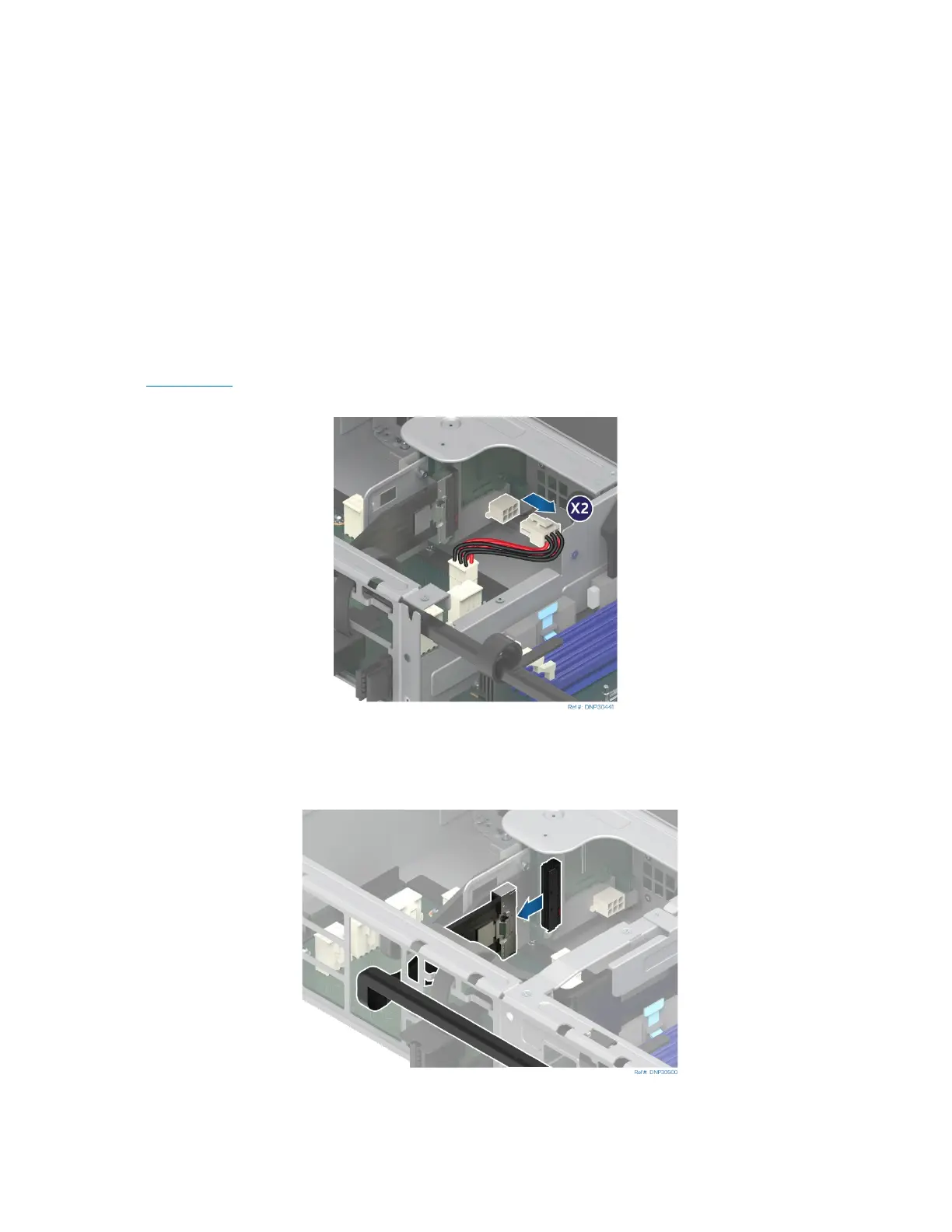
Figure 233. Disconnecting Riser Card Power Cable
2. Disconnect the power cables from the accelerator riser cards.
Figure 234. Disconnecting External MCIO* Cable



 To Next Page