Intel® Server D50DNP Family Integration and Service Guide
174
4. Remove the Velcro tape securing MCIO cables to accelerator riser assembly and disconnect two MCIO
cables from the external connectors on the accelerator riser cards.
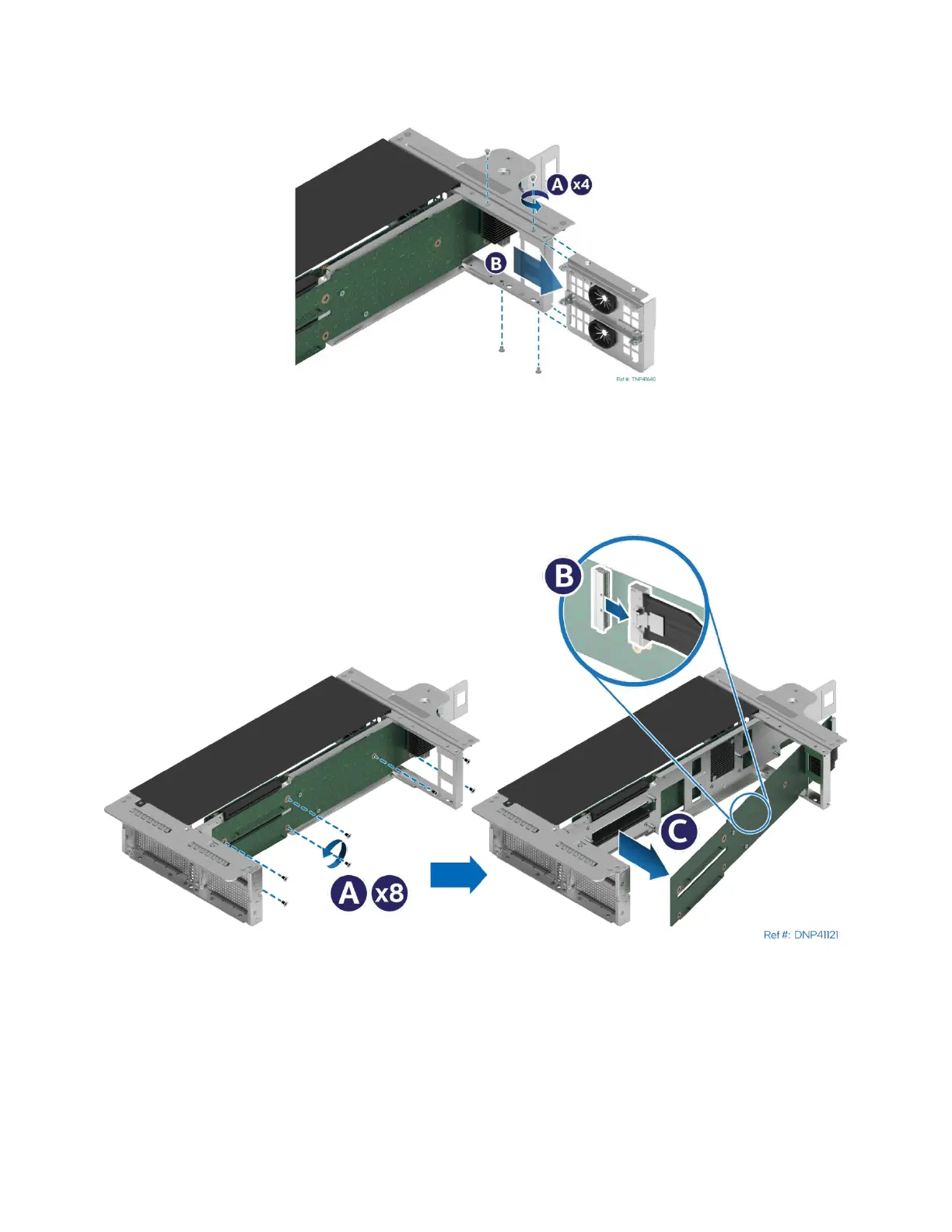
Figure 235. Accelerator Riser Assembly Rear Bracket Removal
5. Using a Phillips* head screwdriver #1, remove the screws that secure the rear bracket to the riser
assembly (see Letter A).
6. Slide the rear bracket and remove it from the riser assembly (see Letter B).
Figure 236. Accelerator Riser Card Removal
7. Using a Phillips* head screwdriver #2, remove the screws that secure the accelerator riser card to the
riser assembly (see Letter A).
8. Disconnect the MCIO* cable on the inner side of the accelerator riser card (see Letter B).
9. Remove the accelerator riser card away from the riser assembly (see Letter C).



 To Next Page