Intel® Server D50DNP Family Integration and Service Guide
160
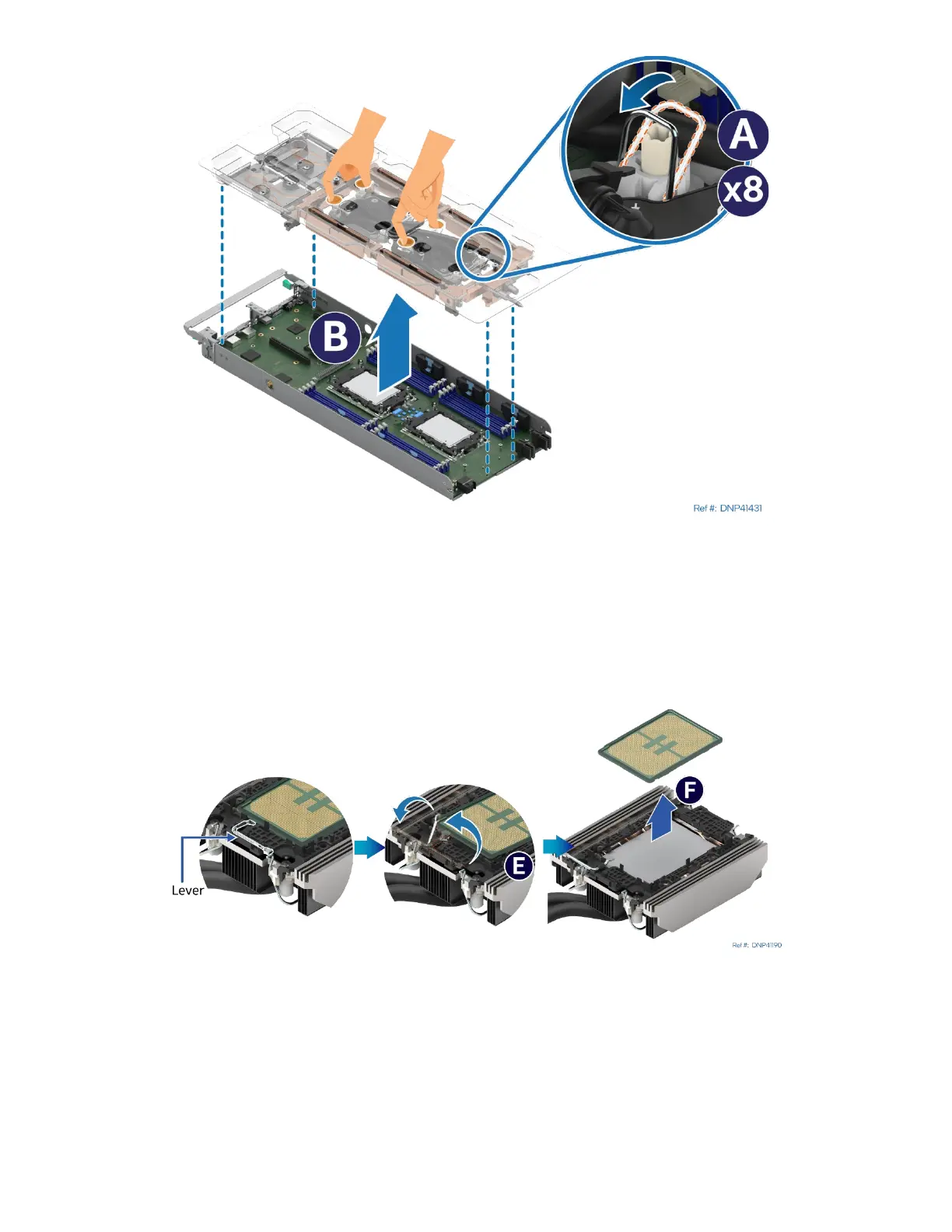
Figure 211. Removing Liquid-Cooling Loop
6. Set all the anti-tilt wires on the cold plates to the inward position (see Letter A).
7. With your fingers, hold the plastic carrier (with the liquid-cooling loop attached to it) and carefully lift it
up and away from the module (see Letter B).
8. With the processor facing up, set the liquid-cooling loop carrier with the liquid-cooling loop attached to it
down onto a flat surface.
Figure 212. Processor Removal from Processor Carrier Clip and Processor Cold Plate
9. Rotate the lever (see Letter E) from right to left until the processor lifts from the processor carrier clip.
10. Holding down the processor carrier clip, carefully lift the processor out of the processor carrier clip (see
Letter F). Put the processors onto the shipping tray.



 To Next Page