Intel® Server D50DNP Family Integration and Service Guide
63
3.3.3 Air Duct Removal (D50DNP2MFALAC Module)
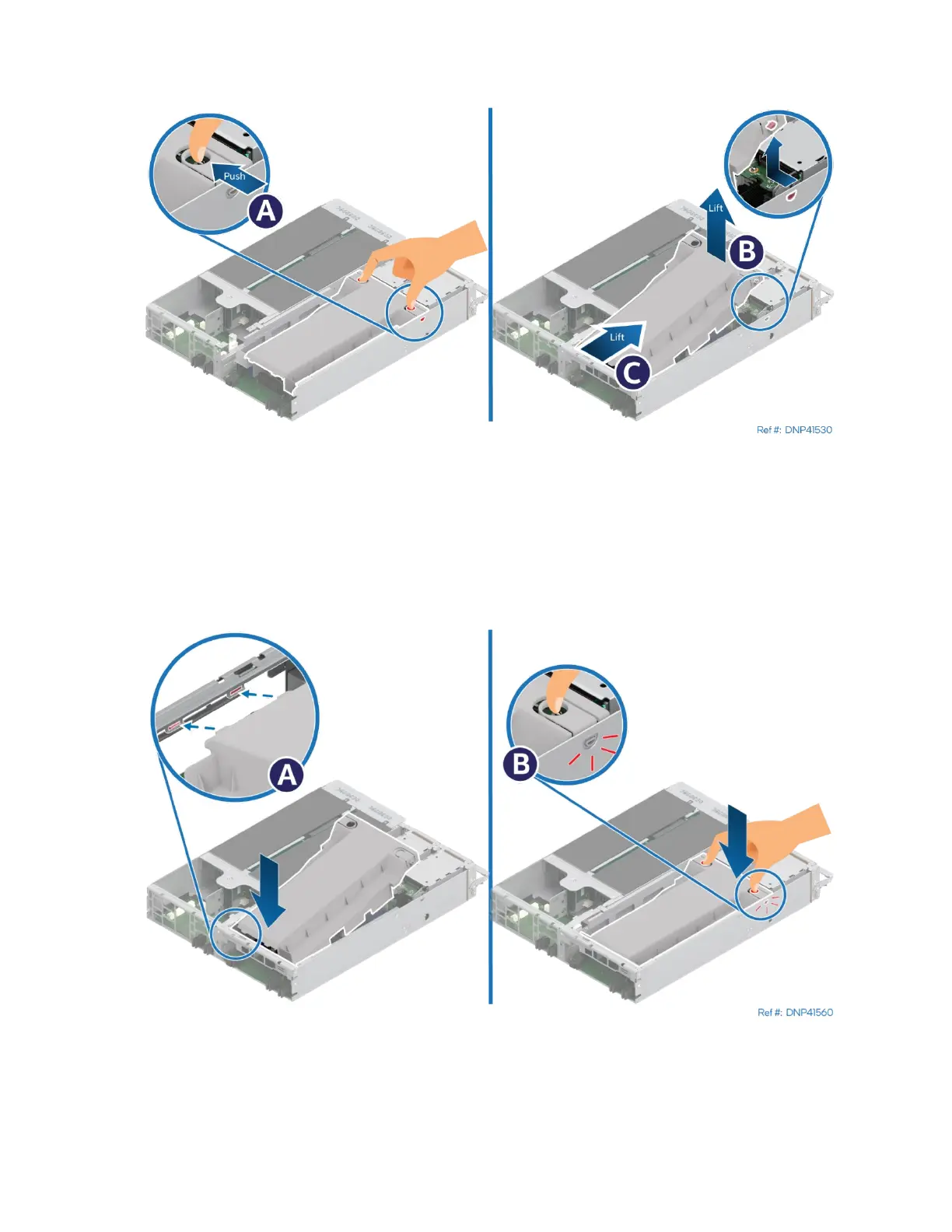
Figure 63. Removing the Air Duct (D50DNP2MFALAC Module)
1. Push the loops on both sides of the air duct inwards to release the latches (see Letter A).
2. Carefully lift the front edge of the air (see Letter B).
3. Pull the air duct away from the module (see Letter C).
3.3.4 Air Duct Installation (D50DNP2MFALAC Module)
Figure 64. Installing the Air Duct (D50DNP2MFALAC Module)
1. Engage the tabs on the back end of the air duct with the slots at the rear edge of the module (see
Letter A).
2. Lower the air duct until both the left and right side latches snap into place (see Letter B).



 To Next Page