Intel® Server D50DNP Family Integration and Service Guide
48
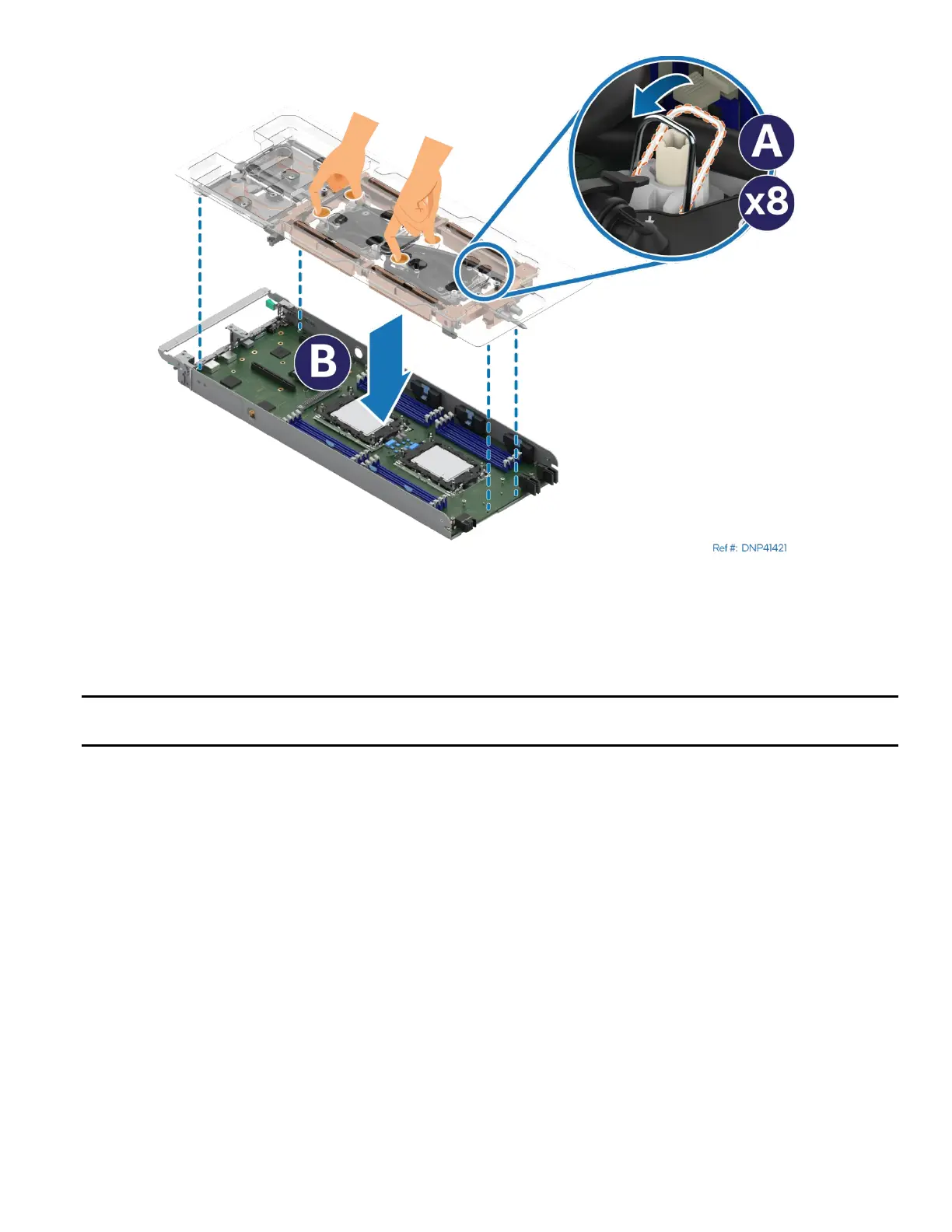
Figure 41. Installing Liquid-Cooling Loop
6. Set all eight anti-tilt wires in the liquid-cooling loop to the inward position (see Letter A).
7. With your fingers, hold the liquid-cooling loop and carefully place it into the module (see Letter B),
ensuring that the processor cold plates are properly aligned with the bolster plate’s alignment pins.
Important Note: Make sure that the screw holes for the cooling-loop on the board do not have screws in
place.



 To Next Page