Intel® Server D50DNP Family Integration and Service Guide
75
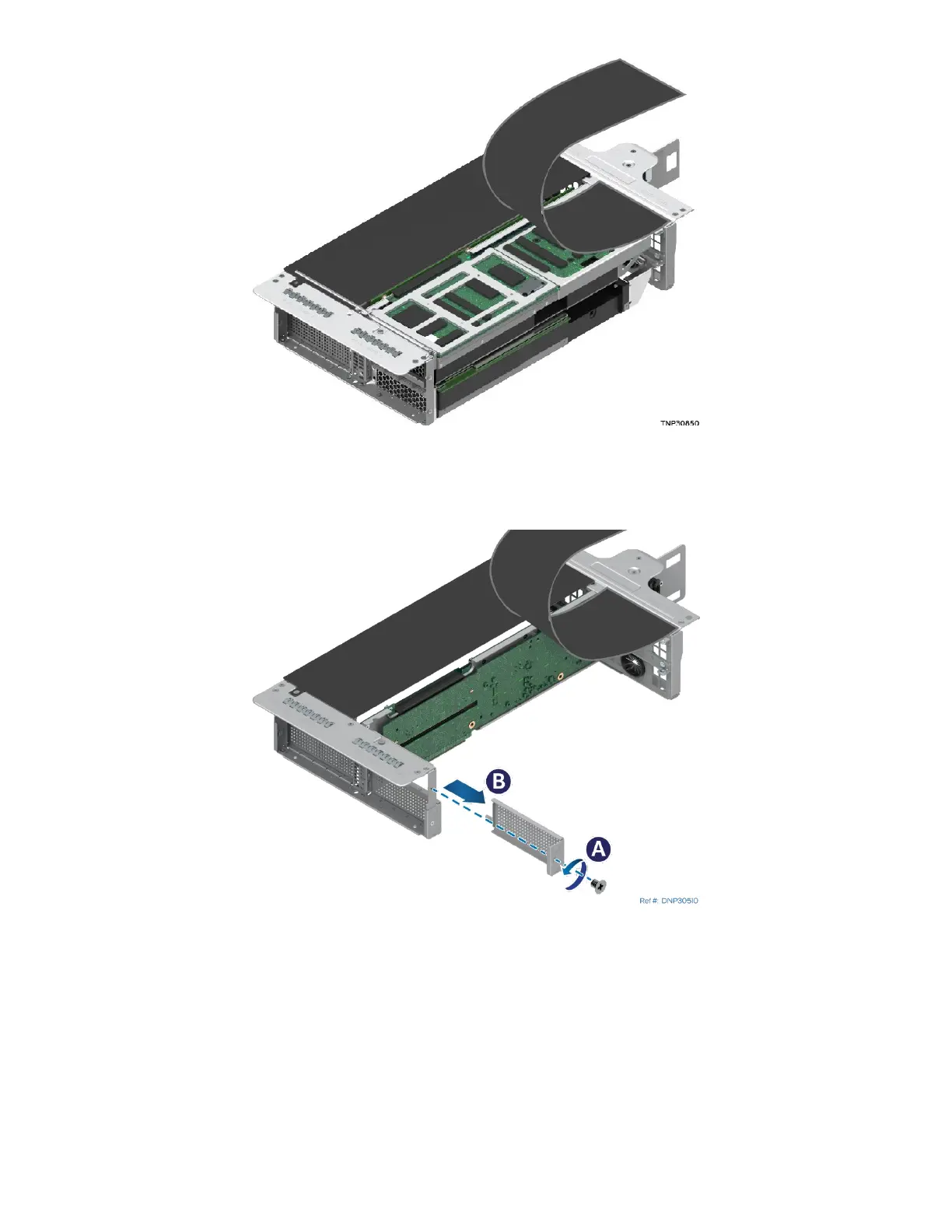
Figure 82. Lifting the Flap up on the Front Side of the Riser Assembly
7. Remove the screw holding the flap on the front side of the riser assembly and lift the flap up.
Figure 83. Removing the Original Metal Bracket
8. Remove the screw holding the original metal bracket (see Letter A) and remove the bracket from the
front side of the riser assembly (see Letter B).
9. If the bracket kit includes a power cable, attach it to the accelerator add-in card



 To Next Page