Intel® Server D50DNP Family Integration and Service Guide
88
3.10 Ethernet Management Port Module (AXXFCEMP)
Your system may or may not come preconfigured with an Ethernet Management Port module. This section
provides instructions for the installation and removal of this accessory option. The EMP module is hot-swap
capable and can be installed or removed without powering down the system or any of its modules. This
procedure applies to all Intel® Server D50DNP chassis types.
Required Tools and Supplies
• Ethernet Management Port Module
• Anti-static wrist strap and conductive workbench pad (recommended)
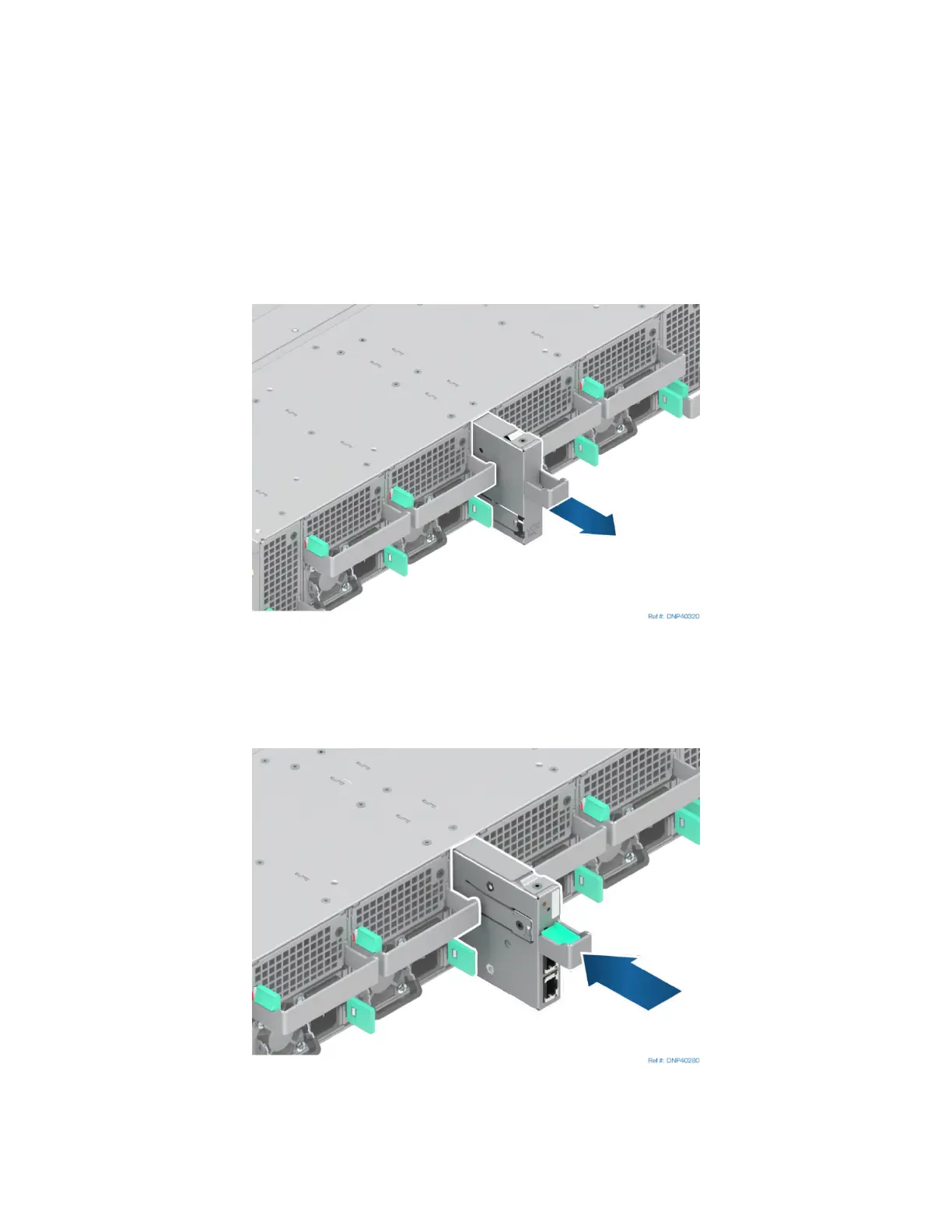
Figure 101. Removing the EMP Blank
1. If present, remove the EMP blank from the back of the server chassis by pulling it out from the chassis
as shown in previous picture.
Figure 102. Installing the EMP Module/Blank
2. Install the EMP module by sliding it into the open EMP bay until it locks into place.



 To Next Page