Intel® Server D50DNP Family Integration and Service Guide
151
7.5.5 MCIO* Riser Assembly Installation
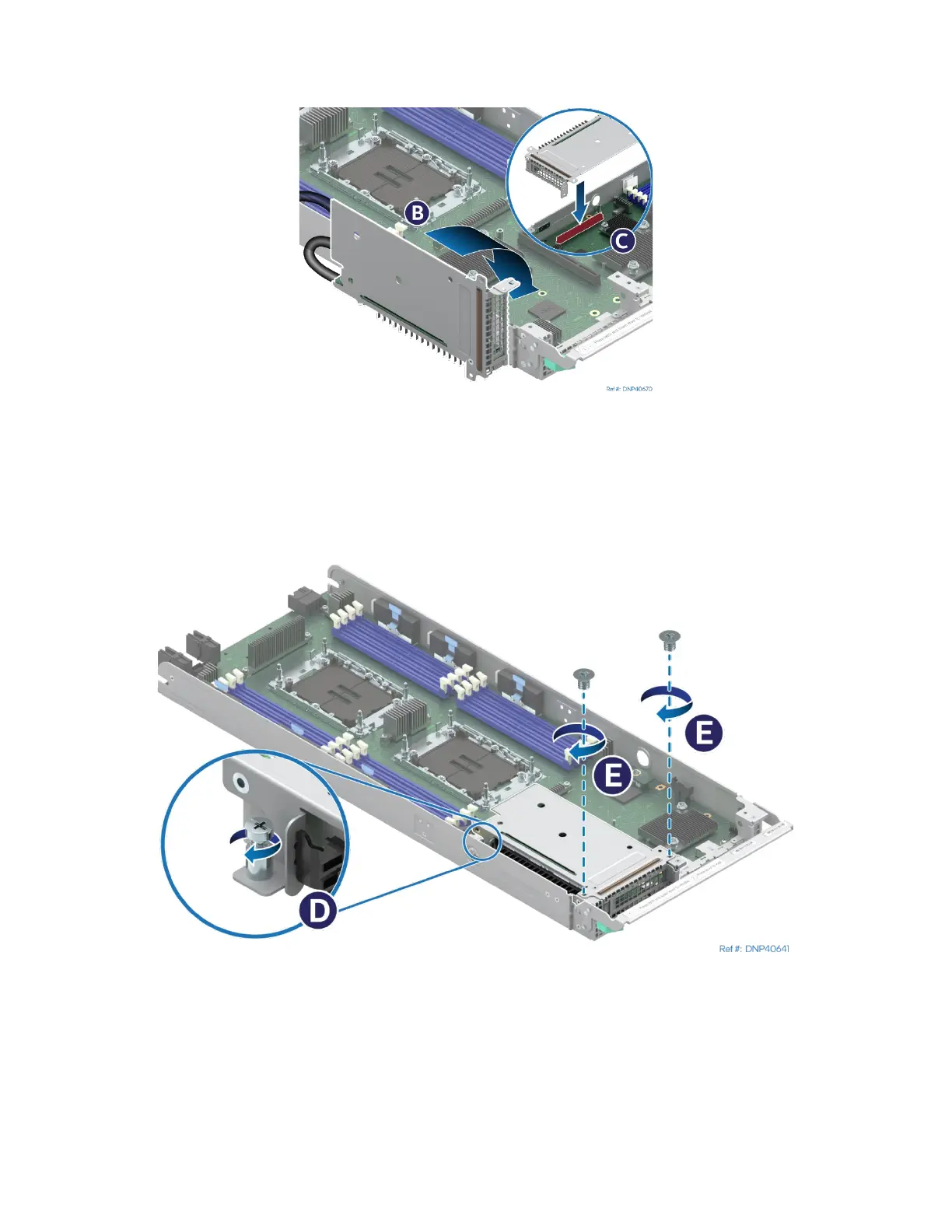
Figure 196. Installing the MCIO Riser Assembly
1. Tilt the riser assembly down and align the riser card with the riser slot on the server board (see Letter
B).
2. Carefully push down on the riser assembly until the riser card is securely seated in the riser slot (see
Letter C).
Figure 197. Securing the MCIO* Riser Assembly
3. Ensure that the screw holes of the riser assembly are aligned with the mounting holes of the module.
4. Using Phillips screwdriver #2 tighten the captive screw at the back of the riser assembly to 5 in-lb.
(see Letter D)
5. Using Phillips screwdriver #1 install two screws to secure the riser assembly to the front of the
module. Tighten to 5 in-lb. (see Letter E).
1U air-cooled module shown
module shown



 To Next Page