Intel® Server D50DNP Family Integration and Service Guide
198
Appendix C. System Status LED State Definitions
The control panel provides push button controls and LED indicators. This section provides a description for
each front control panel feature.
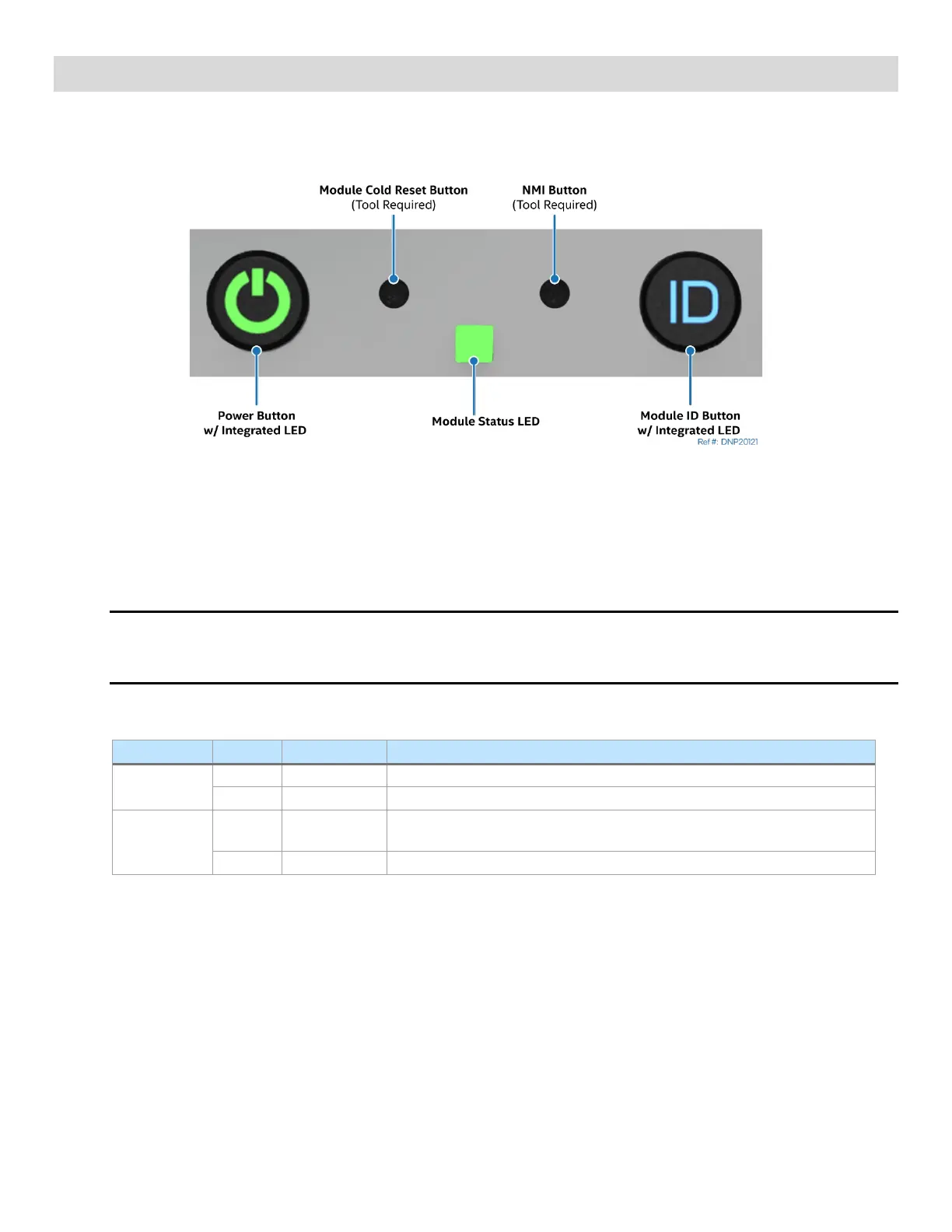
Figure 264. Front Control Panel Features
• Power button with integrated LED: Toggles the module power on and off. This button also functions
as a sleep button if enabled by an ACPI compliant operating system. Pressing this button sends a
signal to the integrated BMC that either powers on or powers off the module. The integrated LED is a
single color (green) and supports different indicator states as defined in the following table.
Note: After AC power is connected, several subsystems are initialized and low-level FRU discovery is
performed. This process can take up to 90 seconds. When this process is completed, the Status LED
turns solid on, indicating that the system is ready to be powered on.
Table 15. Power / Sleep LED Functional States
Non-ACPI
Module power is off, and the BIOS has not initialized the chipset.
ACPI
Off S5
Mechanical is off and the operating system has not saved any context to
the storage drive.
Module and the operating system are up and running.
• Module ID button with integrated LED: Toggles the integrated blue ID LED on and off. The module ID
LED is used to identify an Intel® D50DNP Module within a chassis for maintenance when installed in a
rack of similar server systems. The module ID LED can also be toggled on and off remotely using the
IPMI “Chassis Identify” command that causes the LED to blink for 15 seconds.
• NMI Button: When the NMI button is pressed, it puts the Intel® D50DNP Module in a halt state and
issues a non-maskable interrupt (NMI). This process can be useful when performing diagnostics for a
given issue where a memory dump is necessary to help determine the cause of the problem. To
prevent an inadvertent module halt, the actual NMI button is located behind the front control panel
faceplate. The NMI button is only accessible by using a small-tipped tool like a pin or paper clip.
• Module cold reset button: When pressed, this button reboots and re-initializes the Intel® D50DNP
Module. Unlike the power button, the reset button does not disconnect the power to the module. It
just starts the module’s power-on self-test (POST) sequence over again.



 To Next Page