Intel® Server D50DNP Family Integration and Service Guide
123
Note: Intel strongly recommends installing both processors. If only one processor is installed, do not install a
processor heat sink on an empty socket.
7.3.2 Processor Replacement for EVAC Heat Sink
Components Required for Each Processor
• New 4
th
Gen Intel® Xeon® Scalable processor in the shipping tray
• Matching processor carrier clip
• Existing 1U EVAC processor heat sink with new thermal interface material (TIM) applied
Required Tools and Supplies
• Anti-static wrist strap and conductive workbench pad (recommended)
• ESD Gloves (recommended)
• Adjustable torque T30 Torx* screwdriver
• Phillips* head screwdriver #2
Note: The procedures in this section show the replacement for the 1U EVAC processor heat sink (front). To
replace the 1U standard processor heat sink (back), follow the procedures in Section 7.3.1.
Caution: Fin edges of the processor heat sink are very sharp. Intel recommends wearing thin ESD protective
gloves when handling the PHM during the following procedures.
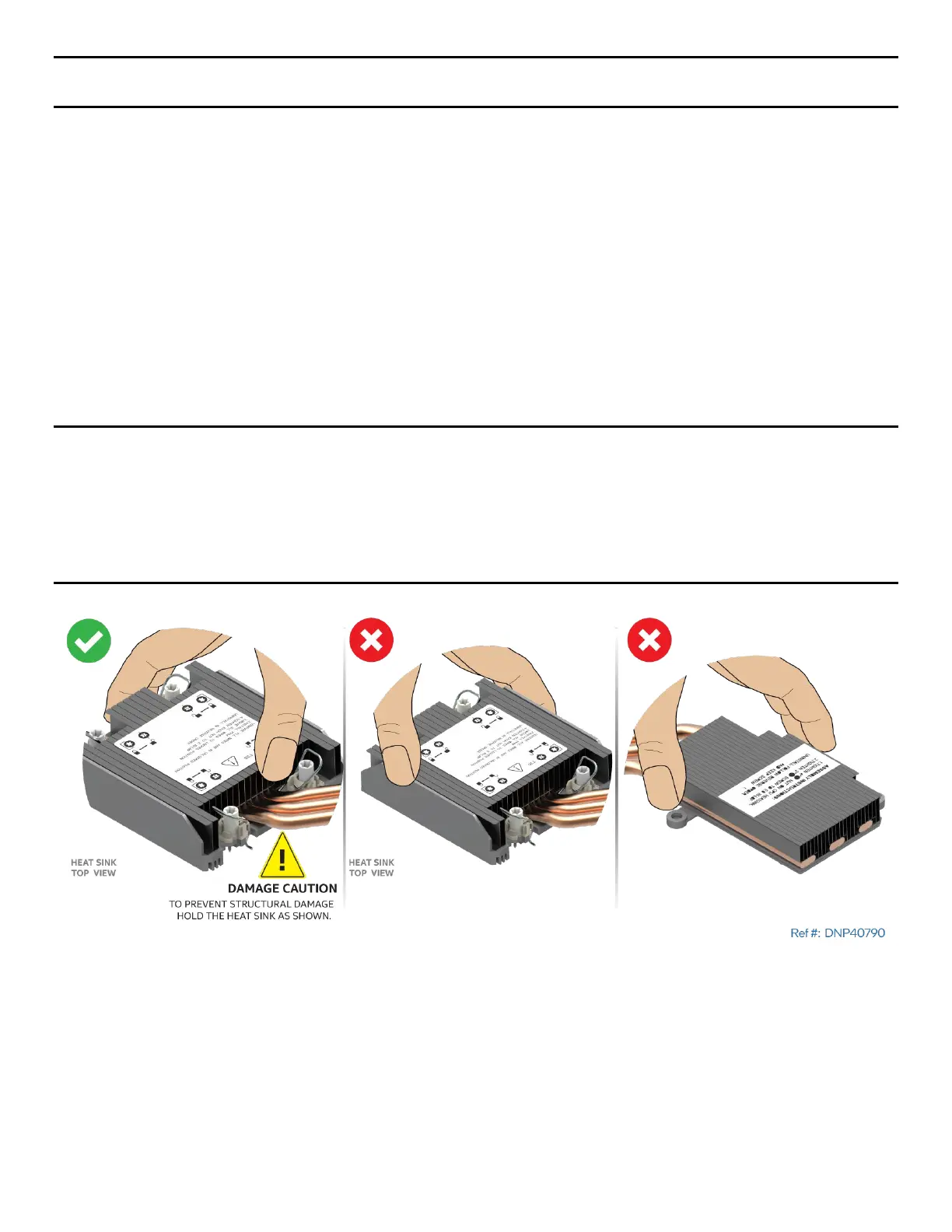
Caution: Processor heat sinks are easily damaged if handled improperly. See the following image for proper
handling.
Figure 145. Processor EVAC Heat Sink Handling



 To Next Page