Intel® Server D50DNP Family Integration and Service Guide
189
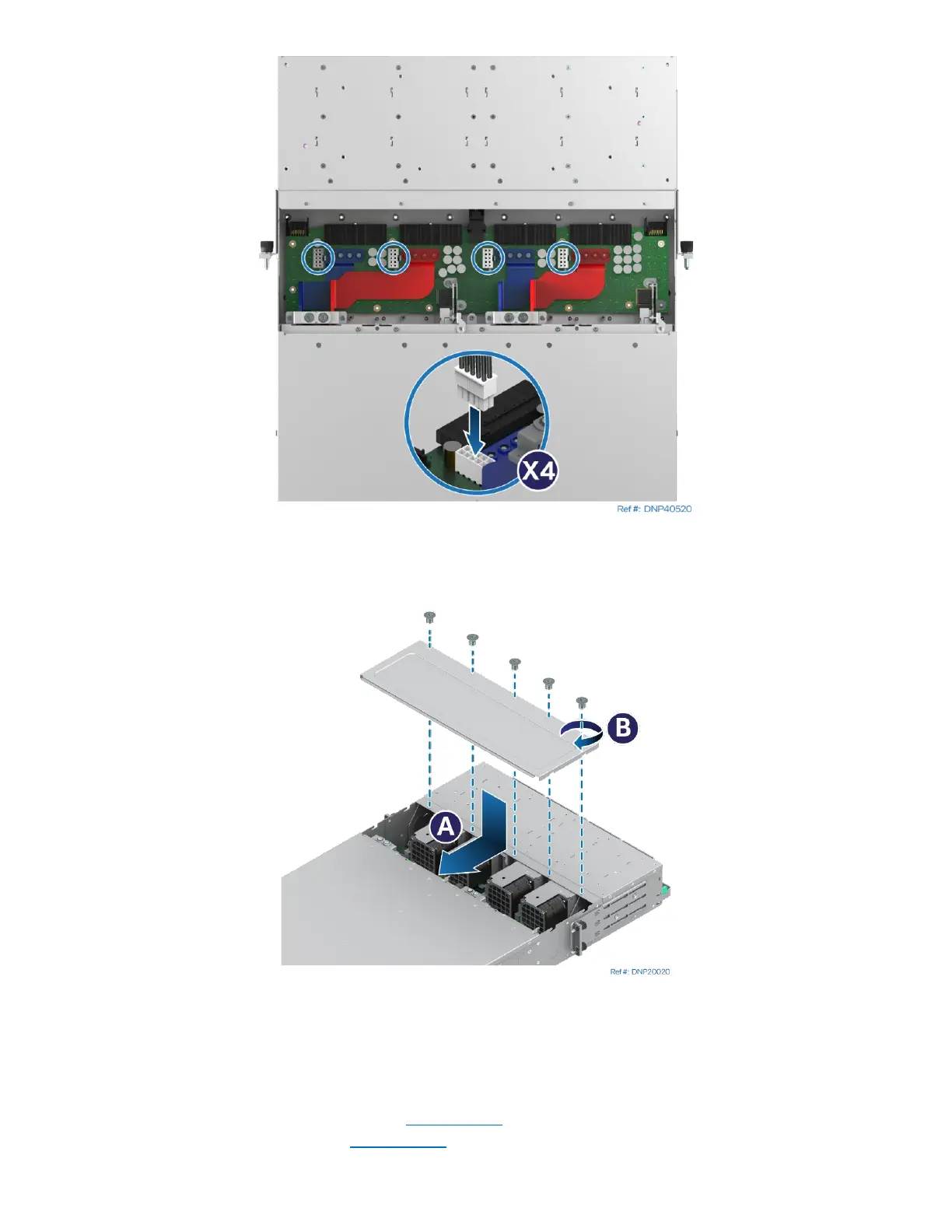
Figure 258. Connecting System Fan Power Cables
15. Locate and connect the system fan cables by pressing inwards on each clip and pressing them down
into the appropriate connector.
Figure 259. Securing Back Cover
16. Place the back cover over the top of the chassis and slide it towards the front (see Letter A).
17. Secure the back cover with a Phillips* head screwdriver #1 and the five screws (see Letter B).
18. If the system is liquid-cooled, install the chassis plumbing following accompanying instructions.
19. Install the EMP module if available, or an EMP module blank (see Section 3.10).
20. Install the system fan assemblies (see Section 7.14
).
21. Install the power supplies (see Section 7.12).



 To Next Page