Intel® Server D50DNP Family Integration and Service Guide
81
3.8 M.2 SSD Installation
Each M.2 SSD requires a heat sink or a cold plate to maintain proper working temperature. For air-cooled
modules, the M.2 SSD heat sink is not installed at the factory. It is available as an accessory (DNPM2HS) and
should be ordered separately for each M.2 SSD. Liquid-cooled systems come from factory fully assembled.
The M.2 SSD cold plate for liquid-cooled modules is also available as a spare kit (DNPM2LCHS).
Before following the procedures in this section, remove the selected module from the server chassis
(see Section 3.2.1) and then remove the selected riser assembly from the module (see Section 3.4.1).
3.8.1 Thermal Pad Installation for Air-Cooled Configurations
This procedure applies to both 1U and 2U riser assemblies with illustrations showing differences where
applicable.
Required Tools and Supplies
• PCIe* / SATA M.2 SSD
• M.2 heat sink kit for each M.2 SSD (iPC DNPM2HS)
• Anti-static wrist strap and conductive workbench pad (recommended)
• Phillips* head screwdriver #1
• 3/16” hex nut driver
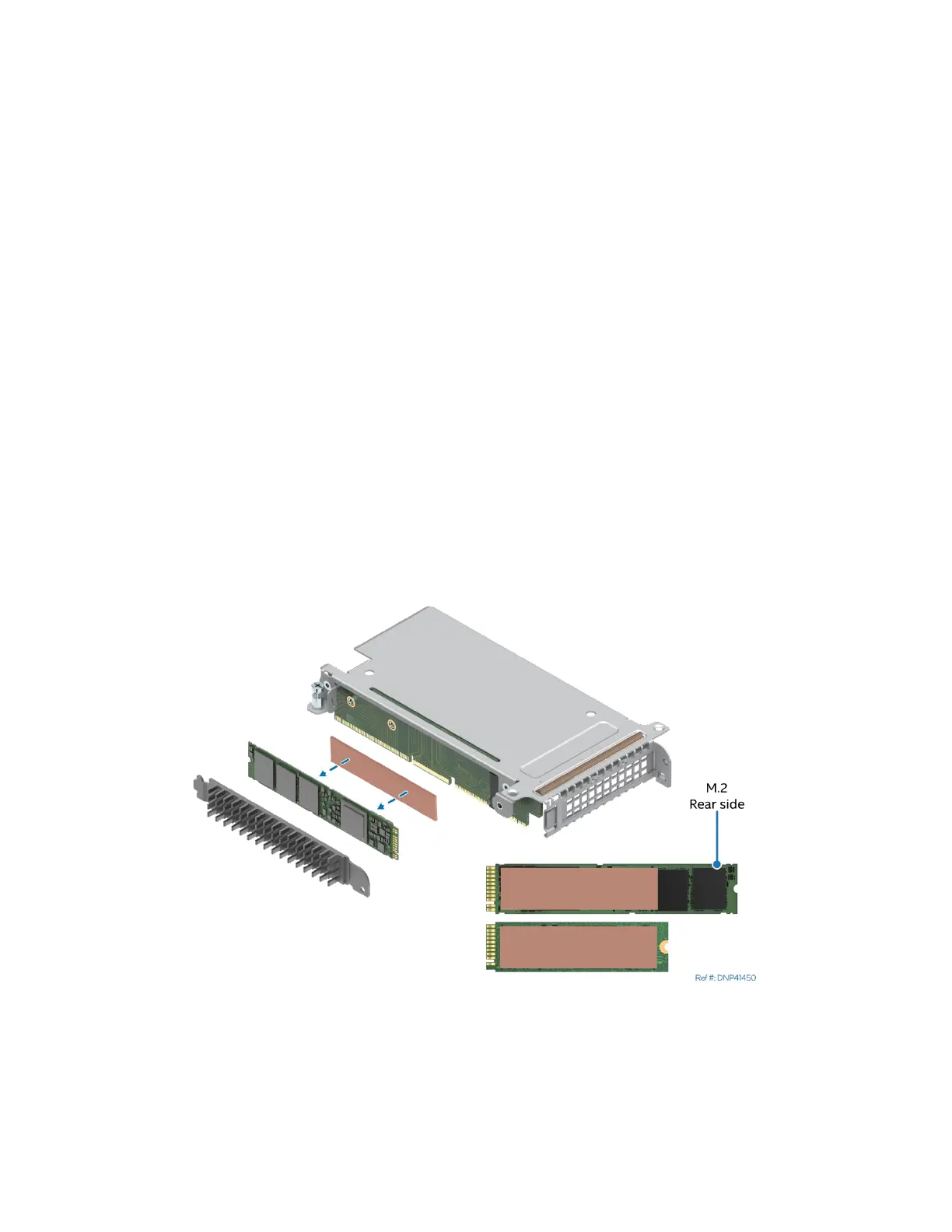
The M.2 SSD heat sink kit for air-cooled configurations includes two thermal pads: long and short. The long
thermal pad is attached to the heat sink at the factory. The short one should be attached to the rear side of
an SSD. Usually this is the side that has fewer components soldered on it.
Figure 93. Attaching thermal pad to SSD



 To Next Page