Intel® Server D50DNP Family Integration and Service Guide
172
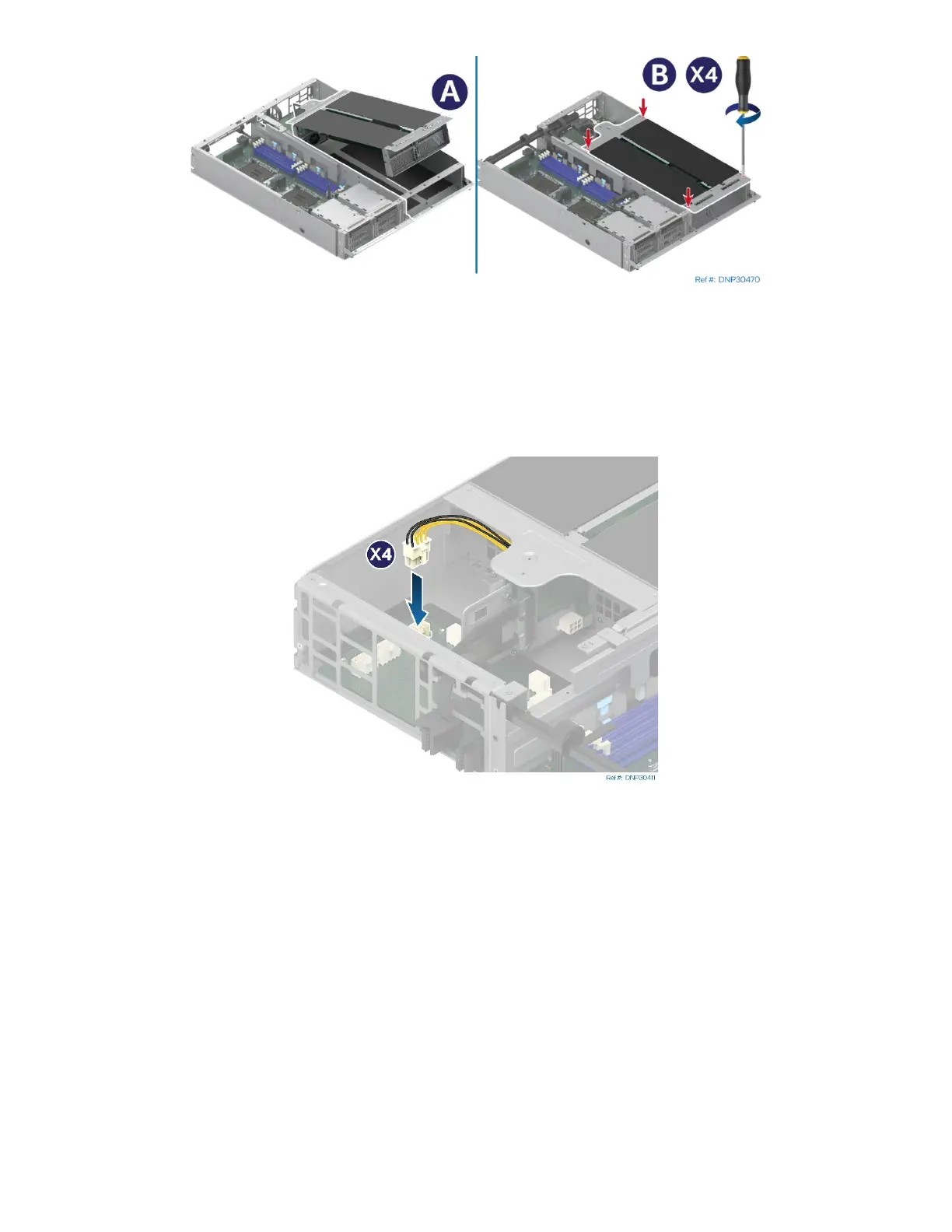
Figure 231. Installing PCIe* Accelerator Module Riser Assembly
20. Install the PCIe* accelerator module riser assembly by tilting the front side down to the module
(see Letter A).
21. Fasten the captive screws to secure the PCIe accelerator module riser assembly to the module
(see Letter B).
Figure 232. Connecting Add-In Card Power Cable
22. Connect all accelerator add-in card power cables to the connectors on the power board.



 To Next Page